Manual · Symbol
RS 2200/3200 Series LS 4071 Quick Reference Guide
Manual60 pagesPDF 494 KB
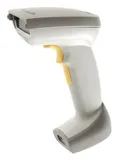
Quick reference guide for the Symbol LS 4071 cordless laser scanner: scanning, aiming, beeps, troubleshooting and host type bar codes.
Covers · 1 model
The models it covers
Summary
What is in it
A short quick reference guide for the Symbol LS 4071, a scanner that sends bar code data by low power radio to a base station. It explains getting ready (charging and pairing), testing and scanning, aiming and holding the scanner at an angle, what the beep means and what to do if the scanner does not work, plus host type bar codes for IBM 468X/9X (RL475) and RS-232C (RL474) systems. The guide is repeated in French, German, Italian and Spanish, followed by regulatory information and the warranty.
Its parts
- Introduction
- Scanning Made Easy
- Ready, Test, Scan
- Aiming
- What Does The Beep Mean?
- What If...
- Host Types
- Regulatory Information
From the manual
Key facts from this manual
Each line names its page in the PDF.
Symbol's RS 2200/3200 Series LS 4071 Quick Reference Guide (70-19478-03, Revision A, July 2001) for the LS 4071 cordless laser scanner and its base station. It shows how to pair, test and scan, what the beep and lights mean, and how to pick an IBM 468X/9X or RS-232C host type on RL475 and RL474 systems. The guide repeats in French, German, Italian and Spanish.
- Device
- Cordless laser scanner that sends bar code data to a base station by low power radio p. 3
- Range to base
- Up to 10 feet (3 meters) from the base station p. 3, 4
- Battery
- Rechargeable battery pack, charged in the base station; charge before first use and after each day p. 3
- Pairing
- Scan the Pairing bar code on the base to pair the scanner p. 3
- Indicators
- Scanner rear LED turns from yellow to green on a read; the base beeps and its yellow LED blinks when data arrives p. 4
- Host types
- RL475 system: IBM 468X/9X on Port 5B, 9B or 17; RL474 system: Standard, ICL, Nixdorf Mode A or B, or Fujitsu RS-232C p. 8, 12
- RS-232C defaults
- 9600 baud, one stop bit, 8-bit ASCII, no software handshaking on all four RS-232C host types p. 10
- Scan beam time
- About 3.0 seconds per trigger press (default) p. 4
- Tilt tolerance
- Up to 65° forward or back p. 6
- Document number
- 70-19478-03, Revision A, July 2001 p. 60
What this manual walks you through
- Ready, test and scan: charging, pairing and testing the beam p. 3, 4
- Aiming and holding the scanner at an angle p. 5, 6
- What the beep means and who to call p. 7
- Selecting an IBM 468X/9X host port on an RL475 system p. 8
- Selecting an RS-232C host type and its defaults on an RL474 system p. 9, 10, 11, 12
- Returning to factory defaults with the SET ALL DEFAULTS bar code p. 9
- Regulatory and laser information p. 53, 54, 55
Good to know
- Holding the scanner straight over the bar code causes specular reflection that can blind the scanner. p. 6
- For IBM 468X/9X terminals, the driver for the port in use must be loaded and enabled on the terminal. p. 8
- In Nixdorf Mode B, scan data is not sent while CTS is Low. p. 11
- ICL, Fujitsu or Nixdorf defaults take precedence over Standard RS-232 defaults once selected. p. 9
Questions this manual answers
How far can the Symbol LS 4071 be from its base?
Up to 10 feet (3 meters); the scanner talks to the base by low power radio. p. 3
How do I pair the LS 4071 with its base station?
Scan the Pairing bar code on the base. p. 3
How do I know the LS 4071 sent a bar code?
The base gives a short, high tone beep (with default beeper settings) and its yellow LED blinks. p. 4
What hosts can the LS 4071 connect to?
With an RL475 system, IBM 468X/9X hosts on Port 5B, 9B or 17; with an RL474 system, Standard, ICL, Nixdorf or Fujitsu RS-232C hosts. p. 8, 12
How often should the LS 4071 battery be charged?
Before first use and after each day's use; keeping the scanner in its base between uses helps hold the charge. p. 3
Contents
Chapters and sections
Each line opens the PDF at its page.
- Introduction3
- Scanning Made Easy3
- Ready, Test, Scan3
- Aiming5
- What Does The Beep Mean?7
- What If...7
- Host Types8
- Introduction13
- La lecture en toute simplicité13
- Préparation, Test, Lecture13
- Positionnement du lecteur15
- Signification des signaux sonores17
- Dépannage...17
- Types d’ordinateurs centraux18
- Einführung23
- Scannen einfach gemacht23
- Betriebsbereitschaft, Test, Scannen23
- Zielen25
- Was bedeutet der Piepton?27
- Was tun, falls ...27
- Hosttypen28
- Introduzione33
32 more lines, from page 33 on
- Lettura facile33
- Preparazione, prova, lettura33
- Puntamento35
- Cosa indica il segnale acustico37
- Come comportarsi se...37
- Tipi di host38
- Introducción43
- Facilidad para Realizar Lecturas43
- Preparación, Pruebas, Lecturas43
- Apuntar45
- ¿Qué Significa la Señal Acústica?47
- Qué Pasa Si...47
- Tipos de Ordenadores Centrales48
- Regulatory Information53
The whole text · 6 parts
Read the manual here as text
Its text as extracted from the PDF, unedited, in parts; each page opens the PDF at that page.
The file