Manual · Symbol
LS1900T/LS1908X Product Reference Guide
Manual356 pagesPDF 3.9 MB
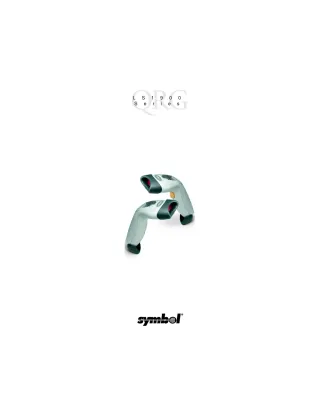
Product reference guide for the Symbol LS1900T and LS1908X hand-held laser bar code scanners: setup, interfaces and programming.
Names · 2 models
The models it names
 Symbol LS-1900Hand-held laser barcode scanner from$185.005 in stock Symbol LS-1908Hand-held laser barcode scanner from$185.003 in stock
Filed with · 1 model
Also filed with these models on the old site
Summary
What is in it
Symbol's product reference guide for the LS1900T undecoded scanner and the LS1908T and LS1908C decoded scanners. It covers unpacking and cable setup, hand-held and hands-free scanning, beeper and LED meanings, maintenance, troubleshooting and technical specifications, then gives the programming bar codes for user preferences, keyboard wedge, RS-232, USB, IBM 468X/469X and wand emulation interfaces, symbologies, scanner options and Advanced Data Formatting.
Its parts
- About This Guide
- Getting Started
- Scanning
- Maintenance and Technical Specifications
- User Preferences
- Keyboard Wedge Interface
- RS-232 Interface
- USB Interface
- IBM 468X/469X Interface
- Wand Emulation Interface
- 123Scan
- Symbologies
- Miscellaneous Scanner Options
- Advanced Data Formatting
From the manual
Key facts from this manual
Each line names its page in the PDF.
Product Reference Guide (72-53903-01, Revision A, May 2002) for the Symbol LS1900T and LS1908X hand-held laser scanners: the undecoded LS1900T, the triggered LS1908T and the triggerless LS1908C. It covers setup, host connections (RS-232, keyboard wedge, USB, IBM 468X/469X, wand emulation, Synapse), the hands-free stand, troubleshooting, specifications, pin-outs and the programming bar codes, which apply only to the LS1908X.
- Versions
- LS1900T undecoded, for portable terminals and interface controllers; LS1908T triggered decoded; LS1908C triggerless decoded p. 22
- Interfaces
- LS1908C/T: RS-232, Keyboard Wedge, Wand Emulation, IBM 468X/469X, USB, Synapse; LS1900T: decoding done by the interface controller p. 22, 43
- Power requirements
- LS 1900T: 4.5-5.5 VDC @ 100 mA nominal; LS 1908C/T: 4.5-5.5 VDC @ 145 mA nominal; stand-by 1 mA max p. 42
- Power source
- Decoded: host powered, external power supply, or a 9 Volt battery box (over 10,000 scans); undecoded: from the interface controller p. 42
- Weight
- 4.2 oz. (120 g) without cable p. 43
- Dimensions
- 5.3 in. (13.5 cm) high, 2.5 in. (6.4 cm) wide, 2.2 in. (5.6 cm) deep p. 43
- Operating temperature
- 32° to 104° F (0° to 40° C) p. 43
- Scan engine
- 650nm laser diode; approximately 44 scans/sec. (bidirectional); minimum element width 5 mil (0.127 mm) p. 42, 43
- Decode capability
- Decoded models: UPC/EAN with supplementals, UCC/EAN 128, Code 39 (Full ASCII, Trioptic), Codabar (NW7), Interleaved 2 of 5, Discrete 2 of 5, Code 128, Code 93, MSI, Code 11, UCC/EAN RSS, Code 32, Coupon Code, Bookland EAN p. 42
- Synapse adapter cable
- p/n 25-32463-xx, used with a Synapse Smart Cable p. 25
- USB hosts
- LS1908X: Windows 98, 2000, ME, XP; MacOS 8.5 and above; IBM 4690 OS; HID keyboard by default p. 22, 110
- Keyboard languages
- North America, German, French, French International, Spanish, Italian, Swedish, British, Japanese p. 22
- Durability
- 5 ft (1.5 m) drops to concrete p. 43
- Configuration
- LS1908X: programming bar codes in the guide, or the 123Scan Windows utility over an RS-232 cable p. 13, 24, 143
What this manual walks you through
- Installing and removing the interface cable p. 23, 25
- Connecting external power when the host does not supply it p. 24
- Connecting through a Synapse Smart Cable p. 25
- Reading the beeper and LED signals p. 28, 29, 30
- Assembling, mounting and scanning in the Intellistand p. 35, 36, 37
- Cleaning the window and troubleshooting p. 39, 40, 41
- Scanner connector pin-outs for each interface p. 44, 45
- Connecting a keyboard wedge Y-cable p. 58
- Connecting to RS-232, USB, IBM 468X/469X and wand emulation hosts p. 82, 110, 111, 130, 136
- Setting up the scanner with 123Scan p. 143
Good to know
- The programming chapters apply only to the LS1908X; the undecoded LS1900T has no configurable options and is run by the external interface controller. p. 13
- Do not spray liquids directly into the window and do not remove the rubber nose of the scanner. p. 39
- On USB, a repeated power-up beep when the PC cold boots is normal. p. 29
- On an IBM 468X/469X host the only required setting is the port number. p. 130
- The guide states CDRH Class 2 for triggered models and IEC 825-1 Class 1 for triggerless models. p. 43
Questions this manual answers
What is the difference between the LS1900T and the LS1908?
The LS1900T is undecoded and relies on a portable terminal or interface controller, while the LS1908T (triggered) and LS1908C (triggerless) decode bar codes themselves. p. 22
How do I program the LS1908 from a PC?
Use the 123Scan Windows utility with the scanner connected to the PC by an RS-232 cable. p. 143
What do 4 long low beeps mean on an LS1908?
A transmission error was detected and the data was ignored, usually because the unit is not properly configured. p. 28
Which operating systems support the LS1908 over USB?
Windows 98, 2000, ME and XP, MacOS 8.5 and above, and IBM 4690 OS. p. 110
What power does the LS1908 need?
4.5 to 5.5 VDC at 145 mA nominal, from the host, an external power supply or a battery box. p. 42
Contents
Chapters and sections
Each line opens the PDF at its page.
- Cover1
- About This Guide13
- Chapter 1 Getting Started21
- Chapter 2 Scanning27
- Chapter 3 Maintenance and Technical Specifications39
- Chapter 4 User Preferences47
- Chapter 5 Keyboard Wedge Interface57
74 more lines, from page 71 on
- ASCII Character Set71
- Chapter 6 RS-232 Interface81
- Chapter 7 USB Interface109
- Chapter 8 IBM 468X/469X Interface129
- Chapter 9 Wand Emulation Interface135
- Chapter 10 123Scan143
- Chapter 11 Symbologies145
- Chapter 12 Miscellaneous Scanner Options221
- Chapter 13 Advanced Data Formatting231
- Appendix A Standard Default Parameters319
- Appendix B Programming Reference327
- Appendix C Sample Bar Codes331
- Appendix D Numeric Bar Codes335
- Glossary341
- Index347
- Feedback353
The whole text · 42 parts
Read the manual here as text
Its text as extracted from the PDF, unedited, in parts; each page opens the PDF at that page.
- Cover1-4
- Table of Contents5-12
- About This Guide13-20
- Chapter 1 Getting Started21-26
- Chapter 2 Scanning27-38
- Chapter 3 Maintenance and Technical Specifications39-46
- Chapter 4 User Preferences47-56
- Chapter 5 Keyboard Wedge Interface, pages 57 to 6457-64
- Chapter 5 Keyboard Wedge Interface, pages 65 to 7265-72
- Chapter 5 Keyboard Wedge Interface, pages 73 to 8073-80
- Chapter 6 RS-232 Interface, pages 81 to 9081-90
- Chapter 6 RS-232 Interface, pages 91 to 10091-100
- Chapter 6 RS-232 Interface, pages 101 to 108101-108
- Chapter 7 USB Interface, pages 109 to 118109-118
- Chapter 7 USB Interface, pages 119 to 128119-128
- Chapter 8 IBM 468X/469X Interface129-134
- Chapter 9 Wand Emulation Interface135-142
- Pages 143 to 152143-152
- Pages 153 to 162153-162
- Pages 163 to 172163-172
- Pages 173 to 182173-182
- Pages 183 to 192183-192
- Pages 193 to 202193-202
- Pages 203 to 212203-212
- Pages 213 to 220213-220
- Chapter 12 Miscellaneous Scanner Options221-230
- Chapter 13 Advanced Data Formatting, pages 231 to 240231-240
- Chapter 13 Advanced Data Formatting, pages 241 to 250241-250
- Chapter 13 Advanced Data Formatting, pages 251 to 260251-260
- Chapter 13 Advanced Data Formatting, pages 261 to 270261-270
- Chapter 13 Advanced Data Formatting, pages 271 to 280271-280
- Chapter 13 Advanced Data Formatting, pages 281 to 290281-290
- Chapter 13 Advanced Data Formatting, pages 291 to 300291-300
- Chapter 13 Advanced Data Formatting, pages 301 to 310301-310
- Chapter 13 Advanced Data Formatting, pages 311 to 318311-318
- Appendix A Standard Default Parameters319-326
- Appendix B Programming Reference327-330
- Appendix C Sample Bar Codes331-334
- Appendix D Numeric Bar Codes335-340
- Glossary341-346
- Index347-352
- Feedback353-356
The file