Manual · Symbol
LS1900 Series Quick Reference
Manual56 pagesPDF 1.7 MB
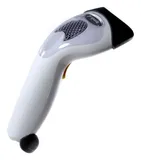
Multilingual quick reference for the Symbol LS1900 Series laser scanners (LS1900, LS1902, LS1908) with host programming bar codes.
Covers · 3 models
The models it covers
Summary
What is in it
Symbol's quick reference for the LS1900 Series hand-held laser scanners, printed in English, French, German, Italian, Spanish, Portuguese, Japanese, Chinese and Korean. It shows the scanner's parts, installing and removing the interface cable, aiming, scanning in hand-held mode and in hands-free mode in a stand (LS1902x and LS1908x), and troubleshooting, followed by frequently used programming bar codes for defaults, host types and country keyboards, and regulatory information.
Its parts
- Introduction
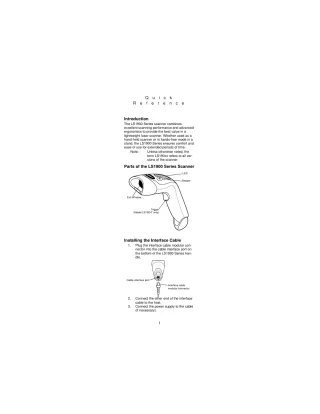
- Parts of the LS1900 Series Scanner
- Installing the Interface Cable
- Removing the Interface Cable
- Scanning In Hand-Held Mode
- Scanning in Hands-Free Mode (LS1902x and LS1908x only)
- Troubleshooting
- Programming Bar Codes
- Regulatory Information
From the manual
Key facts from this manual
Some pages are scans or cannot be read; this says only what the readable text supports. Each line names its page in the PDF.
Quick Reference (72-53904-01, Revision B, May 2002) for the Symbol LS1900 Series hand-held laser scanners, including the LS1902x and LS1908x versions that also scan hands-free in a stand. It shows how to attach the interface cable, scan, troubleshoot and pick the host type with programming bar codes, in English plus French, German, Italian, Spanish, Portuguese, Japanese, Chinese and Korean.
- Type
- Lightweight hand-held laser scanner, also usable hands-free in a stand p. 3
- Hands-free mode
- LS1902x and LS1908x only: constant-on scanning in the stand p. 4
- Host types
- Keyboard Wedge, RS-232, Wand Emulation, and Synapse cables (part number STIxx-xxxx) with automatic host detection p. 44
- USB and IBM 46XX
- LS1908x only: USB (HID keyboard emulation, IBM Hand-Held USB) and IBM 46XX (Port 5B, Port 9B) p. 49
- RS-232 host types
- Standard, ICL, Nixdorf Mode A, Nixdorf Mode B, Fujitsu, OPOS p. 47, 48
- Trigger
- LS190xT models only p. 3
- Decode indication
- Beep and green LED on a good decode p. 4
- Keyboard countries
- North American, French, French Canadian, German, Spanish, Italian, Swedish, UK English, Japanese p. 45, 46
- Cable connection
- Modular connector into the cable interface port on the bottom of the handle p. 3
- Laser (Class 2 label)
- 630-680 nm laser, 1.0 mW max output p. 53
- Emissions
- The guide states FCC Part 15 Class B and Canadian ICES-003 Class B compliance p. 51, 52
- Full manual
- LS1900 Series Product Reference Guide, p/n 72-53903-xx, on the LS1900 Series CD p. 44
What this manual walks you through
- Installing the interface cable p. 3, 4
- Removing the interface cable p. 4
- Scanning in hand-held mode p. 4
- Scanning hands-free in the stand p. 4, 5
- Troubleshooting power, decode and host problems p. 5, 6
- Restoring default settings p. 44
- Selecting the host type and keyboard country with bar codes p. 44, 45, 46, 47, 48, 49
- Sending data to a Wand host as Code 39 p. 50
- Adding a carriage return/line feed to scanned data p. 50
Good to know
- USB and IBM 46XX host types are available only in LS1908x models. p. 49
- The scanner reads best when it is not held exactly perpendicular to the bar code. p. 4
- For a keyboard wedge, the system must be set for the correct keyboard type with CAPS LOCK off. p. 6
- Avoid staring directly into the beam of a Class 2 laser scanner. p. 52
Questions this manual answers
How do I reset an LS1900 scanner to default settings?
Scan the SET DEFAULTS bar code in the programming section. p. 44
How do I set up the LS1908 for USB?
The scanner detects USB and defaults to HID keyboard; scan the IBM HAND-HELD USB bar code to use that host type instead. p. 44, 49
Which LS1900 models can scan hands-free in a stand?
The LS1902x and LS1908x; in the stand they stay in constant-on mode. p. 4
How do I remove the LS1900 interface cable?
Press the connector clip with the tip of a screwdriver and unplug the modular connector. p. 4
The LS1900 decodes but nothing reaches the host. What is wrong?
The scanner is not set for the correct host type; scan the matching host type bar code. p. 6
Contents
Chapters and sections
Each line opens the PDF at its page.
- Introduction3
- Parts of the LS1900 Series Scanner3
- Installing the Interface Cable3
- Removing the Interface Cable4
- Scanning In Hand-Held Mode4
- Scanning in Hands-Free Mode (LS1902x and LS1908x only)4
- Troubleshooting5
- Présentation7
- Composants du lecteur de la série LS19007
- Installation du câble d’interface7
- Dépose du câble d’interface8
- Lecture en mode portable8
- Lecture en mode mains-libres (LS1902x et LS1908x uniquement)9
- Dépannage9
- Einführung12
- Die Teile der Scanner der Serie LS190012
- Installieren des Schnittstellenkabels12
- Abziehen des Schnittstellenkabels13
- Scannen mit dem Handscanner13
- Scannen im Freihandmodus (nur bei Modell LS1902x und LS1908x)14
- Fehlerbehebung14
- Introduzione17
- Le parti dello scanner Serie LS190017
- Installazione del cavo di interfaccia17
- Rimozione del cavo di interfaccia18
- Modalità di scansione portatile18
- Modalità di scansione “a mani libere” (solo LS1902x e LS1908x)18
- Risoluzione dei problemi19
- Introducción22
- Partes del scanner de la serie LS190022
- Instalación del cable de interfaz22
- Extracción del cable de interfaz23
- Lectura en modo manual23
- Lectura en modo manos libres (sólo LS1902x y LS1908x)23
- Solución de problemas24
41 more lines, from page 27 on
- Introdução27
- Peças scanner da série LS190027
- Instalação do cabo de interface27
- Remoção do cabo de interface28
- Leitura em modo manual28
- Leitura em modo automático (apenas LS1902x e LS1908x)28
- Solução de problemas29
- はじめに32
- LS1900 シリーズ スキャナの各部32
- インタフェース ケーブルを接続 する32
- インタフェース ケーブルを取り外す33
- ハンドヘルドモードでのスキャン33
- ハンド フリー モードでのスキャン (LS1902x と LS1908x のみ)33
- トラブルシューティング34
- 简介36
- LS1900 系列扫描器部件36
- 安装接口电缆36
- 拔出接口电缆37
- 以手持模式扫描37
- 以手持模式扫描 (仅限型号LS1902x 和LS1908x)37
- 故障解决38
- 소개40
- LS1900 시리즈 스캐너의 부품40
- 인터페이스 케이블 설치하기40
- 인터페이스 케이블 제거하기41
- 휴대용 모드에서 스캔하기41
- 핸즈-프리 모드에서 스캔하기 (LS1902x와 LS1908x 사양에 한함)41
- 문제 해결42
- Programming Bar Codes44
- Regulatory Information51
The whole text · 6 parts
Read the manual here as text
Its text as extracted from the PDF, unedited, in parts; each page opens the PDF at that page.
The file