Manual · Opticon
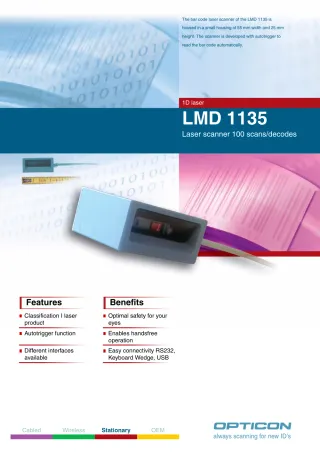
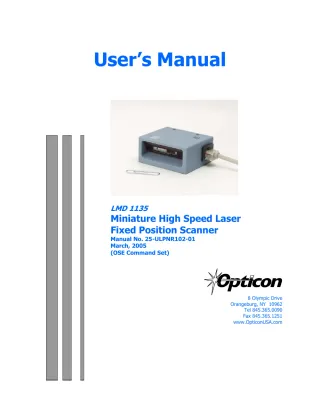
User's Manual LMD 1135 Miniature High Speed Laser Fixed Position Scanner (OSE Command Set)
Manual73 pagesPDF 361 KB
User's manual for the Opticon LMD 1135 miniature fixed position laser scanner: specifications, positioning, RS232 setup and programming.
Covers · 1 model
The models it covers
Summary
What is in it
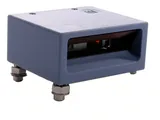
The user's manual for the Opticon LMD 1135, a miniature 100 scan per second fixed position laser bar code scanner made to be built into host equipment, using the OSE command set. It gives a quick start over RS232, full technical specifications (physical, optical, electrical, RS232, pin-outs, environment), tips for positioning the scanner for throughput and data integrity, configuration and default settings, labeling, servicing, and appendices with computer and bar code programming commands, dimensional drawings and typical optical performance.
Its parts
- Introduction and Getting Started
- Technical Specifications
- Positioning the Scanner
- Configuring the Scanner
- Application Engineering Support
- Scanner Labeling
- Scanner Servicing and Maintenance
From the manual
Key facts from this manual
Each line names its page in the PDF.
This is the Opticon user's manual for the LMD 1135, a miniature fixed position laser bar code scanner with an RS232 interface (OSE command set). It gives the specifications, a quick start with a PC, advice on mounting and positioning, and how to change settings by host commands or programming bar codes.
- Device
- Miniature fixed position laser bar code scanner, 100 scans per second, for building into host equipment p. 5
- Interface
- RS232; standard version has a 9-pin D-sub female connector with power stereo jack p. 11
- Power
- +5 VDC, supplied by the user; power supply P/N 32-00907-01 p. 5
- Standard part number
- LPN1137RR1S-050 p. 11
- Evaluation kit
- LPN-1137R1-SK1: scanner, 5V power supply (32-00907-01), user manual, CD ROM p. 11
- Light source
- 650 ±10nm visible laser diode; 100 scans per second ±20% p. 7
- Resolution
- 5 mil narrow bar at 0.9 PCS; minimum PCS 0.45 p. 7
- Symbologies
- Codabar, Code 39, Code 93, Code 128, Industrial and Interleaved 2 of 5, MSI/Plessey, UPC/EAN/JAN, IATA, Telepen, TriOptic p. 7
- Serial defaults
- 9600 baud, 8 data bits, 1 stop bit, no parity, no handshaking; baud settable 150 to 38,400 p. 5, 10
- Dimensions
- 2.2 x 1.9 x 1.0 in (55 x 47.5 x 25.5 mm), W x D x H p. 7
- Weight
- 2.1 oz (60 grams) without cable p. 7
- Mounting
- 4 threaded M-3 holes on the bottom face p. 7
- Scanner connector
- 10-pin snap-in scanner/cable connector, 3004CA8101 Kinsun p. 11
- Humidity and light
- Operating 20 to 80% RH non-condensing; ambient fluorescent or incandescent light below 3 kilolux p. 11
What this manual walks you through
- Connecting the scanner to a PC serial port and setting up terminal software p. 5, 6
- Positioning the scanner for distance, reflection and label quality p. 12, 13, 14
- Choosing settings for high throughput or for data integrity p. 15
- Programming settings by host computer commands or programming bar codes p. 21
- Returning all settings to the factory defaults p. 17, 22
- Setting error messages for no label and no decode in trigger mode p. 16, 69
- Common causes of poor scanning performance p. 18
- Cleaning the scanner p. 19
Good to know
- There are no user adjustable or serviceable parts inside the scanner, and opening it could expose the operator to laser light. p. 19
- Do not use bleach for cleaning, at full or diluted strength. p. 19
- On a flat label, specular reflection occurs between 0 and 8 degrees off perpendicular; about 13 degrees off is recommended. p. 13
- Host commands must be sent one at a time in upper case, each preceded by ESC and followed by CR. p. 21
- The manual states the LMD 1135 was found to be a Class 1 Laser Device under IEC 825-1. p. 19
Questions this manual answers
What power does the Opticon LMD 1135 need?
It needs +5 volt DC supplied by the user; the manual names power supply P/N 32-00907-01, which plugs into the pigtail connector. p. 5
What are the LMD 1135 default serial settings?
9600 baud, 8 data bits, 1 stop bit, no parity and no handshaking. p. 5
How do I reset the LMD 1135 to factory defaults?
Scan the Reset All Defaults bar code, or send the U2 command from the host. p. 22
Why is the LMD 1135 laser not on?
The scanner may be in trigger mode waiting for a trigger command; sending <Escape> S7 <Carriage Return> turns that mode off. p. 6
How do I save settings sent from the host to the LMD 1135?
Send the Z2 command once; it stores all the changed parameters permanently. p. 21
The whole text · 8 parts
Read the manual here as text
Its text as extracted from the PDF, unedited, in parts; each page opens the PDF at that page.
The file