Manual · Metrologic
MetroSelect Configuration Guide, Books 1 and 2
Manual184 pagesPDF 1.8 MB
MetroSelect bar code configuration guide for Metrologic scanners: code types, communications, interfaces and data formatting settings.
Filed with · 1 model
Also filed with these models on the old site
Summary
What is in it
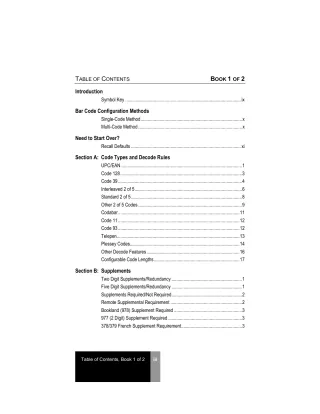
The two-book MetroSelect configuration guide for Metrologic bar code scanners. Each setting is changed by scanning bar codes printed in the guide, using the Single-Code or Multi-Code method, and the scanner keeps the settings in nonvolatile memory. Book 1 covers code types and decode rules, supplements, communications, scanner operation and prefixes and suffixes. Book 2 covers code formatting, RS-232, keyboard wedge, OCIA, light pen and laser emulation, IBM 46xx, code bytes, miscellaneous features and auxiliary port controls.
Its parts
- Introduction
- Section A: Code Types & Decode Rules
- Section B: Supplements
- Section C: Communications
- Section D: Scanner Operation
- Section E: Prefixes/Suffixes
- Section F: Code Formatting
- Section G: RS-232
- Section H: Keyboard
- Section I: OCIA
- Section J: Light Pen/Laser Emulation
- Section K: IBM 46xx Configuration
- Section M: Code Bytes
- Section N: Miscellaneous Features
- Section O: Auxiliary Port Controls
From the manual
Key facts from this manual
Some pages are scans or cannot be read; this says only what the readable text supports. Each line names its page in the PDF.
A two-book MetroSelect configuration guide for Metrologic scanners: the reader scans printed bar codes to set code types, host interface, RS-232 options, keyboard, power save and prefix or suffix settings. It is filed under the MS7120 but never names that model; some settings are marked for the MS7220, MS7320 and MS7600 series only.
- What it is
- Bar code configuration guide for Metrologic scanners, Books 1 and 2 p. 1, 10
- Host interfaces
- RS-232, keyboard wedge, light pen/wand, stand-alone keyboard, OCIA, IBM 46xx (SIOC/RS485), USB p. 43, 44, 45
- RS-232 output
- RS-232 ±12V serial output p. 43
- Baud rates
- 300 to 115200 baud; default 9600 p. 9, 121, 122
- RS-232 defaults
- Space parity, 7 data bits, 2 stop bits p. 9, 120, 123
- Handshaking
- RTS/CTS hardware handshaking (off by default) and software handshaking p. 6, 9, 124
- Code types
- UPC/EAN, Code 128, Code 39, Interleaved 2 of 5, Standard 2 of 5, Codabar, Code 11, Code 93, Telepen, Plessey p. 3
- Settings memory
- Nonvolatile memory (NOVRAM), kept with power off p. 9
- Idle power save
- Omnidirectional scanners only: after 1, 2, 5, 10, 20 or 30 minutes idle, always, or never p. 70, 71
- Laser power save
- MS7600, MS7220, MS7320 series only: blink, laser off, or laser and motor off after non-use p. 72
- Auxiliary port
- MS7220, MS7320, MS7600: data formats for a Metrologic or other RS-232 secondary device p. 8
- Serial program mode
- Commands framed by STX (02 Hex) and ETX (03 Hex); replies ACK (06 Hex) or NAK (15 Hex) p. 165
- OEM default sets
- Ruby Verifone, RCH, Sanyo, Gilbarco, ALT, MS6750 p. 163, 164
What this manual walks you through
- Changing settings with the Single-Code or Multi-Code method p. 10
- Restoring the default settings p. 11, 163
- Enabling code types and setting decode rules p. 3
- Choosing the host interface p. 43, 44, 45
- Setting RS-232 parity, baud rate, data and stop bits, and handshaking p. 119, 120, 121, 122, 123, 124, 125
- Setting power save modes p. 70, 71, 72, 73
- Adding prefixes and suffixes to scanned data p. 5
- Keyboard wedge country and keyboard type p. 6
- Recalling defaults through the serial port p. 165
Good to know
- Depth of field settings should not be changed unless a Metrologic representative says so. p. 53
- Powering off before the final Enter/Exit bar code aborts a configuration change. p. 10
- Recall Defaults erases all earlier settings. p. 11
- IBM 46xx communication is not supported by all scanners and needs the correct interface board. p. 44
- The test modes are only for use when a Metrologic representative asks. p. 75
Questions this manual answers
How do I reset a Metrologic scanner to its defaults?
Scan the Recall Defaults bar code. Keyboard wedge scanners load keyboard wedge defaults; all others load RS-232 defaults. p. 11
What is the default baud rate?
9600 baud is marked as the default; rates from 300 to 115200 can be chosen. p. 9, 121, 122
Are settings lost when the scanner is unplugged?
No. The scanner keeps its settings in nonvolatile memory (NOVRAM) when power is off. p. 9
How do I cancel a configuration change partway?
Turn the scanner off before scanning the Enter/Exit Configuration Mode bar code a second time. p. 10
Can the scanner be set up over the serial port?
Yes. In serial program mode, commands are framed by STX and ETX, and the scanner answers ACK or NAK. p. 165
Contents
Chapters and sections
Each line opens the PDF at its page.
The whole text · 19 parts
Read the manual here as text
Its text as extracted from the PDF, unedited, in parts; each page opens the PDF at that page.
- MetroSelect Book 1 of 2, pages 1 to 101-10
- MetroSelect Book 1 of 2, pages 11 to 2011-20
- MetroSelect Book 1 of 2, pages 21 to 3021-30
- MetroSelect Book 1 of 2, pages 31 to 4031-40
- MetroSelect Book 1 of 2, pages 41 to 5041-50
- MetroSelect Book 1 of 2, pages 51 to 6051-60
- MetroSelect Book 1 of 2, pages 61 to 7061-70
- MetroSelect Book 1 of 2, pages 71 to 8071-80
- MetroSelect Book 1 of 2, pages 81 to 9081-90
- MetroSelect Book 1 of 2, pages 91 to 9691-96
- MetroSelect, Book 2 of 2, pages 97 to 10697-106
- MetroSelect, Book 2 of 2, pages 107 to 116107-116
- MetroSelect, Book 2 of 2, pages 117 to 126117-126
- MetroSelect, Book 2 of 2, pages 127 to 136127-136
- MetroSelect, Book 2 of 2, pages 137 to 146137-146
- MetroSelect, Book 2 of 2, pages 147 to 156147-156
- MetroSelect, Book 2 of 2, pages 157 to 166157-166
- MetroSelect, Book 2 of 2, pages 167 to 176167-176
- MetroSelect, Book 2 of 2, pages 177 to 184177-184
The file