Manual · Metrologic
MS7120 Series Fixed Projection Laser Scanner Installation and User's Guide
Manual48 pagesPDF 771 KB
Installation and user's guide for the Metrologic MS7120 Orbit omnidirectional laser scanner: setup, indicators, depth of field and pinouts.
Covers · 1 model
The models it covers
Summary
What is in it
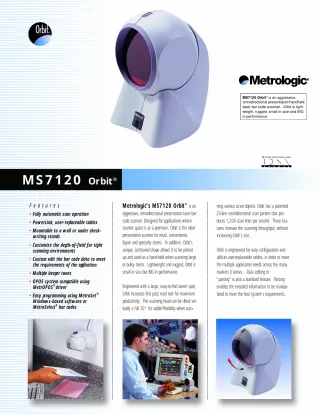
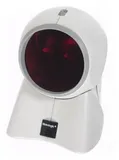
Installation and user's guide for the Metrologic MS7120 Series (Orbit) omnidirectional presentation laser scanner. It lists the interface versions and kit contents, then covers quick start, the operational test, installation with an external power supply, with host power and as a PC keyboard wedge, scanner parts, audible and visual indicators, failure modes, depth of field charts, maintenance, troubleshooting and an RS-232 demonstration program. Appendixes give design specifications, default settings, pin assignments, the warranty and notices.
Its parts
- Introduction
- Scanner and Accessories
- Quick Start
- Operational Test
- Scanner Installation
- Scanner Parts
- Labels
- Depth of Field Specifications
- Minimum Bar Code Element From Scanner Face
- Maintenance
- Troubleshooting Guide
- RS-232 Demonstration Program
- Application and Protocols
From the manual
Key facts from this manual
Each line names its page in the PDF.
Installation and user's guide (MLPN 2408, December 1998) for the Metrologic MS7120 Orbit series omnidirectional laser scanner. It covers the interface versions, kit parts and cables, installation, LED and beep indicators, failure modes, troubleshooting, specifications, default settings and pin assignments.
- What it is
- Omnidirectional laser presentation scanner that can be picked up and used hand-held p. 5
- Interface versions
- 7120-41: full RS-232C and light pen emulation; 7120-47: keyboard wedge, stand-alone keyboard, RS-232; 7120-9: OCIA and RS-232; 7120-11: IBM 46XX/RS-232C p. 5
- Connector
- 10-pin modular jack for the PowerLink cable p. 10
- Power transformer
- 5.2V at 650mA DC; 120V, 220V-240V Continental European or UK input (MLPN45593/45591/45592) p. 6
- Host power
- Host must supply at least 250 mA at 5VDC p. 8
- PowerLink cables
- RS-232, light pen, OCIA, 46xx: standard MLPN 54xxx 2.1m (7') straight; optional MLPN 53xxx 2.7m (9') coiled p. 6
- Keyboard wedge cables
- PowerLink cable MLPN 19763 (5-pin DIN female, 6-pin mini DIN male); adapter cable MLPN 19716 p. 6
- Failure codes
- Flashing green, 1 razzberry: laser failure; red and green flashing, 2 razzberry: motor; continuous razzberry: electronics; 3 beeps at power-up: memory p. 14
- Default code types
- UPC/EAN, Code 39, interleaved 2 of 5, Code 93, Code 128, Codabar; minimum 4 characters p. 27
- Keyboard wedge options
- PC type AT (default), XT or IBM PS2; USA (default), French, Italian, Belgium, United Kingdom, German, Spanish, Swiss p. 32
- Beeper
- 8 tone settings: normal, 6 alternate tones, no tone p. 13
- Head tilt
- Scan head tilts 30° vertically p. 5, 12
- Mount option
- Counter/Wall Mount Kit (MLPN 45619) p. 6
- Programming guide
- MetroSelect Programming Guide (MLPN 2407) p. 6, 7
What this manual walks you through
- First power-up and operational test p. 7, 8
- Installing with the external power supply p. 9
- Installing with power from the host p. 10
- Connecting the keyboard wedge version to a PC p. 11
- Reading the beeps and LEDs p. 13, 15
- Troubleshooting by symptom, for all interfaces, keyboard wedge and RS-232 p. 26, 27, 28, 29, 30
- Testing an RS-232 scanner with a BASIC program p. 31
- Design specifications p. 33, 34
- Default settings by interface p. 35
- PowerLink cable and keyboard connector pin assignments p. 40, 41, 42
Good to know
- All circuits connected to the scanner must meet SELV requirements under EN 60950. p. 9
- Connecting to a serial port is not enough: a software driver and correct configuration are also needed. p. 9
- An external power supply is recommended for the MS7120-47; powering it from the keyboard connector could interfere with scanner or computer. p. 11
- For the listed hardware failures the unit is to be returned for repair at an authorized service center. p. 14
Questions this manual answers
What does it mean when the MS7120 beeps three times at power-up?
The nonvolatile memory that holds the configuration has failed; the guide says to return the unit for repair. p. 14
Why won't my MS7120 read a certain bar code?
The code type may not be enabled. By default UPC/EAN, Code 39, interleaved 2 of 5, Code 93, Code 128 and Codabar are on. p. 27
What power supply does the MS7120 use?
A power transformer that supplies 5.2V at 650mA. When powered by the host, the host must supply at least 250 mA at 5VDC. p. 6, 8
Why does the MS7120 lock up after the first scan with the red LED on?
It is set for host handshaking but is not getting the signal; check the host cable and handshaking setup. p. 27
What cables does the keyboard wedge MS7120 need?
A keyboard wedge PowerLink cable (MLPN 19763) with a 5-pin DIN female and 6-pin mini DIN male end, plus adapter cable MLPN 19716. p. 6
The whole text · 5 parts
Read the manual here as text
Its text as extracted from the PDF, unedited, in parts; each page opens the PDF at that page.
The file