Manual · Metrologic
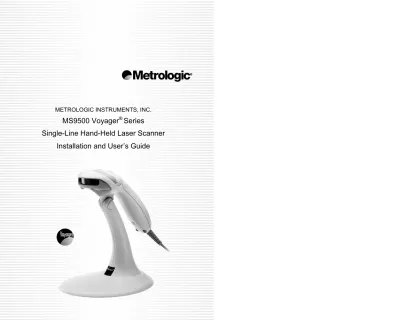
MS9500 Voyager Series Single-Line Hand-Held Laser Scanner Installation and User's Guide
Manual52 pagesPDF 2.4 MB
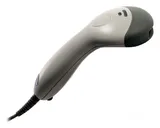
Installation and user's guide for the Metrologic Voyager MS9520 and VoyagerCG MS9540 single-line hand-held laser barcode scanners.
Covers · 1 model
The models it covers
Summary
What is in it
Installation and user's guide for the Metrologic MS9500 Voyager series single-line hand-held laser scanners, the MS9520 and the MS9540 with CodeGate. It lists the interface versions and accessories, then covers the operational test, connecting to the host (RS-232, keyboard wedge, stand-alone keyboard, USB through the MX009 cable), removing the PowerLink cable, stands, indicators, failure and programming modes, flash firmware upgrades, depth of field, troubleshooting, specifications, defaults and pinouts.
Its parts
- Introduction
- Scanner and Accessories
- Operational Test
- Installing the Scanner to the Host System
- Disconnecting the PowerLink Cable from the Scanner
- How to Use CodeGate - MS9540 Series Only
- Stand Kits
- Assembling the Stands
- Scanner Parts
- Audible Indicators
- Visual Indicators
- Failure Modes
- Programming Modes
- Upgrading the Flash ROM Firmware
- Labels
From the manual
Key facts from this manual
Each line names its page in the PDF.
Metrologic installation and user's guide for the MS9500 Voyager series single-line hand-held laser scanners: the MS9520 and the MS9540 VoyagerCG with its CodeGate button. It names the MS9520 but never the MK9520. It covers installing each interface version, accessories, beeps and lights, failure modes, troubleshooting, specifications and connector pinouts.
- What it is
- MS9520: Voyager single-line hand-held laser scanner with automatic triggering, for hand-held or in-stand use p. 1, 5
- Interface versions
- MS9520-41 RS-232C and light pen emulation; MS9520-47 keyboard wedge and stand-alone keyboard; MS9520-11 IBM 468X/469X; MS9520-9 OCIA; MS9520-00 laser emulation p. 8, 42, 43
- Power
- MS9520: 5VDC ± 0.25V; 165 mA operating, 120 mA standby p. 36
- Power supplies
- MS9520: regulated 5.2VDC @ 650 mA; 45-45593 (120V US), 45-45591 (220V-240V Continental European), 45-45592 (220V-240V UK) p. 6
- Connector
- MS9520: 10-pin modular RJ45 jack; the serial number label shows the interface enabled at the factory p. 8, 42
- Operating temperature
- MS9520: 0°C to 40° (32° to 104°F); storage -40°C to 60°C (-40°F to 140°F) p. 36
- Cables
- MS9520: PowerLink cables 54-54xxx (2.1m straight) and 53-53xxx (2.7m coiled); 54-54002 keyboard wedge with adapter; 54-54020 stand alone keyboard; MX009-2 USB converter p. 6, 7
- Stands
- MS9520: 46-46128 free-standing stand; 46-46351 hard mount kit; 46-46433 wall mount hanger kit p. 7
- Depth of field
- MS9520: 0 mm – 203 mm (0” – 8”) for 13 mil bar code at default setting; minimum bar width 0.127 mm (5.0 mil) p. 36
- Infrared activation
- MS9520: long range 0 mm – 279 mm ± 51 mm (0” – 11” ± 2”); short range 0 mm – 102 mm ± 25 mm (0” – 4” ± 1”) p. 36
- Scan
- MS9520: 650 nm visible laser diode, 72 scan lines per second, single scan line p. 36
- Size and weight
- MS9520: 198 mm (7.8”) long; handle 45 mm (1.8”), head 78 mm (3.1”) wide; 40 mm (1.6”) deep; 149 g (5.25 oz) p. 36
- Default symbologies
- MS9520: UPC/EAN, Code 39, Interleaved 2 of 5, Code 93, Code 128 and Codabar enabled; minimum 3 characters p. 32
- Indicators
- MS9520: green and red LEDs on the head; no CodeGate button or yellow LED p. 18, 20
What this manual walks you through
- Running the operational test after unpacking p. 8
- Installing RS-232, OCIA, IBM and laser emulation versions p. 9
- Installing the keyboard wedge version with its adapter cable p. 10
- Installing as a stand-alone keyboard p. 11
- Reading the beeps p. 19
- Reading the LED indicators p. 20
- Recognizing failure modes p. 22
- Troubleshooting power, scanning and data problems p. 31, 32, 33
- Connector pinouts for each interface version p. 42, 43
Good to know
- MS9520-00 units ship with Laser Emulation Mode on; recalling defaults turns it off. p. 9
- Powering a keyboard wedge unit from the computer can cause interference; not all keyboard ports supply the same current. p. 10
- Plugging the scanner into the host does not by itself make the data arrive correctly; scanner and host must use the same protocol. p. 9
- Laser, scanning mechanism and electronic failures call for repair at an authorized service center. p. 22
Questions this manual answers
What does it mean when the MS9520 beeps 3 times on power up?
The nonvolatile memory (NovRAM) holding the configuration has failed; if the scanner does not respond after reprogramming, it needs repair. p. 22
Why does my Voyager beep twice with alternating flashing LEDs at power up?
A Flash ROM upgrade is needed. p. 19
What is the difference between the MS9520 and MS9540?
They share the same features except CodeGate, a button on the MS9540 that sends the scanned data to the host. p. 5
Why does the scanner lock up after the first scan with the red LED on?
It is set for host handshaking (ACK/NAK, RTS/CTS, XON/XOFF or D/E) but is not getting the signal; check the host cable and host. p. 32
What power supply does the MS9520 use?
A regulated 5.2VDC, 650 mA transformer: 45-45593 for 120V US, 45-45591 for Continental Europe or 45-45592 for the UK. p. 6
Contents
Chapters and sections
Each line opens the PDF at its page.
The whole text · 6 parts
Read the manual here as text
Its text as extracted from the PDF, unedited, in parts; each page opens the PDF at that page.
The file