Manual · Metrologic
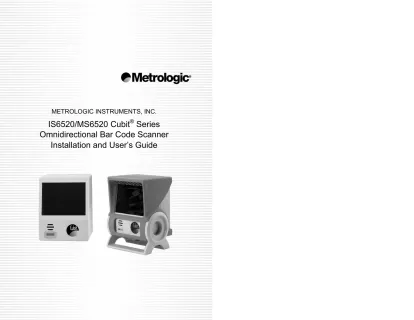
IS6520/MS6520 Cubit Series Omnidirectional Bar Code Scanner Installation and User's Guide
Manual44 pagesPDF 880 KB
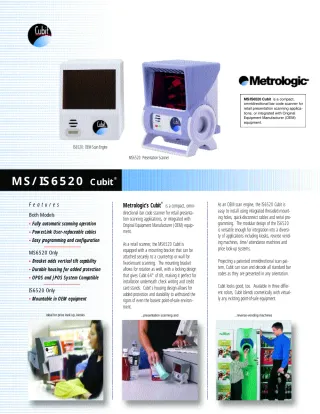
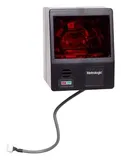
Installation and user's guide for the Metrologic Cubit IS6520/MS6520 compact omnidirectional bar code scanner.
Covers · 1 model
The models it covers
Summary
What is in it
Metrologic's installation and user's guide for the Cubit IS6520 (OEM) and MS6520 (retail) compact omnidirectional bar code scanners. It lists the kit contents, gives a quick start, explains installing the -41 (RS-232C and light pen) and -47 (keyboard wedge) versions, removing the PowerLink cable, mounting and stands, audible and visual indicators, programming modes, depth of field charts and troubleshooting, with design specifications, default settings and pinouts in the appendices.
Its parts
- Introduction
- Scanner and Accessories
- Quick Start
- Installing the IS6520-41/MS6520-41 to the Host System
- Installing the IS6520-47/MS6520-47 to the PC
- Disconnecting the PowerLink Cables from the Scanner
- Scanner Parts
- Mounting Holes
- Stands
- Audible Indicators
- Failure Modes
- Visual Indicators
- Programming Modes
- Labels
- Maintenance
From the manual
Key facts from this manual
Each line names its page in the PDF.
Installation and user's guide for the Metrologic Cubit omnidirectional bar code scanner, covering both the IS6520 OEM version and the MS6520 presentation version. It shows how to connect the RS-232 and keyboard wedge versions, mount the scanner, program it from a host and read its beeps and lights. It also gives troubleshooting steps, accessory part numbers, specifications and pinouts.
- Device
- Compact omnidirectional bar code scanner; IS6520 for OEM equipment, MS6520 as a presentation scanner p. 7
- Interface versions
- 6520-41: full RS-232C and light pen emulation; 6520-47: keyboard wedge, stand alone keyboard and RS-232C transmit/receive p. 7
- Scanner connector
- 10 position modular RJ45 jack p. 29
- Power
- 5 VDC ± 0.25 V input; 1.0 W; 200 mA typical @5VDC; can take power directly from a 5-volt source p. 7, 30
- Power supplies
- 5.2 VDC @ 650 mA transformer: 45-45593 (120 VAC United States), 45-45591 (220 VAC - 240 VAC Continental European), 45-45592 (220 VAC - 240 VAC United Kingdom) p. 8
- RS-232 PowerLink cables
- 6520-41: standard 53xxx 2.7 m (9') coiled or optional 54xxx 2.1 m (7') straight, with built in power jack; xxx sets the host connection p. 8
- Scan pattern
- VLD 650 ± 10 nm; 5 fields of 4 parallel lines (omnidirectional), 1000 scan lines/second p. 29
- Depth of field
- 0 mm to 176 mm (0" to 7") for a 0.33 mm (13 mil) bar code at default setting; minimum bar width 0.145 mm (5.7 mil) p. 29
- Mounting holes
- Three threaded holes on the back, 6 millimeters deep, for 3 millimeter screws; three M3 screws included p. 8, 13
- Stands
- Tilt Stand 46-46486 (shipped with the MS6520 only); Fixed Vertical Stand 46-46145 (optional) p. 8, 14
- Size and weight
- 102 mm (4.0") long, 83 mm (3.25") wide, 70 mm (2.75") high at front, 55 mm (2.25") at back; 298 g (10.5 oz) p. 29
- Temperature
- Operating -20°C to 40°C (-4°F to 104°F); storage -40°C to 60°C (-40°F to 140°F) p. 30
- Indicators
- Green LED: laser on, ready to scan; red LED: good read p. 29
- Configuration
- Bar codes in the MetroSelect Configuration Guide (MLPN 2407), the Windows MetroSet program, or serial commands from the host p. 18
What this manual walks you through
- Quick start: connecting power and making the first scan p. 9
- Installing the RS-232 version (IS6520-41/MS6520-41) to a host p. 10
- Installing the keyboard wedge version (IS6520-47/MS6520-47) to a PC p. 11
- Disconnecting the PowerLink cable with a paperclip p. 12
- Installing the fixed vertical stand and the tilt stand p. 14
- Reading failure tones and LEDs p. 16, 17
- Programming the scanner with serial commands p. 18
- Troubleshooting by symptom p. 25, 26, 27, 28
- Scanner pinouts for the RS-232/light pen and keyboard wedge versions p. 35
- Keyboard wedge cable and adapter pin assignments p. 36
Good to know
- A mounting screw longer than 6 millimeters can damage the scanner. p. 13
- An external power supply is recommended with keyboard wedge use; powering from the keyboard connector can interfere with the scanner or the computer. p. 11
- No bar codes can be scanned in serial program mode; an invalid command or a 20 second gap means starting the sequence over. p. 18
- Some hosts cannot supply enough current; the manual says to use the power supply included with the scanner. p. 25
- On the standard 9-pin cable, +5V is not available on pin 9 when a PowerLink power supply is plugged in. p. 35
Questions this manual answers
What does it mean when the IS6520 beeps three times at power up?
The nonvolatile memory that holds the configuration has failed; the manual says to return the unit for repair at an authorized service center. p. 16
What power supply does the IS6520 Cubit use?
A regulated 5.2 VDC, 650 mA transformer; for 120 VAC United States outlets it is MLPN 45-45593. p. 8
How do I program the IS6520 from a host computer?
Send each configuration bar code's numbers as ASCII framed by [stx] and [etx]; the scanner answers [ack] for a valid command and [nak] for an invalid one. p. 18
What screws fit the IS6520 mounting holes?
3 millimeter screws; the three holes on the back are 6 millimeters deep, and a longer screw can damage the scanner. p. 13
Which bar codes does the IS6520 read by default?
UPC/EAN, Code 39, interleaved 2 of 5, Code 93, Code 128 and Codabar are enabled by default, with a minimum of 4 characters. p. 26
Contents
Chapters and sections
Each line opens the PDF at its page.
The whole text · 5 parts
Read the manual here as text
Its text as extracted from the PDF, unedited, in parts; each page opens the PDF at that page.
The file