Manual · Keyence
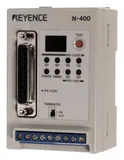
N-400 User's Manual: Multi-Drop Controller for BL Series
Manual150 pagesPDF 1.3 MB
User's manual for the Keyence N-400 multi-drop controller that links BL series barcode readers to a host or PLC.
Covers · 1 model
The models it covers
Summary
What is in it
Keyence's user's manual for the N-400 multi-drop controller for BL series barcode readers (BL-700, BL-180 and BL-500), with the N-48 and BL-U1 units. It explains installation, wiring for RS-232C and RS-485, mounting, the setup software, multi-drop link mode and multi-head scan mode with their command sets, and PLC link. Appendices give specifications, dimensions, sample programs, troubleshooting and default settings.
Its parts
- Overview of the N-400
- Installation Procedure
- N-400 Setup Procedure
- Multi-Drop Link Mode Control Procedure
- Multi-Head Mode Control Procedure
- PLC Link
From the manual
Key facts from this manual
Some pages are scans or cannot be read; this says only what the readable text supports. Each line names its page in the PDF.
This is the Keyence user's manual for the N-400 multi-drop controller, which links BL series bar code readers to one host computer or PLC. It also covers the N-48 and BL-U1 units that connect each reader to the RS-485 line. It explains wiring, setup with the Windows setup software, the multi-drop link, multi-head scan and PLC link modes, specifications, display codes and troubleshooting.
- Device
- Multi-drop controller that adds networked control to BL series bar code readers p. 10
- Compatible readers
- BL-700, BL-500 and BL-180 series p. 3
- Readers per controller
- Up to 31 BL series units over RS-485, up to 1.2 km p. 10
- Host port
- RS-232C port for a host computer or PLC p. 13
- Power
- 24 VDC +10%/-20%, 140 mA max. p. 128
- Baud rates
- 600 to 38400 bps (600/1200/2400/4800/9600/19200/31250/38400) p. 128
- Reader connection units
- N-48 or BL-U1, used as RS-232C to RS-485 converters; BL-U1 not available in Europe p. 10
- Trigger input
- 15 to 26 VDC, 10 mA max., for multi-head scan mode p. 13, 128
- Operating environment
- 0 to 50°C (32 to 122°F), 35 to 85% relative humidity p. 128
- Weight
- Approx. 180 g p. 128
- Error codes
- 99 unit defective; 98 EEPROM error; 97 buffer overflow; 95 or 96 PLC link error p. 141
- PLC link support
- KEYENCE KV, Mitsubishi MELSEC-A, OMRON SYSMAC-C, SYSMAC-CQM1 and SYSMAC-CV series p. 110
- N-48 converter
- N-48: 24 VDC, 260 mA max.; 5 VDC (600 mA) power for the reader; approx. 100 g p. 129
- BL-U1 converter
- BL-U1: 100 to 240 VAC (50/60 Hz) with a 2 m power cable p. 15
What this manual walks you through
- Choosing multi-drop link mode or multi-head scan mode p. 10, 12
- Using mutual-interference suppression for readers mounted close together p. 11
- Identifying the N-400, N-48 and BL-U1 ports, switches and LEDs p. 13, 14, 15
- Wiring the N-400 terminal block and 24 VDC power p. 20
- Sending read data straight into a PLC with the PLC link p. 110
- Understanding setup software error messages p. 63
- Clearing a PLC link error p. 124
- Troubleshooting communication between the N-400, readers and host p. 139, 140
- Reading the status and error codes on the N-400 display p. 141
Good to know
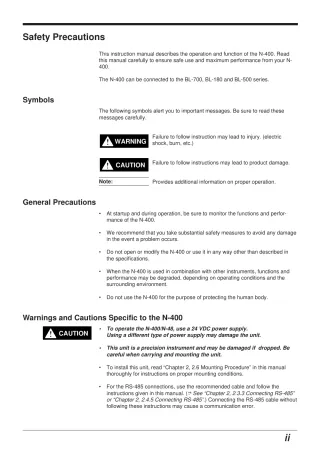
- Only a 24 VDC supply may be used; a higher voltage or an AC supply may damage the unit. p. 20
- The manual states that systems that must meet UL rules need a power supply with NEC class 2 output. p. 20
- Through the PLC link, the PLC cannot change settings or send commands to the readers or the N-400. p. 110
- With interference suppression, readers may miss codes if the line runs too fast. p. 11
- The BL-U1 is not sold in Europe; the BL-U2 is used there instead. p. 4
Questions this manual answers
How many BL series readers can one N-400 control?
Up to 31 readers in either multi-drop link or multi-head scan mode, with a total extension distance of up to 1.2 km. p. 12
What power supply does the Keyence N-400 need?
24 VDC (+10%/-20%), drawing 140 mA max. A higher voltage or an AC supply may damage the unit. p. 20, 128
What does code 98 on the N-400 display mean?
An EEPROM memory error: all settings are initialized, and pressing the test switch resets the error. p. 141
Which PLCs can the N-400 PLC link write to?
The manual lists KEYENCE KV series, Mitsubishi MELSEC-A series and OMRON SYSMAC-C, SYSMAC-CQM1 and SYSMAC-CV series PLCs. p. 110
How do I put the N-400 into known communication settings for the setup software?
Press and hold the test switch for five seconds until S0 (50) shows; the N-400 then uses 9600 bps, 7 data bits, even parity and 1 stop bit. p. 141
Contents
Chapters and sections
Each line opens the PDF at its page.
- N-400 User's Manual1
- Software License Agreement2
- Safety Precautions3
- Warnings and Cautions Specific to the N-4003
- List of Package Contents4
- Chapter 1 Overview of the N-4009
- Chapter 2 Installation Procedure17
- Chapter 3 N-400 Setup Procedure39
- Chapter 4 Multi-Drop Link Mode Control Procedure65
- Chapter 5 Multi-Head Mode Control Procedure95
- Chapter 6 PLC Link109
- Appendices127
- WARRANTIES AND DISCLAIMERS:149
The whole text · 15 parts
Read the manual here as text
Its text as extracted from the PDF, unedited, in parts; each page opens the PDF at that page.
- Pages 1 to 101-10
- Pages 11 to 2011-20
- Pages 21 to 3021-30
- Pages 31 to 4031-40
- Pages 41 to 5041-50
- Pages 51 to 6051-60
- Pages 61 to 7061-70
- Pages 71 to 8071-80
- Pages 81 to 9081-90
- Pages 91 to 10091-100
- Pages 101 to 110101-110
- Pages 111 to 120111-120
- Pages 121 to 130121-130
- Pages 131 to 140131-140
- Pages 141 to 150141-150
The file