Manual · Keyence
Hand-held Laser Barcode Reader BL-N70 Series User's Manual
Manual72 pagesPDF 1.3 MB
User's manual for the Keyence BL-N70 series hand-held laser barcode reader: connections, scanning, programming and specifications.
Covers · 1 model
The models it covers
Summary
What is in it
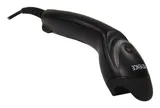
Keyence's user's manual for the BL-N70 series hand-held laser barcode reader in its keyboard (BL-N70VE), USB (BL-N70UBE), RS-232C (BL-N70RE) and Keyence RS-232C (BL-N70RKE) versions. It covers package contents and part names, connecting each model, scanning and trigger modes, data send format and interface settings, and programming the reader with setting barcodes for symbologies, buzzer, decoding and digit limits. Appendices give specifications, dimensions, factory defaults and how to replace the communication cable.
Its parts
- Getting Started
- Connections
- Scanning Barcodes
- Programming BL-N70 Settings
From the manual
Key facts from this manual
Each line names its page in the PDF.
Keyence user's manual (2010) for the BL-N70 series hand-held laser bar code readers in four interface versions: BL-N70VE (keyboard), BL-N70UBE (USB), BL-N70RE (RS-232C) and BL-N70RKE (RS-232C for Keyence products). It covers connecting each version, scanning and trigger modes, the data format, programming settings by scanning setup codes, specifications and replacing the cable.
- Device
- Hand-held laser bar code reader in four versions: BL-N70VE keyboard interface, BL-N70UBE USB, BL-N70RE RS-232C, BL-N70RKE Keyence RS-232C p. 10
- Connectors
- BL-N70VE: Mini DIN 6-pin (PS/2); BL-N70UBE: USB (A type); BL-N70RE and BL-N70RKE: D-sub 9-pin p. 16, 19, 20, 56
- Power
- 5 V DC ±5%, 200 mA or less; BL-N70VE from the keyboard port, BL-N70UBE from USB, BL-N70RE from the included AC adapter, BL-N70RKE from pin 9 of Keyence units p. 16, 17, 19, 20, 56
- Laser and scan rate
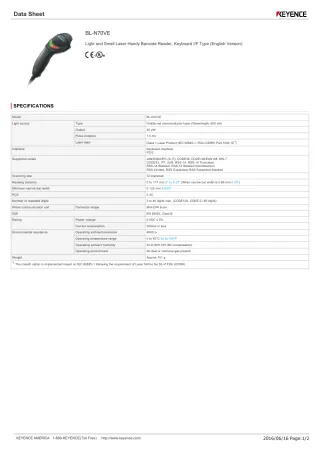
- Visible light semiconductor laser, 650 nm, 40 μW; 72 scans per second p. 56
- Reading distance
- Typical, CODE39: 53 mm at 0.125 mm narrow bar, 83 mm at 0.19 mm, 104 mm at 0.25 mm, 178 mm at 0.66 mm p. 57
- Supported codes
- UPC(A,E)/EAN, CODE39, CODE128/EAN128, CODABAR, CODE93, ITF, 2of5 and GS1 Databar (Omnidirectional, Truncated, Stacked, Limited, Expanded) p. 56
- Resolution
- Minimum 0.125 mm; PCS 0.35 or more; 3 to 40 digits (80 with CODE128: CODE C) p. 56
- RS-232C settings
- BL-N70RE/RKE: 300 to 38400 bit/s, 7/8 bit, None/Even/Odd parity, 1/2 stop bit; factory 9600 bit/s, 7 bits, Even, 1 stop bit, no protocol; RTS/CTS or ACK/NAK selectable p. 19, 27, 57
- USB and keyboard
- BL-N70UBE: USB Ver 1.1, Windows 98, 2000, XP, Vista; keyboard languages 106 Japanese, 101 English p. 56, 57
- Stand
- OP-77470, for table top use p. 11
- Communication units
- BL-N70RKE: BL-U1 (100 to 240 V AC, RS-232C or RS-422A), BL-U2 (24 V DC, RS-232C), N-42 (24 V DC, RS-422A); also the DV-90 data controller p. 12, 20
- Environment
- 0 to 40 ºC (32 to 104º F); 35 to 85% RH, no condensation; ambient light 4800 lx; weight approx. 101 g p. 56
- Trigger modes
- Trigger mode (default), continuous emission mode, continuous reading mode p. 22, 24
What this manual walks you through
- Connecting the BL-N70VE between the PC and its keyboard p. 16
- Connecting the BL-N70UBE and installing the USB driver on Windows 98 p. 17, 18
- Connecting the BL-N70RE to a serial port with its AC adapter p. 19
- Connecting the BL-N70RKE to Keyence controllers and communication units p. 20
- Scanning bar codes and choosing a trigger mode p. 22, 24
- Setting the header, symbology identifier and terminator of sent data p. 25, 26
- Using the RTS/CTS and ACK/NAK serial protocols p. 27, 28
- Changing settings in program mode and restoring factory settings p. 30, 31
- Replacing the communication cable p. 68, 69
Good to know
- Do not type on the keyboard while scanning with the keyboard or USB version: it corrupts the data. p. 16
- Use only 5V DC; more than 5VDC +/-5% may damage the BL-N70RKE. p. 4, 20
- The BL-N70RE does not comply with the CE Marking requirements. p. 56
- Program mode must be entered directly after power-up, and it ends with settings lost if no program code is read for about one minute. p. 30
- Do not replace the communication cable while the reader has power. p. 68
Questions this manual answers
How do I reset a Keyence BL-N70 to factory settings?
Scan the Start / End Programming Mode bar code first after power-up to enter program mode, then read the Initialize bar code. p. 30, 31
What replacement cable fits the BL-N70UBE?
OP-77467. The other versions take OP-77466 (BL-N70VE), OP-77468 (BL-N70RE) and OP-77469 (BL-N70RKE). p. 11
What are the default serial settings of the BL-N70RE?
9600 bit/s, 7 data bits, even parity, 1 stop bit, no protocol. p. 19
Does the BL-N70UBE need a USB driver?
Only on Windows 98, where a driver installation screen appears; it is not needed on Windows Vista, XP or 2000. p. 17
How far can the BL-N70 read a bar code?
Typically 178 mm for a CODE39 bar code with a 0.66 mm narrow bar, and 53 mm at 0.125 mm. p. 57
Contents
Chapters and sections
Each line opens the PDF at its page.
- Introduction2
- Safety Precautions3
- Operating Precautions4
- Organization of the Manual5
- 1 Getting Started9
- 2 Connections15
- 3 Scanning Barcodes21
- 4 Programming BL-N70 Settings29
- 4-1 Using Program Mode30
- 4-2 Starting and Ending Program Mode31
- 4-3 Activating / Deactivating Barcode Symbologies32
- 4-4 Trigger Mode Settings41
- 4-5 Buzzer Settings42
- 4-6 Decode Settings43
- 4-7 Digit Limit Function Settings45
- 4-8 Communication Data Format Settings48
- 4-9 Communication Interface Settings50
- 4-10 Decimal Program Code52
- 4-11 Symbology List53
- Appendices55
- Warranties and Disclaimers71
The whole text · 10 parts
Read the manual here as text
Its text as extracted from the PDF, unedited, in parts; each page opens the PDF at that page.
The file