


Manual · Intermec
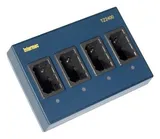
Intermec TZ2400 Charger
Manual2 pagesPDF 44 KB
Both pages are below, each with its text.
Names · 1 model
The models it names
Filed with · 5 models
Also filed with these models on the old site
 Intermec 2420Portable batch data collection terminal from$1,095.0033 in stock
 Intermec 2425Wireless portable data collection terminal from$995.00271 in stock
 Intermec 073152Portable terminal battery from$80.0099 in stock
 Battery for Intermec 2420/2425/2435/5020/5023Portable terminal battery from$52.5099 in stock 068537 Battery for 2420/2425/2435/5020/5023Portable terminal battery Call for availability
From the manual · read page by page
Key facts from this manual
Each line names its page in the PDF.
The two-page quick reference guide (P/N 064213-004) for the Intermec TZ2400 battery charger, which charges up to four lithium-ion packs for the TRAKKER Antares 2420 and 2425 terminals and the Intermec 5020 Data Collection PC. It lists the charger's specifications and explains setup, loading batteries, the status light and care.
- Device
- Four-slot charger for TRAKKER Antares 2420 and 2425 terminal and 5020 Data Collection PC battery packs p. 1
- Batteries
- Intermec lithium-ion packs, Part No. 063278 or 068537, any slot p. 1
- Input voltage
- 85 to 264 VAC, 47 to 63 Hz, through an autoranging external power supply p. 1
- Charge cycle
- 2.0 Amps maximum; float voltage 8.2V ± 100 mV p. 1
- Charge time
- Usually less than 3 hours, depending on battery condition p. 1
- Operating temperature
- 0ºC to 40ºC (32ºF to 104ºF), 0 to 95% humidity non-condensing p. 1
- Best charging temperature
- 10ºC to 30ºC (50ºF to 86ºF) p. 2
- Storage temperature
- -20ºC to 60ºC (-4ºF to 140ºF) p. 1
- Dimensions
- Approximately 51 x 114 x 165 mm (2 x 4.5 x 6.5 in) p. 1
- Status light
- One per slot, showing charging, full, battery problem or empty slot p. 2
- AC power cord
- Ordered separately, by country p. 1
- Related manuals
- 2420 and 2425 Terminal User's Manual Part No. 064024; 5020 User's Manual Part No. 068975 p. 1
What this manual walks you through
- Choosing a location for the charger p. 1
- Connecting the external power supply p. 1
- Loading and unloading a battery pack p. 1
- Interpreting the status light p. 2
Good to know
- Use only Intermec-labeled lithium-ion packs 063278 or 068537. p. 2
- Remove a pack within 24 hours after charging completes. p. 2
- Do not expose the charger to rain or moisture. p. 1
- If the light keeps flashing or stays dark with a pack in the slot, unplug the charger and contact Intermec service. p. 2
- No user-serviceable parts; do not disassemble. p. 2
Questions this manual answers
Which batteries does the Intermec TZ2400 charger take?
Intermec-labeled lithium-ion packs with Part No. 063278 or 068537, up to four at once. p. 1
How long does the TZ2400 take to charge a battery?
Usually less than 3 hours, depending on the battery's condition. p. 1
What input voltage does the TZ2400 charger accept?
85 to 264 VAC at 47 to 63 Hz, through its autoranging external power supply. p. 1
Which terminals use the TZ2400 battery charger?
The TRAKKER Antares 2420 and 2425 terminals and the Intermec 5020 Data Collection PC. p. 1
The file
Size and text
Every page · 2
Read it here
Each page as it is printed, and its words beside it, so a phone can search and copy them.
Page1of 2
Open in the PDF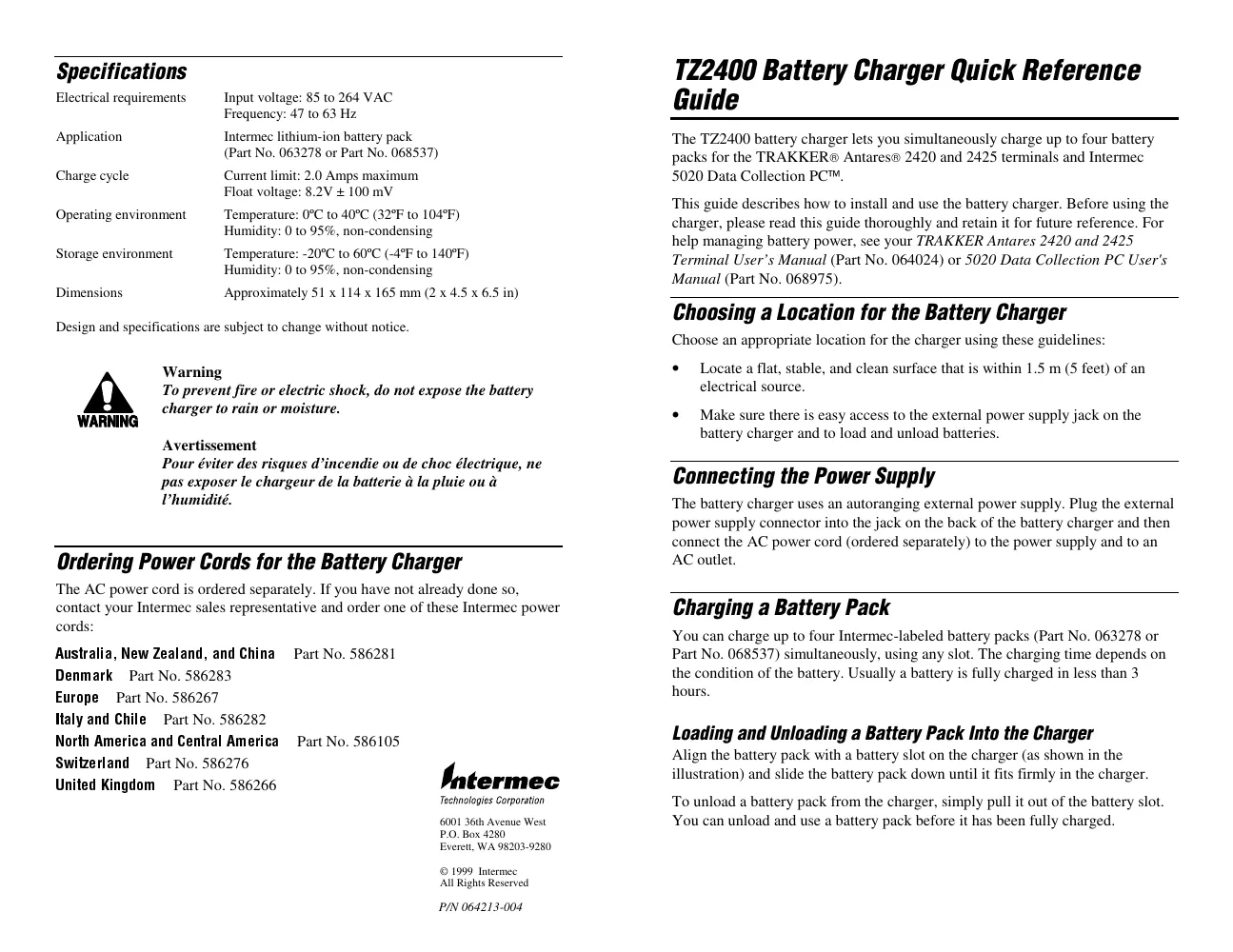
The text of page 1, from the PDF itself
TZ2400 Battery Charger Quick Reference Guide
Specifications Electrical requirements
Input voltage: 85 to 264 VAC Frequency: 47 to 63 Hz
Application
Intermec lithium-ion battery pack (Part No. 063278 or Part No. 068537)
Charge cycle
Current limit: 2.0 Amps maximum Float voltage: 8.2V ± 100 mV
Operating environment
Temperature: 0ºC to 40ºC (32ºF to 104ºF) Humidity: 0 to 95%, non-condensing
Storage environment
Temperature: -20ºC to 60ºC (-4ºF to 140ºF) Humidity: 0 to 95%, non-condensing
Dimensions
Approximately 51 x 114 x 165 mm (2 x 4.5 x 6.5 in)
The TZ2400 battery charger lets you simultaneously charge up to four battery packs for the TRAKKER Antares 2420 and 2425 terminals and Intermec 5020 Data Collection PC.
Design and specifications are subject to change without notice.
This guide describes how to install and use the battery charger. Before using the charger, please read this guide thoroughly and retain it for future reference. For help managing battery power, see your TRAKKER Antares 2420 and 2425 Terminal User’s Manual (Part No. 064024) or 5020 Data Collection PC User's Manual (Part No. 068975).
Choosing a Location for the Battery Charger Choose an appropriate location for the charger using these guidelines:
Warning To prevent fire or electric shock, do not expose the battery charger to rain or moisture. Avertissement Pour éviter des risques d’incendie ou de choc électrique, ne pas exposer le chargeur de la batterie à la pluie ou à l’humidité.
Ordering Power Cords for the Battery Charger The AC power cord is ordered separately. If you have not already done so, contact your Intermec sales representative and order one of these Intermec power cords: Australia, New Zealand, and China
Part No. 586281
Part No. 586283 Europe Part No. 586267 Italy and Chile Part No. 586282 Denmark
North America and Central America
Locate a flat, stable, and clean surface that is within 1.5 m (5 feet) of an electrical source.
Make sure there is easy access to the external power supply jack on the battery charger and to load and unload batteries.
Connecting the Power Supply The battery charger uses an autoranging external power supply. Plug the external power supply connector into the jack on the back of the battery charger and then connect the AC power cord (ordered separately) to the power supply and to an AC outlet.
Charging a Battery Pack You can charge up to four Intermec-labeled battery packs (Part No. 063278 or Part No. 068537) simultaneously, using any slot. The charging time depends on the condition of the battery. Usually a battery is fully charged in less than 3 hours.
Loading and Unloading a Battery Pack Into the Charger
Part No. 586105
Align the battery pack with a battery slot on the charger (as shown in the illustration) and slide the battery pack down until it fits firmly in the charger.
Part No. 586276 United Kingdom Part No. 586266 Switzerland
6001 36th Avenue West P.O. Box 4280 Everett, WA 98203-9280 © 1999 Intermec All Rights Reserved
P/N 064213-004
To unload a battery pack from the charger, simply pull it out of the battery slot. You can unload and use a battery pack before it has been fully charged.
Page2of 2
Open in the PDF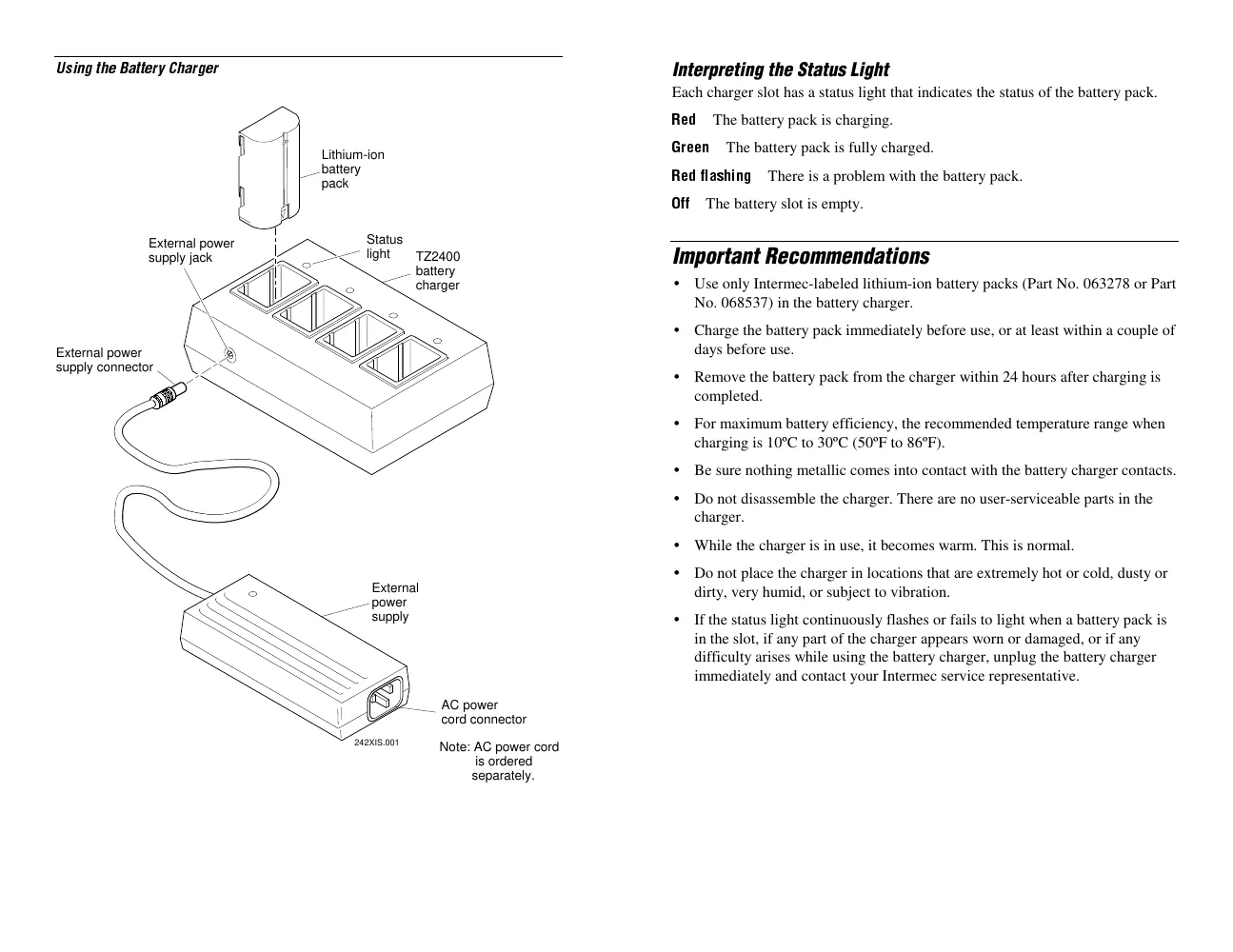
The text of page 2, from the PDF itself
Using the Battery Charger
Interpreting the Status Light Each charger slot has a status light that indicates the status of the battery pack. The battery pack is charging.
Red Green
Lithium-ion battery pack
Red flashing Off
External power supply jack
The battery pack is fully charged.
Status light TZ2400 battery charger
There is a problem with the battery pack.
The battery slot is empty.
Important Recommendations
- Use only Intermec-labeled lithium-ion battery packs (Part No. 063278 or Part No. 068537) in the battery charger.
- Charge the battery pack immediately before use, or at least within a couple of days before use.
External power supply connector
- Remove the battery pack from the charger within 24 hours after charging is completed.
- For maximum battery efficiency, the recommended temperature range when charging is 10ºC to 30ºC (50ºF to 86ºF).
- Be sure nothing metallic comes into contact with the battery charger contacts.
- Do not disassemble the charger. There are no user-serviceable parts in the charger.
- While the charger is in use, it becomes warm. This is normal.
- Do not place the charger in locations that are extremely hot or cold, dusty or dirty, very humid, or subject to vibration.
External power supply
- If the status light continuously flashes or fails to light when a battery pack is in the slot, if any part of the charger appears worn or damaged, or if any difficulty arises while using the battery charger, unplug the battery charger immediately and contact your Intermec service representative. AC power cord connector
242XIS.001
Note: AC power cord is ordered separately.





