Manual · Intermec
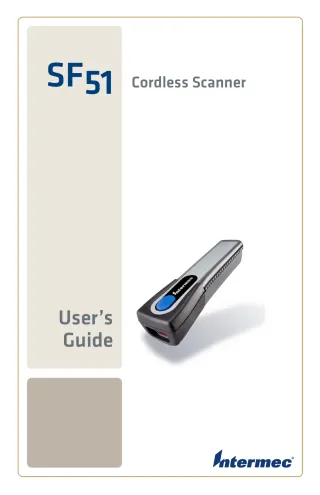
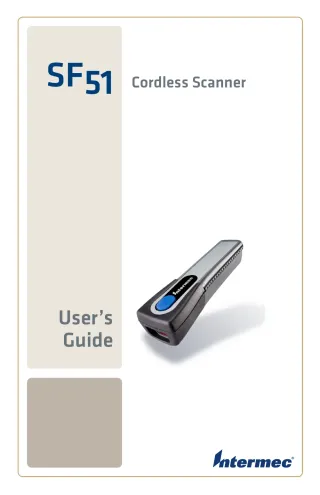
SF51 Cordless Scanner User's Guide
Manual76 pagesPDF 1.8 MB
User's guide for the Intermec SF51 cordless Bluetooth handheld scanner: setup, configuration commands and specifications.
Covers · 1 model
The models it covers
Summary
What is in it
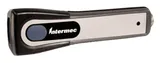
User's guide for the Intermec SF51 Cordless Scanner, a small, rugged handheld bar code scanner that uses a Bluetooth radio. It explains the battery and charging, lights and beeps, scanning, connecting to an Intermec computer, a PC with a Bluetooth adapter or as a keyboard wedge, configuring the scanner with EasySet, Bluetooth security, troubleshooting, firmware upgrades, a full configuration command reference, specifications and accessories.
Its parts
- Learning About the SF51
- Connecting and Configuring the SF51
- Troubleshooting and Maintaining the SF51
- Configuration Command Reference
From the manual
Key facts from this manual
Some pages are scans or cannot be read; this says only what the readable text supports. Each line names its page in the PDF.
Intermec's user's guide (P/N 074474-006, revision dated 10/2008) for the SF51 Cordless Scanner, a handheld Bluetooth linear imager. It explains charging, the lights and beeps, scanning, connecting to Intermec computers and PCs, keyboard wedge use, troubleshooting and firmware upgrades. An appendix gives specifications and accessory part numbers.
- Device
- Small, rugged handheld cordless scanner with a Bluetooth radio and a linear imager that decodes 1D and 2D stacked bar codes p. 15, 20
- Scan engine
- EV10: 200 scans per second, range up to 50 cm (19.7 in), 40 degree scan angle, minimum X dimension 4 mils (0.1 mm) p. 68
- Bluetooth radio
- Class 1 version 1.2, 2.4 GHz, 721 Kbits per second; range 30.5 m (100 ft) to a Class 1 host, 10 m (32.8 ft) to a Class 2 host p. 68
- Host devices
- Intermec 700 Color Series (Windows Mobile 2003 or later), CK30, CK32, CN3, CK3, CK60, CV30, CV60; PCs with a Bluetooth adapter; other devices with Serial Port Profile (SPP) p. 25
- Bluetooth adapters
- USB Bluetooth adapter (P/N 203-771-xxx) or RS-232 Bluetooth adapter (P/N 203-768-xxx) p. 25, 69
- Power
- Rechargeable lithium-ion battery; electrical rating 5V, 1.5A p. 67
- Chargers
- 1-bay charger Model 074645 (power supply P/N 851-086-xxx); 4-bay charger Model 074646 (power supply P/N 851-088-xxx); about 3 hours to full charge p. 16, 69
- Carrying accessories
- Forearm holster (P/N 074649), chest strap holder (P/N 825-173-xxx), belt clip (P/N 825-172-xxx) p. 69
- Size and weight
- Length 15.7 cm (6.1 in), height 3.4 cm (1.3 in), width 4.6 cm (1.8 in) at the scanner; 263 g (9.3 oz) p. 67
- Temperature
- Operating -20°C to 50°C (-4°F to 122°F); charging 0°C to 35°C (32°F to 95°F) p. 67
- Environmental
- IP52 rating; 0 to 95% relative humidity, non-condensing p. 67
- Symbologies
- Codabar, Codablock A and F, Code 11, Code 39, Code 93/93i, Code 128 / EAN 128, EAN.UCC Composite, 2 of 5 codes, MSI, Plessey, RSS, Telepen, TLC 39, UPC/EAN; PDF417 and Micro PDF417 on the PDF version only p. 68
- Keyboard wedge
- Keyport Bluetooth (Windows XP with SP2) or Keyport Lite (Windows 2000 and Windows XP with SP1, English QWERTY keyboards) p. 27
- Software
- EasySet version 5.4 or later for configuration; SF51 Firmware Upgrade Utility (SF51Upgrade.exe) for firmware p. 20, 40
What this manual walks you through
- Charging the battery and checking its status p. 16
- Reading the status lights and beep sequences p. 18, 19
- Scanning 1D and 2D bar codes p. 20, 21
- Connecting the SF51 to an Intermec computer with EasySet p. 26
- Connecting to a PC through a USB or RS-232 Bluetooth adapter p. 27
- Using the SF51 as a keyboard wedge p. 27
- Setting up vibrate alert for noisy or quiet places p. 21
- Troubleshooting connection, battery and scanning problems p. 38, 39, 40
- Upgrading the scanner firmware p. 40
Good to know
- The scanner contains permanent magnets above 10 gauss; people with pacemakers, ICDs or heart failure devices should check with a doctor first. p. 15
- Do not disassemble the lithium-ion battery, heat it above 100°C (212°F) or incinerate it. p. 16
- Placing the SF51 in a charger resets its firmware and drops any Bluetooth connection. p. 38
- Connecting to an Intermec computer resets shared settings to that computer's internal scanner defaults. p. 26
- A firmware upgrade erases the current settings, and Bluetooth links must be set up again. p. 40
Questions this manual answers
What is the Bluetooth range of the Intermec SF51?
30.5 m (100 ft) to a Class 1 host radio and 10 m (32.8 ft) to a Class 2 host radio. p. 68
Which Intermec computers work with the SF51?
The manual names the 700 Color Series (Windows Mobile 2003 or later), CK30, CK32, CN3, CK3, CK60, CV30 and CV60. p. 25
How long does the SF51 battery take to charge?
About 3 hours from fully discharged in the 1-bay or 4-bay charger; longer near the 0°C or 35°C charging limits. p. 16
Can the SF51 work as a keyboard wedge?
Yes, with Keyport Bluetooth on Windows XP SP2 or Keyport Lite on Windows 2000 and XP SP1. p. 27
Why does the SF51 status light flash red when I press Scan?
The battery is low; place the SF51 in the 1-bay or 4-bay charger. p. 18
The whole text · 8 parts
Read the manual here as text
Its text as extracted from the PDF, unedited, in parts; each page opens the PDF at that page.
The file