Manual · Intermec
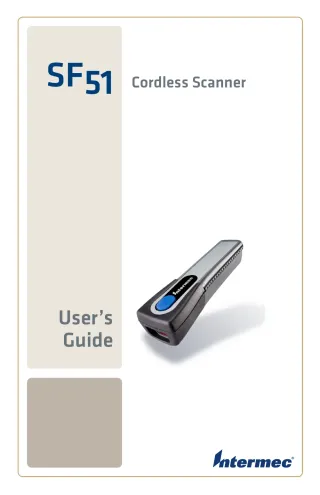
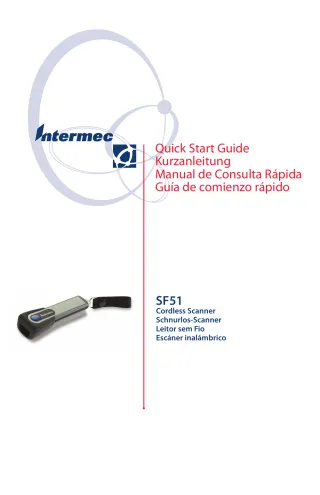
SF51 Cordless Scanner Quick Start Guide
Manual32 pagesPDF 2.8 MB
Quick start guide for the Intermec SF51 cordless Bluetooth handheld scanner: charging, pairing, scanning and troubleshooting.
Covers · 1 model
The models it covers
Summary
What is in it
Intermec's quick start guide for the SF51 Cordless Scanner, a small, rugged handheld scanner that uses a Bluetooth radio. It shows what is in the box, how to charge the scanner, how to connect it to an Intermec computer or a PC with a USB Bluetooth adapter using EasySet, how to scan bar codes and test them, and how to troubleshoot, with useful setup bar codes. The guide is repeated in German, Portuguese and Spanish.
Its parts
- SF51 Cordless Scanner Quick Start Guide
- Kurzanleitung für den Schnurlos-Scanner SF51
- Manual de Consulta Rápida do Leitor sem Fio SF51
- Guía de comienzo rápido del escáner inalámbrico SF51
From the manual
Key facts from this manual
Each line names its page in the PDF.
Intermec's quick start guide (P/N 074473-006, 2006) for the SF51 Cordless Scanner, a small handheld Bluetooth scanner, printed in English, German, Portuguese and Spanish. It shows how to charge the SF51, connect it to an Intermec computer or a PC, scan and test bar codes, and solve common problems.
- Device
- Small, rugged handheld cordless scanner with a Bluetooth radio p. 3
- Chargers
- 1-bay (Model 074645) or 4-bay (Model 074646) charger; full charge in about 3 hours p. 4
- Host devices
- Bluetooth enabled Intermec computers, PCs with a USB Bluetooth adapter (P/N 203-771-xxx), other Bluetooth devices with Serial Port Profile (SPP) p. 4
- Setup software
- EasySet version 5.2 or later, on the CD shipped with the SF51 p. 4
- Scanning distance
- 15 to 25 cm (6 to 10 in) from the label, at a slight angle p. 6
- Default symbologies
- Code 39, Code 128, UPC/EAN; PDF417 only on the SF51 with PDF version p. 6
- Electrical rating
- 5V, 1.5A p. 8
- In the box
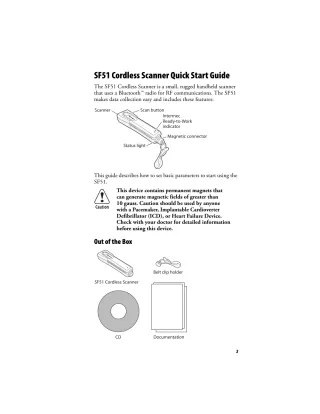
- SF51 Cordless Scanner, belt clip holder, CD, documentation p. 3
- Indicators
- Status light and blue Intermec Ready-to-Work indicator; magnetic connector p. 3, 5
- Related documents
- SF51 Cordless Scanner User's Guide (P/N 074474); USB Bluetooth Adapter Instructions (P/N 074479) p. 5, 6
What this manual walks you through
- Charging the SF51 in a 1-bay or 4-bay charger p. 4
- Connecting the SF51 to an Intermec computer with EasySet p. 5
- Pairing the SF51 with a PC through the USB Bluetooth adapter p. 5
- Scanning 1D and 2D bar codes p. 6
- Checking the scanner with test bar codes p. 7
- Reading the product version and Bluetooth address by scanning bar codes p. 8
Good to know
- The scanner contains permanent magnets above 10 gauss; people with pacemakers, ICDs or heart failure devices should check with a doctor first. p. 3
- Resetting to factory defaults means the SF51 must be configured again. p. 7
Questions this manual answers
What charger does the Intermec SF51 use?
The 1-bay charger Model 074645 or the 4-bay charger Model 074646; a fully discharged battery charges in about 3 hours. p. 4
How do I connect the SF51 to a PC?
Install the USB Bluetooth adapter (P/N 203-771-xxx), then connect and pair the SF51 with the PC. p. 5
Why does my SF51 flash red and beep three times?
It may not be connected to a host; make sure the blue Ready-to-Work indicator is on and the SF51 is linked. p. 7
Where is the Bluetooth address of the SF51?
In the upper right corner of the label on the back of the scanner. p. 4
Contents
Chapters and sections
Each line opens the PDF at its page.
The whole text · 4 parts
Read the manual here as text
Its text as extracted from the PDF, unedited, in parts; each page opens the PDF at that page.
The file