Manual · Intermec
700 Series Color Mobile Computer User's Manual
Manual346 pagesPDF 2.9 MB
User's manual for the Intermec 700 Series Color (700C) Pocket PC 2002 mobile computer: setup, networking, printing, scanning and programming.
Filed with · 8 models
Also filed with these models on the old site
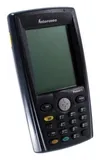 Intermec Model 720Wireless portable data collection terminal from$695.0011 in stock Intermec Model 740Wireless portable data collection terminal from$795.0053 in stock Intermec Model 741Wireless portable data collection terminal from$695.009 in stock Intermec Model 751Wireless portable data collection terminal from$995.002 in stock Intermec Model 760Wireless portable data collection terminal from$895.001 in stock Intermec Model 710Wireless portable data collection terminal Call for availability Intermec Model 730Wireless portable data collection terminal Call for availability Intermec Model 761Wireless portable data collection terminal Call for availability
Summary
What is in it
The user's manual for the Intermec 700 Series Color (700C) mobile computer running Pocket PC 2002. It covers the audio system, battery and card slots, the Pocket PC programs, ActiveSync and Pocket Outlook, installing applications and CAB files and updating system software, network support (802.11b, GSM/GPRS, CDMA/1xRTT and Bluetooth printing), printer and scanner support, and programming, with appendices on control panel applets, the Unit Manager and configuration bar codes.
Its parts
- Introduction
- Pocket PC 2002
- Installing Applications and Updating System Software
- Network Support
- Printer Support
- Scanner Support
- Programming
From the manual
Key facts from this manual
Each line names its page in the PDF.
Intermec's 700 Series Color Mobile Computer User's Manual (P/N 961-054-031, Revision A, September 2002). It covers the 700 Series Color (700C) as a family and does not split facts by model number; it explains Pocket PC 2002, installing applications and updating system software, network radios, printer drivers, scanner programming interfaces, control panel applets and bar code settings.
- Device
- 700 Series Color mobile computer running Pocket PC 2002, Premium or Professional Edition p. 22, 23
- Battery
- Replaceable Lithium-Ion, nominal 14.4 Watt-hour, 7.2V (2 x 2000 mAh cells) p. 17
- Radios
- Up to three: 802.11b (up to 11 Mb/sec), GSM/GPRS or CDMA/1xRTT WAN, Bluetooth wireless printing module by Socket Communications p. 88
- Wired network
- Onboard wired Ethernet (standard) p. 88
- Card slots
- One CompactFlash card (storage or 802.11b radio) and one SecureDigital card (storage or WAN radio); MultiMediaCards not supported p. 19
- Data protection
- Super capacitor protects data up to ten minutes during battery change; DRAM kept at least 72 hours after low-battery shutdown with battery in place p. 18
- Antenna color code
- Green: 802.11b diversity; Red: CDMA/GPRS US/Canada; Blue: GPRS International p. 89
- Audio
- Rear speaker, 85 dB min at 10 CM, 1 to 8 KHz; internal microphone; 2.5 mm three-conductor headset jack p. 17
- Modem options
- No modem PC Cards; switchable dock with built-in modem and serial port, Mini-Landline Modem, or other external modems p. 19
- Intermec printers
- 6820, 6808, 781T and 782T; IrDA printing with 6804, 6805, 6806, 6808 and 6820; NPCP driver for 6820 and 4820 p. 130, 131
- Suspend without battery
- System status kept 10 minutes with 64 MB low-power chips, 5 minutes with 128 MB p. 18
- Bar codes decoded
- UPC/EAN with add-ons, Interleaved 2 of 5, Standard 2 of 5, Plessey, Codabar, Code 11, Code 39, Extended Code 39, Code 93, Code 128 p. 318
- Software update
- Bootloader and operating system updated over ActiveSync (serial, USB, Ethernet or 802.11b) or from an SD or CF storage card p. 79
- Related part numbers
- Quick Start Guide P/N 962-054-053; 700 Series Color Tools CD P/N 235-045-001 p. 21
What this manual walks you through
- Updating the bootloader and operating system with ActiveSync p. 79, 80
- Making an application run at startup from a storage card p. 79
- Checking the software build and Pocket PC edition p. 20, 23
- Checking main and backup battery status p. 17, 18
- Starting Ethernet communications p. 90
- Setting up 802.11b radio profiles p. 91
- Printing ASCII directly to a port or generic serial printer p. 130
- Installing the NPCP printer driver and reading its error codes p. 131, 134
- Remapping the keypad p. 245
Good to know
- Charge the battery fully before a system update; a power failure during the update corrupts the flash and the unit must go to service. p. 79
- Radio cards cannot be installed by the user; installing or replacing radios needs service. p. 19
- Configuration and time are lost if the battery discharges too far, is removed outside suspend mode, or after a cold reset. p. 18
- Improper keypad remapping can make the keypad unusable; a cold boot reloads the default keymap. p. 245
Questions this manual answers
What battery does the Intermec 700 Series Color use?
A replaceable 7.2V lithium-ion pack of two 2000 mAh cells, nominal 14.4 Watt-hours. p. 17
What does the antenna tip color mean on a 700 Series computer?
It shows the radio type: green for 802.11b diversity, red for CDMA/GPRS US/Canada, blue for GPRS International. p. 89
How do I update the operating system on an Intermec 700C?
Over an ActiveSync connection or from an SD or CF storage card, using the files on the 700C Tools CD, with a fully charged battery. p. 79, 80
Which printers work with the 700 Series Color?
The manual names Intermec 6820, 6808, 781T and 782T, plus IrDA printing with the 6804, 6805, 6806, 6808 and 6820. p. 130, 131
What does NPCP printer error 223 mean?
Printer paper out; 222 is a head jam and 226 a printer low battery. p. 134
Contents
Chapters and sections
Each line opens the PDF at its page.
The whole text · 40 parts
Read the manual here as text
Its text as extracted from the PDF, unedited, in parts; each page opens the PDF at that page.
- Title1-3
- Contents, pages 4 to 94-9
- Contents, pages 10 to 1510-15
- Section 1 - Introduction16-21
- Section 2 - Pocket PC 2002, pages 22 to 3022-30
- Section 2 - Pocket PC 2002, pages 31 to 3931-39
- Section 2 - Pocket PC 2002, pages 40 to 4840-48
- Section 2 - Pocket PC 2002, pages 49 to 5749-57
- Section 2 - Pocket PC 2002, pages 58 to 6658-66
- Section 2 - Pocket PC 2002, pages 67 to 7567-75
- Section 3 - Installing Applications and Updating System Software76-87
- Section 4 - Network Support, pages 88 to 9688-96
- Section 4 - Network Support, pages 97 to 10597-105
- Section 4 - Network Support, pages 106 to 114106-114
- Section 4 - Network Support, pages 115 to 123115-123
- Section 4 - Network Support, pages 124 to 129124-129
- Section 5 - Printer Support130-137
- Section 6 - Scanner Support, pages 138 to 146138-146
- Section 6 - Scanner Support, pages 147 to 155147-155
- Section 6 - Scanner Support, pages 156 to 164156-164
- Section 6 - Scanner Support, pages 165 to 173165-173
- Section 6 - Scanner Support, pages 174 to 182174-182
- Section 6 - Scanner Support, pages 183 to 191183-191
- Section 6 - Scanner Support, pages 192 to 200192-200
- Section 6 - Scanner Support, pages 201 to 209201-209
- Section 7 - Programming, pages 210 to 219210-219
- Section 7 - Programming, pages 220 to 229220-229
- Section 7 - Programming, pages 230 to 239230-239
- Section 7 - Programming, pages 240 to 249240-249
- Appendix A - Control Panel Applets, pages 250 to 259250-259
- Appendix A - Control Panel Applets, pages 260 to 269260-269
- Appendix A - Control Panel Applets, pages 270 to 279270-279
- Appendix A - Control Panel Applets, pages 280 to 289280-289
- Appendix A - Control Panel Applets, pages 290 to 299290-299
- Appendix A - Control Panel Applets, pages 300 to 307300-307
- Appendix B - Unit Manager308-317
- Appendix C - Bar Codes318-327
- Pages 328 to 335328-335
- Pages 336 to 343336-343
- Files Index344-346
The file