Manual · Intermec
JANUS 2.4 GHz Terminal Emulation Quick Reference Guide
Manual134 pagesPDF 582 KB
Quick reference guide to 2.4 GHz terminal emulation (3270, 5250, VT/ANSI) on Intermec JANUS 2010, 2020 and 2050 computers.
Covers · 1 model
The models it covers
Summary
What is in it
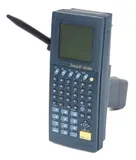
Quick reference guide for the Intermec JANUS 2.4 GHz terminal emulation software, which lets a JANUS RF device such as the JANUS 2020 hand-held computer work as an IBM 3270, IBM 5250 or VT100/220/320 and ANSI terminal over TCP/IP (Telnet) or UDP Plus. It covers starting and exiting emulation, the TE keypads, VT/ANSI printing, configuration and security, auto-login scripts, international characters, the 3270, 5250 and VT/ANSI commands, error messages and keyboard remapping.
Its parts
- Getting Started
- Using TE Features
- Customizing Your Configuration
- 3270 and 5250 Commands
- VT/ANSI Commands
- Troubleshooting
From the manual
Key facts from this manual
Each line names its page in the PDF.
Intermec's Quick Reference Guide (P/N 063682-004, version 004 of 4/98) for the JANUS 2.4 GHz terminal emulation software, covering the JANUS 2010, 2020 and 2050 devices. It explains how to start and exit Telnet and UDP Plus sessions, use the 3270 and 5250 TE keypads, read the status line, set up VT/ANSI printing and act on error messages.
- Software
- Terminal emulation for JANUS 2.4 GHz RF devices over TCP/IP and Intermec's UDP Plus protocol p. 15
- Terminals emulated
- VT100/220/320 and ANSI, IBM 3270, IBM 5250 p. 15
- IBM protocols
- SNA or TCP/IP (Telnet) p. 15
- Display
- 16 x 20 viewport onto each 25 x 80 terminal screen p. 31
- Keypad
- 3270 and 5250 TE keypad overlays for the JANUS 2010 and 2020, separate ones for the JANUS 2050; M1, M2 and PrScr not supported p. 27, 28
- Network setup
- Direct host connection through access points on Ethernet, or through a Model 200 Controller p. 17, 18
- Telnet sessions
- TN3270, TN5250 or TNVT.EXE with an optional host name, after running NET.BAT p. 19
- UDP Plus sessions
- UDP3270, UDP5250 or UDPVT p. 21
- VT/ANSI printing
- Needs the XON/XOFF protocol and the PHIMEC 1 protocol handler, which routes print data through COM1 p. 35
- Status line
- 3270 and 5250: INIT, TNSVR, PEND, TNAPP, LOCK, XSYS, INS; ERR and MSGWAIT on 5250 only p. 34, 35
- Telnet port
- Default port 23 when the TCP service file is not present p. 97
- Installation manual
- JANUS 2.4 GHz Installation Utility User's Manual (4MB), Part Number 064673 p. 16
- JANUS 2020 manual
- JANUS 2020 Hand-Held Computer User's Manual (4MB), part 065715 p. 11
- Document
- P/N 063682-004; version 004 (4/98) added VT/ANSI printing p. 1, 3
What this manual walks you through
- Checking a new installation with PING p. 16
- Starting and exiting Telnet terminal emulation p. 19, 20
- Starting and exiting UDP Plus terminal emulation p. 21, 22
- Reaching the extra characters and commands on the TE keypad p. 29, 30
- Moving the viewport around a full terminal screen p. 31, 32
- Setting up auto-advance for bar code scanning on 5250 screens p. 33
- Reading the status line messages p. 34, 35
- Setting up VT/ANSI printing p. 35
- Fixing local editing errors p. 95, 96, 97
- Handling network errors in TCP/IP terminal emulation p. 97
Good to know
- The L button does not exit terminal emulation; it switches the device between operating and suspend. p. 20
- A non-recoverable error ends the TE session and drops to the DOS prompt. p. 95
- TN3270 and TN5250 need their .EXE and .MAP files in the same directory. p. 19
- Connecting by host name instead of IP address needs a HOSTS file on drive C. p. 19
- VT100 emulation does not support the home, insert, delete, page up and page down edit keys. p. 23
Questions this manual answers
What terminals can the Intermec JANUS 2020 emulate?
With this software it emulates VT100/220/320 and ANSI terminals, the IBM 3270 and the IBM 5250. p. 15
How much of a host screen does the JANUS TE display show?
A 16 x 20 viewport of the 25 x 80 terminal screen, which you move around to see the rest. p. 31
What does LOCK on the JANUS status line mean?
The keyboard is locked by the host application. p. 34
What should I do about the error TCP - could not connect socket?
It is a fatal error: reboot the JANUS device, wait a few minutes and try to connect again. p. 97
What is needed to print from VT/ANSI terminal emulation on a JANUS?
The device must use the XON/XOFF protocol, and the PHIMEC 1 protocol handler must run in the background to send print data through COM1. p. 35
The whole text · 14 parts
Read the manual here as text
Its text as extracted from the PDF, unedited, in parts; each page opens the PDF at that page.
The file