Manual · Intermec
JANUS 900 MHz Radio Frequency Quick Reference Guide
Manual37 pagesPDF 180 KB
Quick reference guide to 900 MHz RF communications on Intermec JANUS J2010, JR2020 and J2050 computers: antenna, RF settings, troubleshooting.
Names · 3 models
The models it names
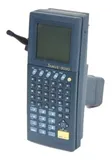 Intermec JR2020Wireless portable data collection terminal from$1,195.0010 in stock
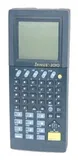 Intermec J2010Portable batch data collection terminal Call for availability
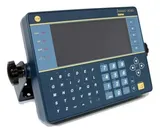 Intermec J2050Vehicle-mounted data collection terminal Call for availability
Filed with · 3 models
Also filed with these models on the old site
Summary
What is in it
A quick reference guide to 900 MHz radio frequency communications on Intermec JANUS RF devices: the J2010 with an RF back, the JR2020 handheld and the J2050 vehicle-mount computer. It explains how an RF data collection system works, attaching the antenna, configuring the RF parameters to match a 9180 or 9185 network controller, loading the RF protocol handler, the RF status icons and LEDs, managing battery power, troubleshooting, and each RF configuration parameter with its default.
Its parts
- Overview of an RF System
- Setting Up RF Communications
- Using RF Communications
- Configuring Your JANUS RF Device
From the manual
Key facts from this manual
Each line names its page in the PDF.
This is the JANUS 900 MHz Radio Frequency Quick Reference Guide (P/N 060207-002), covering the J2010 with an RF back, the JR2020 handheld and the J2050 vehicle-mount computer. It shows how to attach the antenna, set the RF configuration parameters through IC.EXE or bar code labels, read the RF status icons, and troubleshoot RF communications.
- Radio
- 900 MHz two-way RF link to a network controller through 9181 Base Radio Units or 9183 repeaters p. 5
- Channels
- 924, 921, 918, 915, 912, 909 or 906 MHz; default 924 MHz p. 19, 21
- Controllers
- 9180 Network Controller (software 1.3 or earlier, or 2.0), 9185 Network Controller, or a controller with a 900 MHz RF ISA card p. 5, 9
- RF port
- COM4, not reachable with commercial communications packages p. 11
- Radio buffer
- Up to five messages p. 12
- Configuration
- Commands over the RF link, the Interactive Configuration application (IC.EXE), or bar code labels p. 15
- Device address
- 1 through 128; default 0 (turned off) p. 22
- Network ID
- 1 to 254 with a 9180 controller on version 2.0 software; 0 with version 1.3 or earlier p. 27, 28
- Duty cycle default
- Readers (J2010, JR2020): 30%; J2050: 100%; period 1 second p. 13, 24, 25
- Battery
- J2010 and JR2020: NiCad battery pack; Battery icon comes on with about 15 to 45 minutes of power left p. 12
- RF protocol handler
- Loads at boot; unload rfph 4 unloads it, rfph 4 reloads it p. 10
- Guide part number
- P/N 060207-002 p. 1
What this manual walks you through
- Attaching the antenna to the J2010, JR2020 or J2050 p. 6, 7, 8
- Setting RF parameters to match the 9180 controller software version p. 9, 10
- Unloading and loading the RF protocol handler p. 10
- Reading the RF status icons and J2050 LEDs p. 11, 12
- Managing battery power on the J2010 and JR2020 p. 12, 13
- Troubleshooting RF communications on the J2010 and JR2020 p. 13, 14
- Troubleshooting RF communications on the J2050 p. 14, 15
- Configuring RF settings with the Interactive Configuration application p. 16
- Scanning bar code labels to set each RF parameter p. 17
Good to know
- Attach the antenna before turning the device on; the internal radio could be damaged otherwise. p. 6
- Antennas are not interchangeable between JANUS RF devices; each is built for its device's radio. p. 6
- Keep two RF devices more than 2 feet (0.6 meters) apart when using RF; closer use may damage the radio receivers. p. 11
- Do not turn the device off while the data icon or LED is lit. p. 12
- A reader unused for 1 week or longer should go into Storage mode with the NiCad battery pack removed. p. 13
Questions this manual answers
What frequencies does the JANUS 900 MHz radio use?
Channel Select offers 924, 921, 918, 915, 912, 909 or 906 MHz, with 924 MHz as the default. p. 19, 21
Can I swap antennas between a J2010 and a J2050?
No. The guide says not to interchange antennas between JANUS RF devices, because each antenna is built for the radio in its device. p. 6
How do I set the RFNC address on a JANUS for a 9180 controller with software 1.3?
Set it to twice the controller's address; for a controller address of 2, set the RFNC address to 4. p. 9
Which COM port does the JANUS 900 MHz radio use?
The RF port is COM4, which commercial communications packages cannot access. p. 11
What does the Battery icon mean on a J2010 or JR2020 RF reader?
The NiCad battery pack has about 15 to 45 minutes of power left; replace or recharge it right away or RF communications will soon stop. p. 12
The whole text · 4 parts
Read the manual here as text
Its text as extracted from the PDF, unedited, in parts; each page opens the PDF at that page.
The file