Manual · Intermec
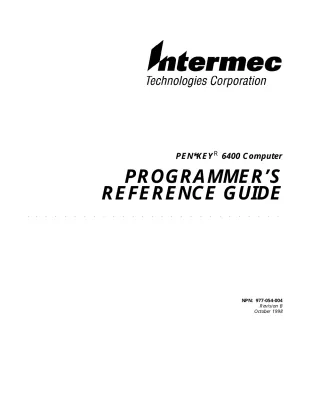
VT220/ANSI Terminal Emulation Programmer's Reference Guide
Manual276 pagesPDF 1.4 MB
Programmer's reference for VT220/ANSI terminal emulation on Intermec wireless stations, including the PEN*KEY 6400 and 6500 and RT series terminals.
Covers · 1 model
The models it covers
Summary
What is in it
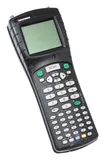
Intermec's programmer's reference guide for VT220/ANSI terminal emulation on its wireless stations: the RT3210, RT1100, RT1700 and RT5900 radio terminals and the PEN*KEY 6400 and 6500 computers. A section per device covers screen modes, display annunciators, keyboards, overlays and keypads. The programming section lists character sets, received codes, terminal modes, user-defined keys and local edit mode, and the extended commands cover RS-232 port transfers and bar code scanning parameters.
Its parts
- Introduction
- RT3210 Radio Terminal
- RT1100 Radio Terminal
- RT1700 Radio Terminal
- RT5900 Radio Terminal
- PEN*KEY 6400 Computer
- PEN*KEY 6500 Computer
- Programming
- Extended Commands
From the manual
Key facts from this manual
Some pages are scans or cannot be read; this says only what the readable text supports. Each line names its page in the PDF.
Intermec programmer's reference guide for VT220/ANSI terminal emulation on its wireless stations: the RT3210, RT1100, RT1700 and RT5900 Radio Terminals and the PEN*KEY 6400 and 6500 Computers. It is written for host programmers and shows how each station's display and keyboard stand in for a VT220, which codes it receives and sends, and the extended commands for printing, scanning and the RS-232 port.
- What it is
- Host programmer's reference for VT220 terminal emulation on the RT3210, RT1100, RT1700, RT5900 and PEN*KEY 6400 and 6500 p. 19
- 6400 screen size
- 6400: 3, 6, 9 or 18 lines by 10, 13, 16, 20, 26 or 32 characters, a window on the VT220's 80 by 24 screen p. 97
- 6400 screen modes
- 6400: center cursor, corner, page, lazy, screen lock and locked p. 97
- 6400 keyboards
- 6400: 41-key keyboard or standard 51-key keyboard, both with VT220 overlays p. 101, 107
- 6400 backlight
- 6400: [SHFT]+[Y] turns the backlight on and off; its time-out is set in the firmware menus p. 120
- 6400 battery icons
- 6400: four symbols above 75 percent, three at 50--75, two at 25--50, one below 25 percent p. 100
- Radio network
- UHF, 900 MHz or 2.4 GHz radios; Ethernet Version 2 (DIX) and IEEE 802.3 on 10BASE2, 10BASE5 and 10BASE-T p. 19
- Extended commands
- #F transmit and receive, #P transmit only, #G receive only on RS-232; #H set parameters, #V version, #T tone, #S scan parameters p. 207
- Enabling extended cmds
- 6400: open the main menu with [GOLD]+[BLUE], then SET-UP PARMS, PROTOCOL OPTS, EXTENDED CMDS, ENABLED p. 208
- Function keys
- Of VT220 F1 to F5 only break is supported, on [F5]; F6 to F20 are user-defined keys set by the application p. 116
- Transmission mode
- 6400: [GOLD]+[1] switches line edit (block) and character mode unless lock mode is enabled (default disabled) p. 119
- 6400 user's guide
- PEN*KEY Model 6400 user's guide 961-047-093 p. 23
- Document
- P/N 977-047-037, Revision C, July 1998 p. 1
What this manual walks you through
- Choosing the 6400 screen size and screen mode p. 97, 98, 99
- Reading the 6400 display annunciators p. 100, 101
- Typing letters on the 51-key and 41-key keyboards p. 108
- Using the 6400 function and control keys p. 116, 117, 118, 119
- Switching between line edit and character mode p. 119
- Turning the 6400 backlight on and off p. 120
- Enabling extended commands in the firmware p. 207, 208
- Sending data out the RS-232 port with the #F command p. 208, 209
- Reading the firmware name and version from the host with #V p. 233, 234
Good to know
- #F data must be under 1840 bytes after compression and end with a # character. p. 208
- With lock mode enabled, line edit and character mode cannot be toggled. p. 119
- The longer the backlight stays on, the sooner the battery needs recharging. p. 120
- The 902--928 MHz SST radio mentioned in the guide is not available for sale or use in Europe. p. 3
Questions this manual answers
What screen sizes can the 6400 show in VT220 emulation?
You can choose 3, 6, 9 or 18 lines by 10, 13, 16, 20, 26 or 32 characters per line, set under LCD PARMS, SCREEN SIZE. p. 97
How do I turn on the backlight on a PEN*KEY 6400?
Press [SHFT]+[Y]; press it again to turn the backlight off. p. 120
How do I enable extended commands on the 6400?
Open the main menu with [GOLD]+[BLUE] and select SET-UP PARMS, PROTOCOL OPTS, EXTENDED CMDS, ENABLED. p. 208
How can the host read the 6400 firmware version?
Send the #V Return Version extended command; the station returns its firmware name and version. p. 233, 234
What do the battery symbols on the 6400 display mean?
Four symbols mean more than 75 percent capacity, three 50--75, two 25--50, and one less than 25 percent. p. 100
Contents
Chapters and sections
Each line opens the PDF at its page.
107 more lines, from page 58 on
- Backlight58
- Section 4: RT1700 Radio Terminal59
- Section 5: RT5900 Radio Terminal81
- Section 6: PEN*KEY 6400 Computer97
- Section 7: PEN*KEY 6500 Computer121
- Section 8: Programming137
- Overview137
- Character Encoding138
- Character Sets138
- Received Codes153
- Select C1 Controls154
- Terminal Modes155
- Cursor Positioning159
- Tab Stops161
- Character Rendition and Attributes162
- Line Attributes163
- Erasure Mode165
- Editing166
- Erasing168
- Scrolling Margins (Top and Bottom)170
- Printing170
- User-Defined Keys (DECUDK)172
- Down-Line Loadable Character Set178
- Reports179
- Terminal Reset181
- Tests and Adjustments182
- VT52 Mode Escape Sequence182
- Define Area Qualification183
- Private Sequences184
- Proprietary Sequences184
- VT330/VT340 Applications185
- Transmitted Keyboard Codes190
- Transmitted Keyboard Keys191
- Local Edit Mode197
- Section 9: Extended Commands207
- Appendix A: Bar Code Scanning261
- Index265
The whole text · 33 parts
Read the manual here as text
Its text as extracted from the PDF, unedited, in parts; each page opens the PDF at that page.
- Title1-4
- Contents, pages 5 to 115-11
- Contents, pages 12 to 1812-18
- Section 1: Introduction19-26
- Section 2: RT3210 Radio Terminal, pages 27 to 3427-34
- Section 2: RT3210 Radio Terminal, pages 35 to 4235-42
- Section 3: RT1100 Radio Terminal, pages 43 to 5043-50
- Section 3: RT1100 Radio Terminal, pages 51 to 5851-58
- Section 4: RT1700 Radio Terminal, pages 59 to 6659-66
- Section 4: RT1700 Radio Terminal, pages 67 to 7467-74
- Section 4: RT1700 Radio Terminal, pages 75 to 8075-80
- Section 5: RT5900 Radio Terminal, pages 81 to 8881-88
- Section 5: RT5900 Radio Terminal, pages 89 to 9689-96
- Section 6: PEN*KEY 6400 Computer, pages 97 to 10497-104
- Section 6: PEN*KEY 6400 Computer, pages 105 to 112105-112
- Section 6: PEN*KEY 6400 Computer, pages 113 to 120113-120
- Section 7: PEN*KEY 6500 Computer, pages 121 to 128121-128
- Section 7: PEN*KEY 6500 Computer, pages 129 to 136129-136
- Section 8: Programming, pages 137 to 146137-146
- Section 8: Programming, pages 147 to 156147-156
- Section 8: Programming, pages 157 to 166157-166
- Section 8: Programming, pages 167 to 176167-176
- Section 8: Programming, pages 177 to 186177-186
- Section 8: Programming, pages 187 to 196187-196
- Section 8: Programming, pages 197 to 206197-206
- Section 9: Extended Commands, pages 207 to 215207-215
- Section 9: Extended Commands, pages 216 to 224216-224
- Section 9: Extended Commands, pages 225 to 233225-233
- Section 9: Extended Commands, pages 234 to 242234-242
- Section 9: Extended Commands, pages 243 to 251243-251
- Section 9: Extended Commands, pages 252 to 260252-260
- Appendix A: Bar Code Scanning261-264
- Index265-276
The file