Manual · Intermec
TE 2000 5250 Terminal Emulation Programmer's Guide
Manual270 pagesPDF 4.4 MB
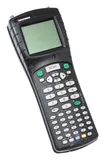
Programmer's guide to Intermec TE 2000 5250 terminal emulation on the 6400 computer and other Intermec terminals and data collection PCs.
Covers · 1 model
The models it covers
Summary
What is in it
Programmer's guide for the Intermec TE 2000 5250 terminal emulation application. It explains how to set up the terminal and network, start and configure the application, and use special function keys, with keyboard maps for the 2415, 2425, 2435A, 2455, 248X, 6400, 5020, 5055, 59XX, 17XX and 11XX. Later sections cover the terminal emulation menus, customizing the configuration, the display data stream and extended commands, with appendixes on bar code scanning and symbologies.
Its parts
- Before You Begin
- Getting Started
- Using Terminal Emulation Applications
- Using the Terminal's Keyboard
- Using the Terminal Emulation Menus
- Customizing Your Configuration
- Display Data Stream
- Extended Commands
From the manual
Key facts from this manual
Some pages are scans or cannot be read; this says only what the readable text supports. Each line names its page in the PDF.
Intermec programmer's guide to TE 2000 5250 terminal emulation, version 6.30 or greater. It covers the 2415, 2425, 2435A, 2455, 248X, 6400, 5020, 5055, 59XX, 17XX and 11XX terminals. It explains the keyboards, the configuration menus, custom setup files, the 5250 data stream and the extended commands.
- Document
- TE 2000 5250 Terminal Emulation Programmer's Guide, P/N 977-055-004, Revision D, November 2001 p. 1
- Software version
- TE 2000 version 6.30 or greater p. 22
- Keyboard
- 6400: 51-key or 41-key keyboard p. 45
- 6400 TE options
- 6400: TE/WTP or TE/IP over 2.4 GHz OpenAir or 802.11; TE/WTP also over 900 MHz Falcon p. 22
- 6400 program names
- 6400: FWP640H0 or FWP64TH0 (51-key keyboard); FWP640H4 or FWP64TH4 (41-key keyboard) p. 22
- Screen sizes
- 6400: 6, 9, 12 or 18 rows, with 10, 13, 16, 20, 23, 26 or 32 characters per row p. 103
- Printer drivers
- 6400: extended commands print through an RS-232 or IrDA printer driver p. 100
- RS-232 settings
- 6400, 5055, 17XX, 11XX: 1200 to 38400 baud (default 9600), Odd, Even or None parity, 7 or 8 data bits, 1 or 2 stop bits, None, DTR or XON/XOFF flow p. 93
- Battery gauge
- 6400: up to four display icons show main battery pack charge; below 20% they turn into Ls and warning beeps sound p. 71
- Error codes
- Four-digit operator error codes and PXX parameter errors (P21 to P87) appear on the status line p. 201, 202
- Unsupported commands
- Alternate cursor, Display cursor location, Display Mode and Test Request p. 21
- Network protocols
- UDP Plus, TCP/IP or WTP, depending on the terminal p. 17, 22
What this manual walks you through
- Starting the TE 2000 application on a configured terminal p. 18
- Choosing a network protocol: UDP Plus, TCP/IP or WTP p. 17
- Entering 5250 keys on the 6400 51-key and 41-key keyboards p. 45, 46, 47, 48
- Reading the 6400 battery gauge icons p. 71
- Setting up the RS-232 port for media copy p. 93
- Choosing the 6400 print device p. 100
- Choosing the 6400 screen size p. 103
- Leaving emulation and returning to DOS on the 6400 p. 122
- Reading system messages and parameter error codes p. 201, 202
Good to know
- 6400: a fully charged battery pack should be installed before setting parameters. p. 122
- TE 2000 does not support SST (Spread Spectrum Transmission) or regular UHF radios. p. 22
- Set-Up Parms changes apply only to the current session. p. 74
- With the beeper turned off, the low battery beep warnings are not heard. p. 71
Questions this manual answers
Which TE 2000 version does the 5250 guide cover?
It covers TE 2000 version 6.30 or greater. p. 22
What does a PXX code on the display mean?
A 5250 command arrived with invalid parameters; XX gives the type of parameter error, and the same code is sent to the host. p. 201
What screen sizes can the 6400 use in 5250 emulation?
6, 9, 12 or 18 rows, each with 10, 13, 16, 20, 23, 26 or 32 characters per row. p. 103
How do I type letters on the 41-key 6400 keyboard?
Use blue shift mode, or press [BLUE] [GOLD] to turn alpha lock on and again to turn it off. p. 46
How do I get from 5250 emulation back to the DOS prompt on a 6400?
Do a cold restart: press [Y], then press [Enter] several times to reach the DOS C:\ prompt. p. 122
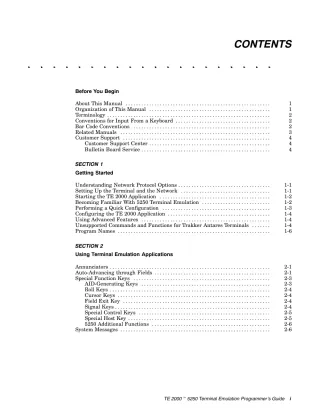
Contents
Chapters and sections
Each line opens the PDF at its page.
- Title1
- Before You Begin13
- Section 1: Getting Started17
- Understanding Network Protocol Options17
- Setting Up the Terminal and the Network17
- Starting the TE 2000 Application18
- Becoming Familiar With 5250 Terminal Emulation18
- Performing a Quick Configuration19
- Configuring the TE 2000 Application20
- Using Advanced Features20
- Unsupported Commands and Functions for Trakker Antares Terminals20
- Program Names22
- Section 2: Using Terminal Emulation Applications23
- Section 3: Using the Terminal's Keyboard29
- Section 4: Using the Terminal Emulation Menus67
65 more lines, from page 121 on
- Restarting Terminal Emulation121
- Section 5: Customizing Your Configuration125
- Using the Auto-Login Feature125
- Displaying the Double-Byte Character Set133
- Creating a Custom Parameter Set-Up file133
- Changing Text156
- Preinitializing the 5250 TE Program157
- Remapping the Termina's Keys158
- Remapping Characters162
- Customizing 5250 EBCDIC to ASCII Translation163
- Substituting National Characters166
- Downloading Files170
- Section 6: Display Data Stream177
- Section 7: Extended Commands203
- Appendix A: Bar Code Scanning225
- Appendix B: Bar Code Symbologies237
- Appendix C: Conversion Tables245
- Appendix D: Terminal Font Set Table249
- General Index257
- Files Index269
The whole text · 33 parts
Read the manual here as text
Its text as extracted from the PDF, unedited, in parts; each page opens the PDF at that page.
- Pages 1 to 61-6
- Pages 7 to 127-12
- Before You Begin13-16
- Section 1: Getting Started17-22
- Section 2: Using Terminal Emulation Applications23-28
- Section 3: Using the Terminal's Keyboard, pages 29 to 3829-38
- Section 3: Using the Terminal's Keyboard, pages 39 to 4839-48
- Section 3: Using the Terminal's Keyboard, pages 49 to 5849-58
- Section 3: Using the Terminal's Keyboard, pages 59 to 6659-66
- Section 4: Using the Terminal Emulation Menus, pages 67 to 7667-76
- Section 4: Using the Terminal Emulation Menus, pages 77 to 8677-86
- Section 4: Using the Terminal Emulation Menus, pages 87 to 9687-96
- Section 4: Using the Terminal Emulation Menus, pages 97 to 10697-106
- Section 4: Using the Terminal Emulation Menus, pages 107 to 116107-116
- Section 4: Using the Terminal Emulation Menus, pages 117 to 124117-124
- Section 5: Customizing Your Configuration, pages 125 to 133125-133
- Section 5: Customizing Your Configuration, pages 134 to 142134-142
- Section 5: Customizing Your Configuration, pages 143 to 151143-151
- Section 5: Customizing Your Configuration, pages 152 to 160152-160
- Section 5: Customizing Your Configuration, pages 161 to 169161-169
- Section 5: Customizing Your Configuration, pages 170 to 176170-176
- Section 6: Display Data Stream, pages 177 to 185177-185
- Section 6: Display Data Stream, pages 186 to 194186-194
- Section 6: Display Data Stream, pages 195 to 202195-202
- Section 7: Extended Commands, pages 203 to 210203-210
- Section 7: Extended Commands, pages 211 to 218211-218
- Section 7: Extended Commands, pages 219 to 224219-224
- Appendix A: Bar Code Scanning225-236
- Appendix B: Bar Code Symbologies237-244
- Appendix C: Conversion Tables245-248
- Appendix D: Terminal Font Set Table249-256
- Pages 257 to 263257-263
- Pages 264 to 270264-270
The file