Manual · Intermec
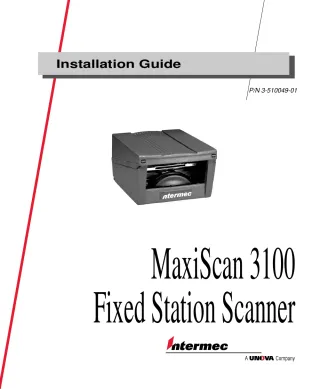
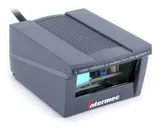
MaxiScan 3100 Fixed Station Scanner Installation Guide
Manual50 pagesPDF 1.0 MB
Installation guide for the Intermec MaxiScan 3100 fixed bar code scanner (SR, ST and ML): mounting, wiring, setup and specs.
Covers · 1 model
The models it covers
Summary
What is in it
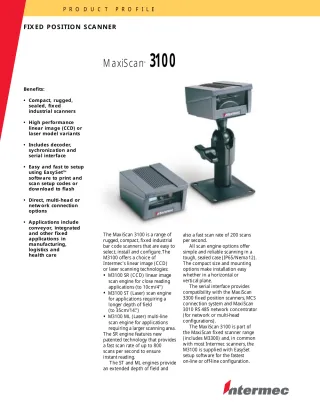
Intermec's installation guide for the MaxiScan 3100, a range of compact fixed bar code scanners offered with CCD (3100 SR) or laser (3100 ST and ML) technology. It covers integration and reading position, reading moving bar codes and pass-through speed, mounting and dimensions, RS-232 C, RS-422/485 and current loop connections, input and output synchronization, setup with EasySet, slave modes, the MaxiScan connection box, the conversion cable, and technical data and reading distances for each model.
Its parts
- Before you start
- Installation
- Connections
- Input / output synchronization
- Setup
- Slave mode
- MaxiScan Connexion System (option)
- Conversion cable (RS-232 C to RS-422 / 485)
- Technical characteristics
From the manual · read page by page
Key facts from this manual
Each line names its page in the PDF.
Intermec's MaxiScan 3100 Fixed Station Scanner Installation Guide (P/N 3-510049-01, edition 1.1), covering the MaxiScan 3100 SR (CCD) and the MaxiScan 3100 ST and ML (laser) fixed bar code scanners. It explains how to position the scanner, wire RS-232 C, RS-422/485 and current loop hosts and I/O synchronization, set it up with EasySet, setup bar codes or slave-mode commands, and gives technical data and accessory part numbers.
- Device
- Compact fixed bar code scanner range: 3100 SR (CCD), 3100 ST and ML (laser) p. 3, 7
- Host interfaces
- RS-232 C standard; RS-422 and RS-485 with a conversion cable; passive current loop with MCS connection box P/N 0-531029-06 p. 43, 45
- Connector
- 15-pin subD female p. 17, 43
- Power
- 7 to 25 VDC full-wave rectified unregulated, 2.5 Watt p. 43, 45
- Symbologies
- Codabar, Code 39, Code 93, Code 128, MSI, Plessey, EAN/UPC with 2-5 add-on, Interleaved 2 of 5, Matrix 2 of 5, Standard/Industrial 2 of 5, PDF 417 p. 45
- Environment
- Operating 0°C to 40°C (32°F to 104°F); storage -25°C to 60°C; 10% to 90% humidity, non-condensing p. 44, 46
- Synchronization
- Hardware input trigger (pins 5 and 6) and output (pins 7 and 8), plus software triggers; sync current 20 mA max p. 21, 23, 40
- Scan rate
- 3100 SR: 100 to 800 scans/second; 3100 ST / ML: 200 scans/second p. 43, 45
- Light source
- 3100 SR: 4 LEDs at 640 nm with high resolution CCD; 3100 ST / ML: laser diode at 660 nm p. 43, 45
- Multi-line
- 3100 ML only: 10 scan lines through 10° p. 9, 45
- Reading angles
- Scan angle 65° minimum; pitch ±70°; skew ±65°; print contrast 20% minimum p. 43, 45
- Status signals
- Power on: red LED and 2 beeps; good read: green flash and 1 beep; configuration error: 6 beeps; EEPROM error: 3 long beeps p. 44, 46
- Cables and boxes
- RS-232 C Y cable 0-530062-02; MCS-to-host RS-232 cable 0-530062-01; download cable 3-514022-00; MCS box 0-531029-06 (IP version 0-531029-07); optical sensor input synchro 3-500029-03 p. 49
- Power supplies
- US 0-531029-08; Europe (except UK) 0-531029-02; UK 0-531029-04 p. 49
What this manual walks you through
- Choosing the reading position: tilt, pitch and skew p. 8, 9
- Choosing a model and calculating pass-through speed for moving bar codes p. 10, 11
- Wiring RS-232 C, RS-422/485 and current loop host connections p. 17, 18, 19
- Triggering reads with an external sensor and driving output devices p. 21, 22, 23
- Setting up the scanner with EasySet software p. 25, 26
- Basic setup by scanning configuration bar codes p. 27, 28, 29
- Sending setup commands from a host in security or debug slave mode p. 31, 32, 33
- Pinouts of the MCS connection box and the RS-422/485 conversion cable p. 35, 36, 37, 38, 39, 40, 41, 42
- Reading distance charts by bar code density p. 47, 48
Good to know
- The 3100 SR is not usually suited to moving bar codes, because the pass-through speed must be very low. p. 10
- Current from an external synchronization device must be limited to 20 mA. p. 40
- A small skew angle of at least 2 to 3 degrees is needed to prevent specular reflection. p. 9
- On a long RS-422 or RS-485 host cable, fit a resistor matching the cable's impedance between pins 1 and 2. p. 42
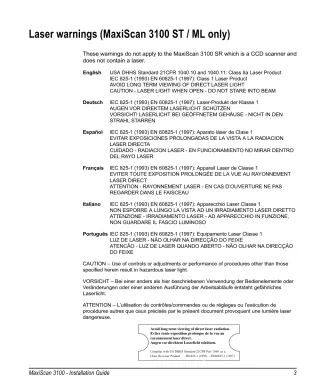
- The laser warnings apply to the 3100 ST and ML; the 3100 SR is a CCD scanner with no laser. p. 3
Questions this manual answers
What power supply does the Intermec MaxiScan 3100 need?
7 to 25 VDC unregulated (full-wave rectified, 2.5 Watt), fed on pin 10 of the 15-pin connector. p. 17, 45
What does 6 beeps mean on a MaxiScan 3100?
Six beeps signal a configuration error; three long beeps signal an EEPROM error. p. 44
What are the default serial settings of the MaxiScan 3100?
9600 baud, 7 data bits, even parity, 2 stop bits, with carriage return and line feed after the data. p. 28
Which MaxiScan 3100 model reads moving bar codes?
The 3100 ST and ML laser models; the ML is also good for damaged bar codes. The SR is not usually suitable. p. 10
How do I connect the MaxiScan 3100 to EasySet?
Connect the RS-232 C cable P/N 0-530062-02, power up, scan the EasySet setup code, and set the COM port to 19200 baud, 8 data bits, no parity. p. 26
Contents
Chapters and sections
Each line opens the PDF at its page.
- Before you start7
- Installation13
- Connections17
- Input / output synchronization21
- Setup25
- Slave mode31
- MaxiScan connection system (MCS)35
- Conversion cable (RS-232 C to RS-422 / 485)41
- Technical characteristics43
1 more line, from page 49 on
The whole text · 9 parts
Read the manual here as text
Its text as extracted from the PDF, unedited, in parts; each page opens the PDF at that page.
The file