Manual · HHP
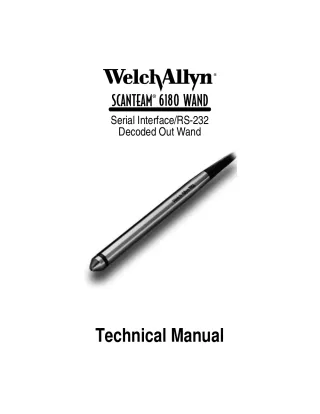
SCANTEAM 6180 Wand Serial Interface/RS-232 Decoded Out Wand Technical Manual
Manual68 pagesPDF 234 KB
Technical manual for the Welch Allyn SCANTEAM 6180 decoded-output RS-232 bar code wand: operation, setup, programming and specifications.
Names · 1 model
The models it names
Filed with · 1 model
Also filed with these models on the old site
Summary
What is in it
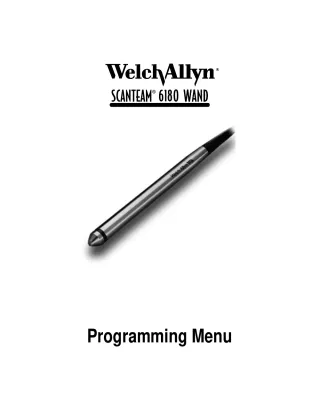
Welch Allyn's technical manual for the SCANTEAM 6180 bar code wand, a serial RS-232 decoded-output wand for retail and commercial use. It extends the 6180 Programming Menu with in-depth detail: how the wand reads and decodes bar codes, the interface and external power options, setup and installation, programming by menu bar codes or the WANDMENU configuration software, maintenance, troubleshooting and service, and the technical specifications.
Its parts
- Introduction to the SCANTEAM 6180 Scanner
- Operational Description
- Setup and Installation
- Programming the Scanner
- Maintenance and Troubleshooting
From the manual
Key facts from this manual
Some pages are scans or cannot be read; this says only what the readable text supports. Each line names its page in the PDF.
Welch Allyn technical manual for the SCANTEAM 6180, a stainless steel contact wand with a built-in decoder that sends bar code data to an RS-232 port. It explains how the wand reads, its wiring and power options, setup, programming by menu or the WANDMENU PC program, care, troubleshooting and specifications.
- Device
- Contact bar code wand with built-in decoder; stainless steel housing, visible red illumination p. 13, 14
- Output
- Serial ASCII to an RS-232 asynchronous port, at TTL logic (0 to +5V) or true RS-232 levels p. 13, 14, 20
- Data format
- Fixed at 7 data bits and 1 stop bit; not configurable p. 19
- Bar codes read
- Codabar, Code 3 of 9, UPC, EAN/JAN, Interleaved 2 of 5, Code 2 of 5, MSI, Code 93, Code 128; Code 11 on some models or software revisions only p. 14
- Host connector
- 9-pin D female: pin 2 transmit, pin 3 receive, pin 5 ground; pin 9 +5VDC when the host supplies power p. 19
- Power
- +5VDC from the host on pin 9, or from an external +5VDC transformer supply (110VAC or 220VAC) through a 5-pin DIN pigtail (pin 1 ground, pin 3 +5VDC) p. 19, 22
- Light source
- Red LED, 660 nm p. 53
- Apertures
- Circular apertures from 6 to 10 mil (high, medium or low resolution optics) p. 14, 17
- Scan speed
- 2 to 50 inches/second (5 to 127 cm per second) when the narrowest bar or space exceeds 7 mils p. 18
- Cord
- 6 ft (1.8m) coiled or straight interface cord p. 13, 59
- Programming
- Scan bar codes from the printed Programming Menu, or download settings from a PC with WANDMENU on the optional Configuration Disk p. 24
- Operating temperature
- -4° F to +122° F (-20° C to +50° C) p. 59
- Weight
- 7 ounces (196 grams) with cord, maximum p. 59
- Durability
- Survives a 3 foot (91cm) drop to a non-yielding surface; 17.5 KV ESD; mean time between failure 128,090 hrs. p. 59
What this manual walks you through
- Connecting the wand to the host and to external power p. 23
- Confirming the wand works and checking bar code labels p. 24
- Choosing an aperture to suit the bar code density p. 17
- Interface wiring and pin assignments for host or external power p. 19, 54, 55
- Cleaning the sapphire tip and the case p. 47
- Troubleshooting read problems and replacing the tip p. 48
- Bar code print quality requirements p. 61
Good to know
- Never use solvents such as alcohol or acetone on the tip, or abrasive tissues that scratch it. p. 47
- The wand may fail to read at extreme tilt angles (over 35°) if the depth of field is too small. p. 18
- The scanner aperture should never exceed 1.2 times the narrowest bar width (X dimension). p. 17
- Outside the stated operating voltages the scanner may still work but not within its specified tolerances. p. 53
- Some features, including Code 11, are not supported in all wand models or software revisions. p. 14
Questions this manual answers
How do I replace the tip on a SCANTEAM 6180 wand?
Insert a thin coin into the tip locking ring and pry the tip off the end of the scanner. p. 48
What bar codes does the SCANTEAM 6180 read?
Codabar, Code 3 of 9, UPC, EAN/JAN, Interleaved 2 of 5, Code 2 of 5, MSI, Code 93 and Code 128, with Code 11 on some models or software revisions. p. 14
Can I change the data bits on the 6180?
No. Data bits and stop bits are not configurable; the wand always sends 7 data bits and 1 stop bit. p. 19
How is the SCANTEAM 6180 powered?
With +5VDC, either from the host on pin 9 of the 9-pin D connector or from an external +5VDC supply through a 5-pin DIN pigtail. p. 19, 22
How can I tell the 6180 wand is working?
Once connected and powered, the tip of the wand glows red. p. 24
The whole text · 7 parts
Read the manual here as text
Its text as extracted from the PDF, unedited, in parts; each page opens the PDF at that page.
The file