Manual · HHP
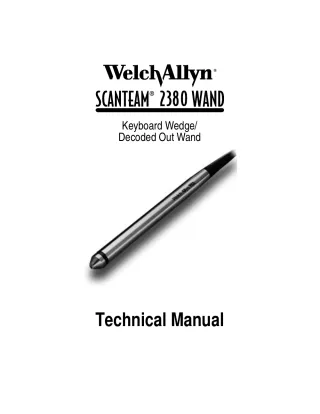
SCANTEAM 2380 Wand Keyboard Wedge/Decoded Out Wand Technical Manual
Manual68 pagesPDF 254 KB
Technical manual for the Welch Allyn SCANTEAM 2380 keyboard wedge bar code wand, covering setup, programming and maintenance.
Covers · 1 model
The models it covers
Summary
What is in it
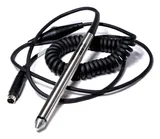
The technical manual for the Welch Allyn SCANTEAM 2380, a decoded-output bar code wand that connects as a keyboard wedge to IBM PC/XT/AT compatibles and PS/2 models, so scanned data appears as if keyed in. It extends the 2380 Programming Menu and covers how the scanner works and scanning technique, unpacking and installation, programming each menu page (including international keyboards), maintenance and troubleshooting, technical specifications and keyboard function relationships.
Its parts
- Introduction to the SCANTEAM 2380 Scanner
- Operational Description
- Setup and Installation
- Programming the Scanner
- Maintenance and Troubleshooting
From the manual
Key facts from this manual
Each line names its page in the PDF.
Technical manual for the Welch Allyn SCANTEAM 2380 keyboard wedge wand scanner, models 2380/J and 2380/K. It explains how the wand reads bar codes, how to connect it between a PC keyboard and the computer, and how it is configured from the programming menu. It also covers cleaning, inspection, troubleshooting and the electrical, environmental and mechanical specifications.
- Device type
- Decoding contact wand that sends bar code data to the host as keyboard keystrokes p. 11, 12
- Host computers
- IBM PC/XT/AT and compatibles; IBM PS/2 Models 30, 50, 60 and 80 p. 11
- Connectors
- Two 6 pin Mini DIN, one male, one female p. 50
- Converter cable option
- Two 5 pin DIN, one male, one female p. 51
- Operating voltage
- 4.5 VDC to 5.5 VDC p. 50
- Light source
- Red LED, 660 nm p. 49
- Symbologies
- Codabar, Code 3 of 9, UPC, EAN/JAN, Code 2 of 5, Interleaved 2 of 5, Code 93, MSI, Code 128; Code 11 not in all models or software revisions p. 13
- Versions
- 2380/J and 2380/K, visible red LED, replaceable tip; high, medium or low resolution optics p. 14
- Cord
- 6 foot (1.83m) coiled cord p. 52
- Weight
- 7 ounces (196 grams) with cord, maximum p. 52
- Operating temperature
- -4° F to +122° F (-20° C to +50° C) p. 52
- Depth of field
- 0.065 inches (1.65mm) for most units p. 18
- Scan speed
- 2 to 50 inches/second when the narrowest bar or space exceeds 7 mils p. 18
- Settings memory
- Non-volatile memory in the wand, kept through power loss p. 13
What this manual walks you through
- Connecting the Y interface cable to an AT/XT or PS/2 computer p. 21, 22
- Confirming the wand works and checking bar code labels p. 23
- Configuring the wand by scanning the programming menu p. 13
- Choosing a scanning aperture for the bar code density p. 17
- Cleaning the tip and the enclosure p. 43
- Inspecting cords, connectors and the scanner case p. 44
- Troubleshooting a wand that does not read p. 44, 45
- Replacing the scanner tip p. 45
- Connector pin assignments for the Mini DIN and DIN cables p. 50, 51
- Bar code label print quality requirements p. 53, 54
Good to know
- Never use abrasive tissues on the tip, or solvents such as alcohol or acetone on the tip or molded handle. p. 43
- Apart from the replaceable tip there are no user serviceable parts, so the case should not be opened. p. 45
- Do not touch the exposed lens when the tip is off, or the optics may be permanently damaged. p. 45
- Outside the stated operating voltage the wand may still work but not within the specified tolerances. p. 50
- Cables connected to the device must be shielded, with the shield grounded to the connector shell, to keep FCC compliance. p. 3
Questions this manual answers
What computers does the SCANTEAM 2380 wand work with?
The manual names IBM PC/XT/AT personal computers and compatibles, and IBM PS/2 Models 30, 50, 60 and 80, connected as a keyboard wedge. p. 11
How do I connect the 2380 wand to a PS/2 computer?
Plug the DIN end of the converter cable into the DIN end of the Y interface cable, plug the keyboard into the short leg of the Y cable, then plug the converter cable into the computer's keyboard port with power off. p. 21, 22
What bar codes can the SCANTEAM 2380 read?
Codabar, Code 3 of 9, UPC, EAN/JAN, Code 2 of 5, Interleaved 2 of 5, Code 93, MSI and Code 128, plus Code 11 on some models and software revisions. p. 13
How do I replace the tip on a 2380 wand?
Insert a thin coin into the tip locking ring and pry the tip off the end of the scanner, taking care not to touch the exposed lens. p. 45
What voltage does the SCANTEAM 2380 need?
Its operating voltage is 4.5 VDC to 5.5 VDC; outside that range it may work but not within the specified tolerances. p. 50
The whole text · 7 parts
Read the manual here as text
Its text as extracted from the PDF, unedited, in parts; each page opens the PDF at that page.
The file