Manual · HHP
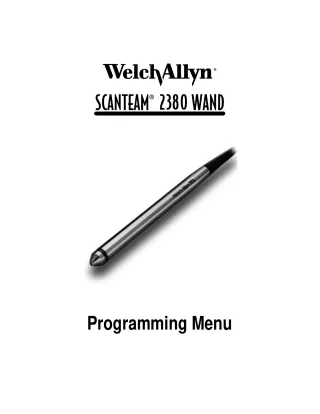
SCANTEAM 2380 Wand Programming Menu
Manual26 pagesPDF 252 KB
Programming menu for the Welch Allyn SCANTEAM 2380 bar code wand: terminal, output, keyboard and symbology settings by scanning codes.
Covers · 1 model
The models it covers
Summary
What is in it
Programming menu for the Welch Allyn SCANTEAM 2380 keyboard wedge bar code wand. Each menu page is programmed by scanning its ENTER code, codes from the bar code chart and EXIT. Pages cover the status check (firmware revision and software number), terminal selection for IBM, Olivetti, Telex and DEC terminals, preambles, postambles, delays and beeper, international keyboards, scancode options, industrial and retail symbologies, keyboard layouts and sample bar codes.
From the manual · read page by page
Key facts from this manual
Each line names its page in the PDF.
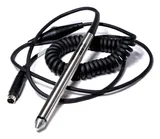
Welch Allyn's programming menu (2380/PM Rev K, 1999) for the SCANTEAM 2380 wand, a keyboard wedge wand scanner. By scanning bar codes from its menu pages the reader picks the terminal type, preambles and postambles, keyboard type and language, delays, beeper and the bar code symbologies, and checks the firmware revision.
- Device
- Wand scanner whose data reaches the host terminal as if keyed in p. 12
- Terminals
- IBM PC/XT, PC/AT, PS/2, 3191/92, 3196/97, 3471/72, 3476/77; Olivetti; Telex 078/079/080/191; DEC VT220, 320, 340, VT400 p. 7
- Interface cable
- 2380 Y interface cable matched to the selected terminal p. 7
- Symbologies
- Codabar, Code 39, UPC, EAN, Interleaved 2 of 5, Code 2 of 5, MSI, Code 93, Code 128, Code 11 p. 15
- Preambles and postambles
- Up to 5 characters each, any ASCII 00-7F p. 9
- Delays
- Intercharacter, interfunction and intermessage delays, set in 5 ms steps p. 9
- International keyboards
- France, Germany, Spain, Switzerland, Italy, USA, Sweden, Canada, Portugal p. 11
- Low power mode
- LED pulses and wakes on a black to white transition p. 6
- Firmware check
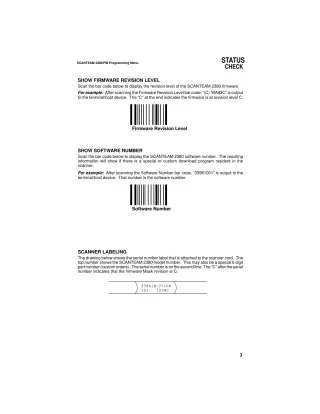
- Scan Firmware Revision Level or Software Number bar codes; the letter after the serial number is the mask revision p. 3
- K2 scancodes
- Can use K2 (SCANTEAM 2300) compatible scancodes p. 12
What this manual walks you through
- Using menu pages, ENTER, DEFAULT, EXIT and the bar code chart p. 5
- Showing the firmware revision and software number p. 3
- Selecting the terminal type, AT Direct Connect and Low Power p. 6, 7
- Adding preambles, postambles and code ID letters p. 8, 9
- Setting keyboard type, function codes and delays p. 8, 9
- Choosing an international keyboard and Intermec compatibility p. 10, 11
- Scancode options, Beep PC, numeric keypad and RX Interrupt p. 12, 13
- Enabling symbologies and setting lengths and check characters p. 14, 15
- Testing setup with sample bar codes p. 21
Good to know
- Not every feature is supported in all models and software revisions of the SCANTEAM 2380. p. 2
- RX Interrupt must be enabled, and the scanner power cycled, before downloading new software. p. 13
- The scancode page does not apply to 2380s with item numbers 022410, 022537 and 022538. p. 13
- Beep PC must be off when Beep on Reset is enabled. p. 13
- Terminal ID 05 needs special software ordered by a 6 digit part number. p. 7
Questions this manual answers
How do I check the firmware version of a SCANTEAM 2380?
Scan the Firmware Revision Level bar code; the output ends in the revision letter, such as C. p. 3
How do I reset a SCANTEAM 2380 menu page to defaults?
Scan ENTER, DEFAULT, EXIT for that menu page; the rest of the programming is not changed. p. 5
Which terminals does the SCANTEAM 2380 wand work with?
IBM PCs and PS/2s, IBM 3191/92, 3196/97, 3471/72 and 3476/77 terminals, Olivetti, Telex and DEC VT terminals, with the matching Y cable. p. 7
How do I add a carriage return after each scan on the SCANTEAM 2380?
Program a CR postamble: scan Enter, II, A, 0, D, EXIT. p. 8
How do I load new software into a SCANTEAM 2380?
Enable RX Interrupt, power cycle the scanner, then download. p. 13
The whole text · 3 parts
Read the manual here as text
Its text as extracted from the PDF, unedited, in parts; each page opens the PDF at that page.
The file