Manual · HHP
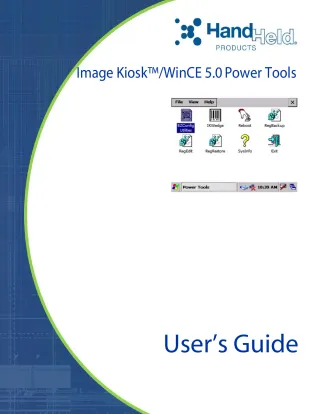
Image Kiosk/WinCE 5.0 Power Tools User's Guide
Manual94 pagesPDF 2.8 MB
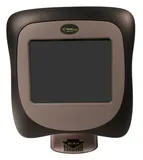
User's guide to the Power Tools software utilities on the Hand Held Products IK8560 and IK8570 Image Kiosks running Windows CE 5.0.
Covers · 2 models
The models it covers
Summary
What is in it
Hand Held Products' user's guide to the Image Kiosk Power Tools, the system utilities installed on every IK8560 and IK8570 Windows CE 5.0 kiosk. It covers installing and upgrading Power Tools over ActiveSync, the EZConfig editor and client for configuration files and configuration bar codes, DeviceConfig, Autorun and AutoInstall startup tools, the IKWedge bar code wedge and its virtual key codes, Reboot, SetDeviceInfo and SysInfo, registry backup, edit and restore, and the EZMenu launcher.
Its parts
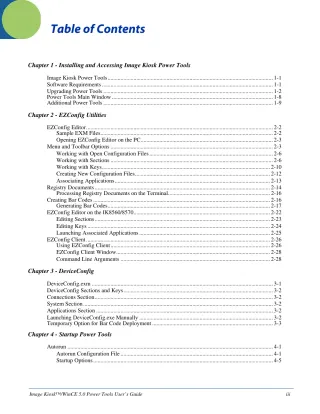
- Installing and Accessing Image Kiosk Power Tools
- EZConfig Utilities
- DeviceConfig
- Startup Power Tools
- IKWedge
- Additional Power Tools
- Registry Power Tools
- EZMenu
- Customer Support
From the manual
Key facts from this manual
Some pages are scans or cannot be read; this says only what the readable text supports. Each line names its page in the PDF.
A Hand Held Products user's guide (2006-2007) for Image Kiosk Power Tools, the utility software installed in every IK8560 and IK8570 kiosk running Windows CE 5.0. It shows how to install Power Tools upgrades, choose startup programs, set up the IKWedge keyboard wedge, reboot, name the device, read system information and customize menus.
- Software
- Image Kiosk Power Tools, preinstalled utilities for device information, user interfaces and the registry p. 5
- Kiosk OS
- Microsoft Windows CE 5.0 p. 5
- PC requirements
- Windows XP, 2000 or NT; ActiveSync 4.2 or later for PC to kiosk communication p. 5
- PC driver
- IK8560/8570 USB driver in the Desktop Driver folder of the upgrade p. 10
- Upgrade package
- Hand Held Products Image Kiosk Power Tools and Demos.exe, installed on the PC p. 6
- Scan to keystrokes
- IKWedge sends decoded bar code data to the active application as keystrokes p. 53
- Default suffix
- IKWedge appends CR LF by default; none, tab or CR can be chosen p. 55
- Startup programs
- Autorun launches up to 32 applications after each hard reset p. 47
- Device name
- Up to 15 characters, must begin with a letter; default built from serial and model number p. 72
- Reboot switches
- Reboot.exe command line: /r warm reset, /c cold reset p. 71
- System report
- SysInfo saves Sysinfo.txt to the IPSM folder p. 73
What this manual walks you through
- Installing a Power Tools upgrade on the PC p. 6, 7, 8, 9, 10
- Loading an upgrade onto the kiosk through the IPSM folder and a cold boot p. 10, 11
- Using the Power Tools main window and its view options p. 12, 13
- Choosing which programs launch at startup with Autorun p. 47, 48
- Enabling and configuring the IKWedge keyboard wedge p. 53, 54, 55
- Warm or cold booting from the touch screen p. 70
- Installing a CAB file by hand while keeping the CAB p. 70
- Setting a custom device name and description p. 71, 72
- Viewing and saving system information p. 73, 74, 75, 76
- Customizing application windows with EZMenu files p. 85, 86
Good to know
- A cold boot (hard reset) erases RAM data and RAM-installed applications; only what is stored in IPSM stays. p. 70
- IKWedge.exm must stay in the IPSM folder. p. 54
- Sending each character as a virtual keystroke becomes very slow for bar codes longer than about 20 characters. p. 55
- In Autorun test mode, programs in the AutoInstall folder, including radio drivers, are not loaded at startup. p. 48
- Audio notifications for errors cannot be turned off. p. 55
Questions this manual answers
What operating system do the IK8560 and IK8570 Power Tools run on?
The kiosk Power Tools are made for Microsoft Windows CE 5.0; the PC tools run on Windows XP, 2000 or NT. p. 5
What ActiveSync version does the IK8560 need?
ActiveSync 4.2 or later on the PC. p. 5
How do I cold boot an IK8560 without the hardware button?
Open Start > Programs > Power Tools, tap Reboot and then Cold Boot. A cold boot erases RAM data; only IPSM contents stay. p. 70
How do scanned bar codes get into an application on the IK8570?
The IKWedge Power Tool sends the decoded data to the active application as keystrokes. p. 53
How long can the IK8560 device name be?
At most 15 characters, and it must begin with a letter. p. 72
Contents
Chapters and sections
Each line opens the PDF at its page.
The whole text · 10 parts
Read the manual here as text
Its text as extracted from the PDF, unedited, in parts; each page opens the PDF at that page.
The file