Manual · Datalogic
DS4600 Installation Manual
Manual53 pagesPDF 2.8 MB
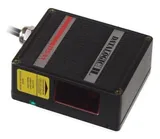
Installation manual for the Datalogic DS4600 compact fixed-mount laser bar code scanner with built-in decoder.
Covers · 1 model
The models it covers
Summary
What is in it
Datalogic's installation manual for the DS4600, a compact laser scanner with decoder for medium range materials handling, with models offering Advanced Code Reconstruction. It covers laser safety and power supply, general features and models, package contents, mechanical and junction box installation, the RS232, RS485 and 20 mA current loop interfaces, inputs and outputs, positioning and typical layouts (point-to-point, pass through, master/slave, multiplexer), reading features and diagrams, cleaning and technical features.
Its parts
- Guide to Installation
- General View
- Safety Precautions
- General Features
- Installation
- Reading Features
- Maintenance
- Technical Features
From the manual
Key facts from this manual
Some pages are scans or cannot be read; this says only what the readable text supports. Each line names its page in the PDF.
Datalogic installation manual (edition 02/2002) for the DS4600 compact laser scanner and its model versions. It walks through mounting, junction box and 25-pin wiring, the serial interfaces, inputs and outputs, positioning and cleaning, and ends with the technical features.
- Device
- Compact laser scanner with built-in decoder for medium range materials handling, reading up to 1 meter p. 13
- Model options
- Standard or ACR decoding, medium or long range, linear or raster (R1, R2), 25-pin connector or junction box p. 16
- Serial interfaces
- Main: RS232 (default), RS485 full-duplex or half-duplex, 20 mA C.L. only with INT-24; auxiliary RS232; 1200 to 115200 baud p. 26, 51
- Cable lengths
- RS232 under 15 m (49.2 ft); RS485 full-duplex up to 1200 m; 20 mA current loop up to 300 meters p. 26, 28, 31
- Power
- 10 to 30 Vdc, 6 W max; about 1 A peak at 10 V at power on p. 25, 51
- Power connection
- 25-pin connector pin 13 (VS) and pin 25 (GND), or the side jack for a UL Listed direct plug-in power unit (plug not supplied) p. 25
- Inputs
- External Trigger, IN1, IN2; optocoupled NPN or PNP; 30 Vdc and 25 mA max p. 34, 51
- Outputs
- OUT1 and OUT2, user-defined (No Read, Right or Wrong); 40 Vdc max; 40 mA continuous, 130 mA pulsed p. 35, 51
- Readable codes
- EAN/UPC, Code 93, 2/5 Interleaved, Code 128, Code 39, EAN 128, Codabar, Pharmacode; up to six codes per reading phase p. 52
- Scan rate
- 400 to 1000 scans/sec, software programmable; up to 1400 scans/sec optional p. 14
- Accessories
- GFC-41 90° deflection mirror, GAP-40 oscillating mirror adapter plate, GFC-05 oscillating mirror, PG110/DVE-1212A and PG220/DVE-1212A power blocks, INT-24 20 mA interface p. 16
- Operating modes
- On Line, Automatic, Serial On Line, Test; set up with WinHost or Host Mode commands; settings kept in non-volatile memory p. 52
- Environment
- Operating 0 to 40 °C, storage -20 to 70 °C, 90% non condensing humidity, IP65 p. 52
- Size and housing
- 101 x 83.5 x 42 mm, rugged aluminum housing; laser 630 to 680 nm p. 14
What this manual walks you through
- Mounting the scanner with its M4 screw holes p. 18
- Mounting and wiring the junction box p. 19, 20, 21, 22, 23
- Wiring the 25-pin D-sub connector models p. 24
- Connecting power through the connector or the jack p. 25
- Connecting the RS232, RS485 and 20 mA current loop interfaces p. 26, 27, 28, 29, 31
- Connecting several scanners to a Multiplexer over RS485 p. 30
- Wiring the trigger and inputs for NPN or PNP commands p. 32, 33, 34
- Setting up the two outputs p. 35
- Positioning the scanner for pitch, skew and tilt p. 36
- Cleaning the laser output window p. 50
Good to know
- Do not tie GND and SGND to different external grounds; the filter between them can be damaged above 0.8 Vdc. p. 24
- Keep at least 10° of skew so laser light does not reflect straight back. p. 36
- Above 35 °C the manual advises using the beam shutter. p. 52
- Clean the window only with the scanner off or the laser beam deactivated. p. 50
- The product is meant to be installed by qualified personnel only. p. 11
Questions this manual answers
What power supply does the DS4600 need?
10 to 30 Vdc, 6 W max, with a peak of about 1 A at 10 V while the motor starts. p. 25, 51
What is the DS4600 RS232 pinout?
On the 25-pin connector: TX232 pin 2, RX232 pin 3, RTS232 pin 4, CTS232 pin 5, SGND Main pin 7. p. 27
How many DS4600 scanners can connect to a Multiplexer?
Up to 31 on an RS485 half-duplex multidrop line, with up to 1200 m of cable. p. 30
What do the four LEDs on the DS4600 mean?
Ready (red) shows power and good startup, Good Read (red) a decode, Ext Trig (yellow) trigger activity, TX Data (green) data sent. p. 15
Which bar codes can the DS4600 read?
EAN/UPC, Code 93, 2/5 Interleaved, Code 128, Code 39, EAN 128, Codabar and Pharmacode. p. 52
The whole text · 6 parts
Read the manual here as text
Its text as extracted from the PDF, unedited, in parts; each page opens the PDF at that page.
The file