Manual · Datalogic
Lynx Instruction Manual
Manual128 pagesPDF 1.6 MB
Instruction manual for the Datalogic Lynx D302 and D402 hand-held imaging readers: connections, bar code configuration and specifications.
Names · 1 model
The models it names
Filed with · 1 model
Also filed with these models on the old site
Summary
What is in it
The instruction manual for the Datalogic Lynx hand-held reader, covering Lynx D302 software version 1.22 and Lynx D402 software version 1.00 and later. It explains RS232, wedge and USB connections, the aiming system, operating modes, autoscanning and camera control, then configuration by bar code symbols: interfaces, data format, concatenation, linear and 2D symbologies, reading parameters, image formatting and advanced data format. Test symbols, troubleshooting, technical features and code tables close the manual.
Its parts
- Getting Started
- Configuration Using Barcode Symbols
- Test Barcode Symbols
- Troubleshooting & Maintenance
- Technical Features
- Programming for Expert Users
- Code Identifier Table
- Hex and Numeric Table
From the manual
Key facts from this manual
Each line names its page in the PDF.
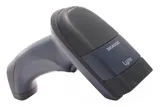
Datalogic instruction manual for the Lynx hand-held reader, covering the Lynx D302, D302 E and D402. It explains connecting the reader by RS232, keyboard wedge or USB, aiming, autoscan and image capture, output formatting, troubleshooting and the technical features of each model.
- What it is
- Hand-held reader that decodes 1D, 2D stacked, 2D matrix and postal codes and can capture images p. 17
- Interfaces
- RS232, keyboard emulation AT IBM, USB p. 112
- Power
- 10-30 V from a UL Listed Class 2 or LPS power unit, minimum 0.75 A, through the jack on the cable p. 16
- Sensor and aiming
- D302 and D302 E: 640 x 480 pixel 2D CCD array; D402: 640 x 480 pixel 2D CMOS array; visible laser diode aiming at 650 nm p. 113, 114, 115
- Focus distance
- 115 mm for D302 and D402; 55 mm for D302 E p. 24
- Dimensions and weight
- 203 x 117.2 x 68.9 mm (7.99 x 4.61 x 2.71 inches); 265 g (9.3 oz.) without cable p. 112
- Symbologies
- Interleaved 2 of 5, Code39, MSI, Code128, EAN 128, Code93, UPC/EAN/JAN, Codabar, RSS, PDF417, Micro PDF, Maxicode, DataMatrix (ECC200), QR, AZTEC p. 112
- Postal codes
- POSTNET, PLANET, Japan Post, Australia Post, KIX Code, Royal Mail Code (RM4SCC) p. 112
- Image capture
- 640 x 480 (VGA) or 320 x 240 (CIF), 8 bit gray scale; JPEG or BMP p. 112
- Field of view
- D302: 28.6° (H) x 21.9° (V); D302 E: 21.8° (H) x 16.2° (V) p. 113, 114
- Software version
- Manual covers D302 software version 1.22 and D402 software version 1.00 and later p. 4
- Package contents
- Reader, CD-ROM with the Lynx Configuration Tools software, instruction manual p. 17
- Firmware
- Flash memory, upgradable as new symbologies or decoding algorithms become available p. 17
- Beeper
- Tone, volume and duration set by configuration codes; a host can also drive it p. 26
What this manual walks you through
- Connecting the reader to a host by RS232 p. 18
- Connecting the reader as a keyboard wedge p. 19
- Connecting by USB and installing the USB driver p. 20
- Aiming, reading codes and capturing images p. 21, 22
- Autoscan in normal and pattern modes p. 23
- Camera exposure modes and aiming calibration p. 23, 24
- Formatting output and concatenating up to 4 codes p. 24, 25
- Fixing communication problems with the Configuration Tools p. 110
- Cleaning and care p. 111
- Writing custom formatting expressions p. 117, 118
Good to know
- The reader is not user-serviceable; opening the case can damage it. p. 16
- Make all connections with the power off. p. 18
- With the wedge interface, disconnect it from the PC before disconnecting the power cord. p. 19
- The reader always needs cables that use an external power supply. p. 19
- The reader is not waterproof; do not submerge it or use abrasives or solvents on it. p. 111
Questions this manual answers
What interfaces does the Datalogic Lynx D302 support?
RS232, keyboard emulation AT IBM, and USB. p. 112
What power supply does the Lynx D302 need?
A UL Listed Class 2 or LPS power unit rated 10-30 V, minimum 0.75 A, which feeds the reader through the jack on the cable. p. 16
What is the difference between the Lynx D302 and D302 E?
The D302 E focuses at 55 mm with a 21.8° x 16.2° field of view; the D302 focuses at 115 mm with 28.6° x 21.9°. p. 24, 113, 114
Can the Lynx D302 capture images?
Yes. In image mode it captures images of signatures, labels and other items, as 640 x 480 or 320 x 240 gray scale JPEG or BMP. p. 17, 112
How do I install the USB driver for the Lynx reader?
After the USB cable is connected the PC asks for a driver; install it as described in the DLBulkUSB User Guide file on the CD-ROM. p. 20
The whole text · 13 parts
Read the manual here as text
Its text as extracted from the PDF, unedited, in parts; each page opens the PDF at that page.
The file