Manual · Cohu
Cohu 9900 Series IP Video Network Appliances for Surveillance Management: User Manual
Manual93 pagesPDF 1.7 MB
User manual for the Cohu 9900 Series IP video encoders and decoders, including the 9905, for networked surveillance.
Covers · 1 model
The models it covers
Summary
What is in it
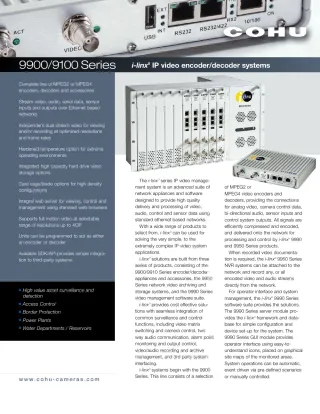
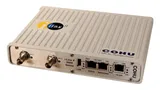
Cohu's user manual for the 9900 Series, a family of video codecs that send video, audio and serial data over TCP/IP networks for surveillance, transportation and industrial monitoring. The 9905 encoder/decoder is the flagship. The manual describes the system and its software, the camera side and monitor side units and their front panel connections, specifications and features, installation and configuration, operation and troubleshooting.
Its parts
- 9900 Series System Description
- Cohu 9900 Series: End Units
- Cohu 9900 Series: Specification and Features
- 9900 Series: Installation and Configuration
- 9900 Series: Operation
- Cohu 9900 Series: Troubleshooting
From the manual
Key facts from this manual
Each line names its page in the PDF.
The Cohu 9900 Series IP Video Network Appliances user manual, whose page footers read Model 9910 Series Quick Start Manual (6x-1056). It covers the 9905 series video encoder/decoder: front and rear panels, specifications, connector pin maps, installation, network setup, connecting devices and troubleshooting.
- Device
- IP video codec that sends video, audio and data over TCP/IP networks; works as camera side (compression) or monitor side (decompression) unit p. 5, 7
- Video
- MPEG-4 or MPEG-2; PAL or NTSC; composite, 75Ω, BNC p. 20
- Resolution and bit rate
- 9905-2xxx: 2CIF, CIF, QCIF, 10Kb/s to 2Mb/s; 9905-4xxx and 9905-8xxx: up to 4CIF, 10Kb/s to 4Mb/s p. 20
- Coax length
- Max. 100 m on RG59, 600 m on RG11 p. 20
- Network
- 10/100Base-TX RJ-45 with auto-negotiation, IEEE 802.3/802.3U; CAT5 UTP up to 100 m p. 21
- Serial ports
- COM1 RS-232 and COM2 RS-485/422 on RJ-45; optional COM 3 RS-232 serial trunk with full modem control on RJ-45 p. 13, 14, 22
- Audio
- G.711 (64kbps) or G.729A (8kbps); input 160mV RMS max, 10kOhm; output 1V RMS, 16Ω minimum load p. 21
- Discrete I/O
- 2 dry contact inputs; 2 opto-isolated outputs, max 24VDC, max 90 mA (100 mA absolute) p. 22
- Power
- 5V desktop power supply into a 6-pin mini DIN; mains 100-220 VAC +/- 10%, 47 - 63Hz p. 18, 22, 29
- Power use
- 9905-2xxx: 7W typical; 9905-4xxx: 9W typical p. 22
- Size and weight
- 19.5 x 2.8 x 14 cm (7.67” x 1.1” x 5.51”) WxHxD; 0.5 kgs p. 22
- Software
- Cohu Configurator, 9991-0900 GUI Console, 9991-0400 Viewer, Cohu API (SDK), 9950 NVR recording system p. 7
- In the box
- Unit, desktop power supply with AC cord, RS232 D9 to RJ45 configuration cable (one per 5 units), CD, DIO mating terminal block p. 30
- Features
- Video motion detection, on-screen display up to 31 ASCII characters, IP multicast, PTZ control latency under 200ms p. 6, 9, 10
What this manual walks you through
- Reading the front-panel LEDs (video, console, TX/RX, LNK, ACT, ON, FLT) p. 12, 14, 15, 16, 17
- Setting RS485/RS422 jumpers for half or full duplex and termination p. 26
- Connector pin maps: network, serial, alarm, relay and power p. 24, 25, 27, 28, 29
- Connecting power and the network and checking the LEDs p. 37, 38
- Editing the IP address, subnet mask and gateway in the status.txt file p. 41
- Connecting cameras, monitors and audio devices p. 42
- Connecting serial devices and alarm inputs and outputs p. 43
- Advanced settings in the taskman.ini file p. 43
- Troubleshooting a unit the management software does not recognize p. 73, 74
- Troubleshooting serial control, video and audio p. 74, 75
Good to know
- Install indoors in a dry, clean place, away from extreme vibration, dust or fumes. p. 30
- Leave at least 1 ft (about 33 cm) behind the unit for cable access and airflow at front and back. p. 30
- Remove power and all cables before opening the cover to change jumpers. p. 26
- Only one 9900 can be connected to the NAT router at a remote site. p. 6
Questions this manual answers
What does the FLT LED mean on a Cohu 9905?
Lit or blinking, it shows the unit failed to start its software in application mode, or has begun a reset cycle. p. 17
Why can't the management software find my Cohu 9900 unit?
Check the network gear, that the ON and LNK LEDs are lit, the unit IP address, subnet mask and gateway, then ping it from the PC. p. 73, 74
Why is my Cohu 9905 video choppy or pixelated?
The bit rate may be too high for the network; lower the bit rate, frame rate or resolution. p. 75
What power supply does the Cohu 9905 use?
A 5V desktop power supply that plugs into the power connector and runs from 100-220 VAC mains. p. 18, 22
How long can the video coax be on a Cohu 9905?
Up to 100 m on RG59 or 600 m on RG11. p. 20
The whole text · 10 parts
Read the manual here as text
Its text as extracted from the PDF, unedited, in parts; each page opens the PDF at that page.
The file