Manual · Wasp
WDT2200 Operation Guide
Manual42 pagesPDF 508 KB
Operation guide for the Wasp WDT2200 portable batch data collection terminal: software, keypad modes, hardware, communication.
Covers · 1 model
The models it covers
Summary
What is in it
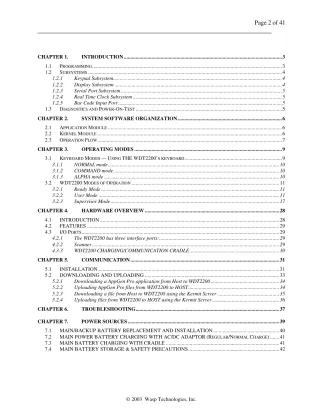
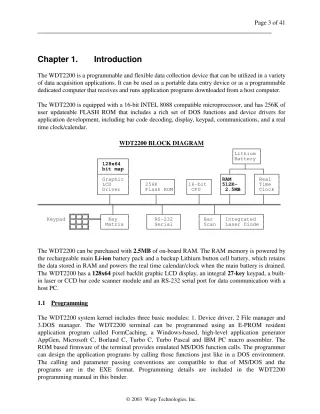
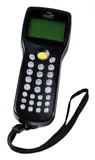
Wasp's operation guide for the WDT2200, a programmable handheld data collection terminal with a built-in laser or pen bar code reader and an RS-232 port. It explains the system software (kernel, DOS and file managers, start-up flow), the keypad and operating modes, the hardware and optional charging/communication cradle, local and modem connections, downloading and uploading files with AppGen or the Kermit server, troubleshooting, and the main and backup batteries with charging and safety notes.
Its parts
- Introduction
- System Software Organization
- Operating Modes
- Hardware Overview
- Communication Installation
- Troubleshooting
- Power Sources
From the manual
Key facts from this manual
Each line names its page in the PDF.
Wasp operation guide (V1.0) for the WDT2200 handheld data terminal. It explains the hardware, the keyboard and operating modes, connecting to a host PC or a modem, and moving files with AppGen or the Kermit server. It also covers troubleshooting and charging, replacing and storing the batteries.
- What it is
- Programmable portable data collection terminal that runs application programs downloaded from a host computer p. 3
- Scanner
- Integrated laser or CCD scan engine with built-in decoder; one trigger switch above the keypad p. 29
- Main battery
- Rechargeable Li-ion pack, 3.6V 880mAH p. 29
- Backup battery
- CR2032 lithium button cell, 3V 190mAH, not rechargeable p. 29, 41
- Memory
- 2.5MB RAM; 256KB flash ROM, 128K for the system and 128K for user programs p. 29
- Display
- 128x64 pixel backlit graphic LCD, 16 columns by 4 lines or 20 columns by 8 lines p. 29
- Keypad
- 27 rubber keys: the power key plus 26 keys for control and data entry p. 9
- Host interface
- RS-232 serial port, null modem cable to the host PC; built-in Kermit server p. 5, 31
- Processor
- 16-bit Intel 8088 compatible, 16MHz clock p. 3, 29
- Adapter charging
- AC-9VDC/1Amp adapter into the DC jack of the RS232 cable; full in 2-3 hours; first charge 3 hours p. 39, 41
- Cradle
- Optional charging/communication cradle: charges in about 2~3 hours, links to the host by RS-232; LED red while charging, green when full p. 30, 41
- Programming
- FormCaching, AppGen, Microsoft C, Borland C, Turbo C, Turbo Pascal, IBM PC macro assembler; programs in EXE format p. 3
- Charging temperature
- 32°F to 113°F (0°C to 45°C) p. 42
- Protocol
- MULTI protocol and ESC commands for serial communication p. 33
What this manual walks you through
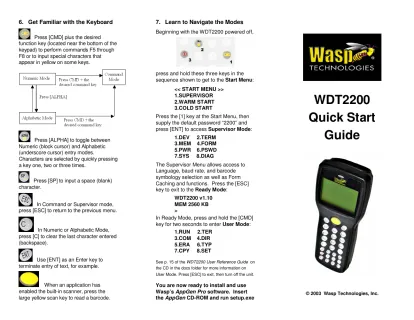
- Switching between the Normal, Command and Alpha keyboard modes p. 9, 10
- Toggling the backlight, contrast and buzzer volume p. 10
- Entering User mode and its eight commands p. 11
- Connecting the terminal to a host computer or a modem p. 31, 32
- Downloading AppGen applications and uploading collected data p. 34
- Transferring files with the Kermit server p. 35, 36
- Troubleshooting power, communication, scanner and keypad problems p. 37, 38
- Replacing the main and backup batteries p. 40
- Charging with the power adapter or the cradle p. 41
- Storing Li-ion batteries p. 42
Good to know
- When removing the main battery, leave the backup battery alone or all data will be lost. p. 40
- A cold start clears all data in the RAM disk. p. 38
- After the low battery warning, the main battery lasts about 10 to 30 minutes before the terminal turns itself off. p. 39
- Leaving the battery on the adapter for long periods can reduce its capacity; the cradle avoids this. p. 42
- Communication fails unless the terminal and host parameters match. p. 31
Questions this manual answers
What battery does the Wasp WDT2200 use?
A rechargeable 3.6V 880mAH Li-ion pack, with a CR2032 lithium button cell backing up the RAM data. p. 28, 29
How long does the WDT2200 take to charge?
About 2 to 3 hours with the 9VDC/1A adapter or the cradle; the first charge should be 3 hours. p. 39, 41
How do I connect the WDT2200 to a PC?
Use a null modem cable from its RS-232 port to the PC serial port, with matching communication parameters on both ends. p. 31
Why won't my WDT2200 scanner scan?
Check that the scanner port type is set correctly and the symbology is enabled; if it still fails, call for service. p. 37
How much memory does the WDT2200 have?
2.5MB of RAM and 256KB of flash ROM, 128K of which is for user programs. p. 29
The whole text · 5 parts
Read the manual here as text
Its text as extracted from the PDF, unedited, in parts; each page opens the PDF at that page.
The file