Manual · VeriFone
TRANZ 380 Reference Manual
Manual148 pagesPDF 5.0 MB
Reference manual for the VeriFone TRANZ 380 card transaction terminal: installation, downloading, operation, parameters and diagnostics.
Covers · 1 model
The models it covers
Summary
What is in it
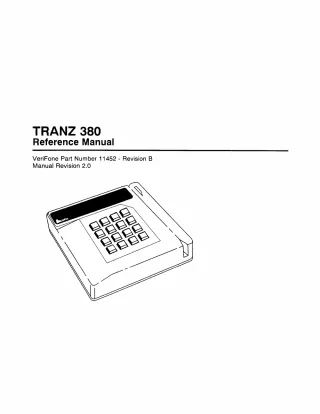
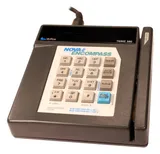
The reference manual for the VeriFone TRANZ 380 transaction terminal. It describes the display, keypad, cardreader, ports and optional printers, PIN pads and bar code wand, then explains installation, downloading applications (terminal to terminal, from a PC or by telephone), how host transactions and memory work, basic operation, the terminal and transaction parameters, and troubleshooting and diagnostics. Appendices list memory locations, specifications, prompts and error messages, and enhanced TCL commands.
Its parts
- Introduction
- Installation
- Downloading
- How the TRANZ 380 Works
- Basic Operation
- Terminal Parameters
- Transaction Parameters
- Maintenance and Diagnostics
From the manual
Key facts from this manual
Some pages are scans or cannot be read; this says only what the readable text supports. Each line names its page in the PDF.
The TRANZ 380 Reference Manual (VeriFone part number 11452, Revision B, 1991) for the VeriFone TRANZ 380 transaction terminal. It describes the display, keypad, card reader, ports and modem options, and explains installing the terminal with a phone line, printers, bar code wand and PIN pad. It also covers downloading, memory locations, error messages and troubleshooting.
- Device type
- Compact transaction terminal for POS payment authorization, time and attendance, order entry, inventory and process tracking p. 13
- Processor
- Z180 CPU at 6 MHz p. 97
- Memory
- 64K bytes EPROM standard; 64K or 128K RAM, backed up by an internal lithium battery p. 97
- Display
- 16-character alphanumeric, blue vacuum fluorescent p. 13
- Keypad
- 16 keys for alphabetic and numeric entry p. 13
- Card reader
- Magnetic stripe, IATA Track 1, ABA Track 2 and ATM Track 3; reads Tracks 1 and 2 or Tracks 2 and 3 together p. 14
- Modem
- Internal; Bell 212A and 103 at 300 or 1200 baud, or CCITT V.21 (300 baud) and V.22 (1200 baud) p. 16
- Ports
- RS-232 serial port on an 8-pin DIN connector, PIN pad/bar code port on a 6-pin DIN connector, two modular telephone jacks p. 14, 15
- Power
- Power pack; 120 volts AC, 60Hz, 10W p. 98
- Operating environment
- 0-40 C (32-104 F); 0 to 90% relative humidity, no condensation p. 98
- Size and weight
- Width 5.6 in, depth 6.0 in; shipping weight 2.3 lbs (1.04 kg) p. 98
- Printers
- VeriFone Printer 150, Printer 250, Printer 500 and Printer 600 p. 15
- Printer cables
- Printer 150: 10465-XX (standard mode) or 10392-XX (Printer 100 emulation mode); Printers 250, 500 and 600: 10448-XX (straight connector) or 10454-XX (90-degree connector) p. 20, 21, 22, 23
- Canada part numbers
- P036-001-08 (64K) and P036-001-09 (128K) p. 97
What this manual walks you through
- Choosing a location and unpacking the terminal p. 19
- Connecting the phone line and a standard telephone p. 20
- Connecting the Printer 150, 250, 500 and 600 p. 20, 21, 22, 23
- Swiping a card through the card reader p. 14
- Routing the cords through the channels under the case p. 15
- Troubleshooting the display, telephone, printer, bar code wand, PIN pad and transactions p. 79, 80
Good to know
- The RAM is protected by a lithium battery that the user must not try to replace. p. 11
- The RS-232 port driver does not support XON/XOFF protocol or more than 1.5 stop bits. p. 99
- CCITT modems are not available for all versions of the TRANZ 380. p. 16
- The terminal cannot be used on public coin telephone service. p. 11
- Each printer section says to unplug the terminal from power before installing the printer. p. 21, 22, 23
Questions this manual answers
Which printers work with the TRANZ 380?
The manual lists four optional VeriFone printers: Printer 150, Printer 250, Printer 500 and Printer 600. p. 15
What cable connects a Printer 250 to a TRANZ 380?
VeriFone printer interface cable 10448-XX (straight connector) or 10454-XX (90-degree connector). p. 21
What power does the TRANZ 380 need?
It comes with a power pack that plugs into a standard 120 volt AC outlet; the specifications give 120 volts AC, 60Hz, 10W. p. 15, 98
How do I swipe a card on the TRANZ 380?
Place the card at the back of the slot on the right side, magnetic stripe down and to the right, and slide it toward you without stopping. p. 14
Why does the TRANZ 380 bar code wand not work?
Check the cables, try a different bar code, use RECALL to check that memory location 0970 holds 1 for wand operation, and run the Bar Code test. p. 80
The whole text · 15 parts
Read the manual here as text
Its text as extracted from the PDF, unedited, in parts; each page opens the PDF at that page.
- Pages 1 to 101-10
- Pages 11 to 2011-20
- Pages 21 to 3021-30
- Pages 31 to 4031-40
- Pages 41 to 5041-50
- Pages 51 to 6051-60
- Pages 61 to 7061-70
- Pages 71 to 8071-80
- Pages 81 to 9081-90
- Pages 91 to 10091-100
- Pages 101 to 110101-110
- Pages 111 to 120111-120
- Pages 121 to 130121-130
- Pages 131 to 140131-140
- Pages 141 to 148141-148
The file