Manual · Unitech
MS100 Bar Code Pen Reader
Manual59 pagesPDF 916 KB
User manual for the Unitech MS100 bar code pen reader in PS/2, AT, RS232, USB and TTL wand versions, with setup bar codes.
Covers · 1 model
The models it covers
Summary
What is in it
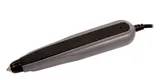
Unitech's manual for the MS100 family of pen-style bar code readers. It explains each interface version (MS100A undecoded wand, MS100-2 RS232, MS100-3 AT wedge, MS100-3PS2 PS/2 wedge, MS100-4 USB), configuring the reader with the Scanner Configuration Manager software (device, beeps and delays, keyboard wedge, RS232, symbologies, data editing), the same settings by scanning programming bar codes, and closes with function codes, an ASCII chart, specifications, troubleshooting and a test chart.
Its parts
- Introduction
- Scanner Configuration Manager
- Programming via Scanner Input
- Specifications
- Troubleshooting
- Warranty
- Bar Code Test Chart
From the manual
Key facts from this manual
Each line names its page in the PDF.
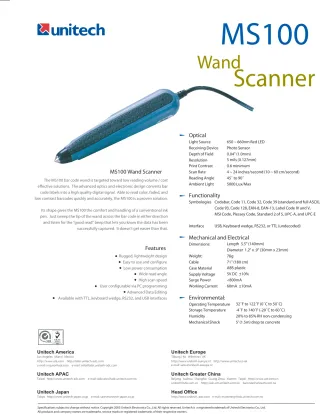
The Unitech user manual for the MS100 bar code pen reader family: the MS100A undecoded wand, MS100-2 RS232, MS100-3 AT and MS100-3PS2 PS/2 keyboard wedge, and MS100-4 USB versions. It explains each interface, configuring the reader with Scanner Configuration Manager software or setup bar codes, the specifications and pinouts, and troubleshooting.
- Device
- Pen style bar code reader, swiped across the bar code; one scan per swipe p. 5
- Interface versions
- MS100A: undecoded TTL wand; MS100-2: RS232; MS100-3: AT keyboard wedge; MS100-3PS2: PS/2 keyboard wedge; MS100-4: USB p. 5, 6
- Voltage
- 5 Volts DC p. 52
- Power consumption
- Decoded: 70mA; TTL (undecoded): 35mA p. 52
- RS232 power
- MS100-2: optional power supply (5V, 300mA) unless the com port supplies power p. 5, 55
- Connectors
- Keyboard: 6 pin mini-DIN male; RS232: DB9 female; TTL wand: DB9 female, squeeze release; USB: 4 pin male p. 53
- Symbologies
- Codabar, Code 11, Code 32, Code 39 (Standard and Full ASCII), Code 93, Code 128, Delta Code, EAN-8, EAN-13, Label Code IV and V, MSI, Plessey, Standard 2 of 5, UPC-A, UPC-E p. 52
- Light source
- 660nm red LED p. 52
- Scan rate
- 2" (50mm) to 30" (750mm) per second p. 52
- Reading angle
- 0° to 45°; minimum bar width 0.12mm @ PCR 0.9, 0.18mm @ PCR 0.5 p. 52
- Size and weight
- 5.4375" L x 1.25" W (138mm L x 32mm W); 4 oz. (113 grams) p. 52
- Cord
- 45" (114cm) coiled, unstretched p. 52
- Temperature
- Operating 32° to 131° F (0° to 55° C); storage -4° to 158° F (-20° to 70° C) p. 52
- Configuration
- Scanner Configuration Manager software (Windows, NT excluded) or bar code setup menus in the manual p. 52, 56
What this manual walks you through
- Connecting the keyboard wedge Y cable, USB, RS232 or TTL wand versions p. 5, 6
- Starting Scanner Configuration Manager and reading the current settings p. 7, 9
- Downloading settings to the scanner, or printing setup bar codes instead p. 8
- Setting the device type, beep tone and delays p. 10
- Keyboard wedge settings: function codes, Caps Lock, language, wand emulation p. 11, 12
- RS232 settings: baud rate, parity, handshaking, terminator p. 13, 14
- Adding a code ID, terminator or double verification to scans p. 15
- Programming the reader by scanning setup bar codes p. 29, 30, 31, 32, 33
- Resetting to factory default p. 54
- Troubleshooting no light, no beep and no output p. 55, 56
Good to know
- The MS100A undecoded wand needs an external decoder and cannot be configured with Scanner Configuration Manager. p. 5
- On a laptop or with a USB keyboard, the MS100-3 and MS100-3PS2 must be set up as a Keyboardless Wedge. p. 6
- Resetting to factory default erases special configurations; the default interface is PS2/AT/USB, so other interfaces need setting again. p. 54
- Glossy surfaces or inks can make bar codes unreadable. p. 55
- A pen reader may need several swipes to recognize a bar code. p. 5
Questions this manual answers
How do I reset the Unitech MS100 to factory default?
In Scanner Configuration Manager, click the new file icon and then download to the scanner. Other interfaces than PS2/AT/USB then need to be set again. p. 54
What HyperTerminal settings does the MS100-2 RS232 reader use?
9600 bits per second, 8 data bits, no parity, 1 stop bit, no flow control. p. 5
Does the RS232 MS100 need a power supply?
Very likely: the manual calls for a 5V, 300mA supply unless the computer's com port supplies power. p. 5, 55
Why does my MS100 light up but not beep on a bar code?
The symbology may not be enabled, length limits may need adjusting, or the bar code may be badly printed or glossy. p. 55
Which MS100 model is the USB version?
The MS100-4. It uses the standard Windows USB driver and outputs HID keyboard data. p. 6
The whole text · 6 parts
Read the manual here as text
Its text as extracted from the PDF, unedited, in parts; each page opens the PDF at that page.
The file