Manual · Synel
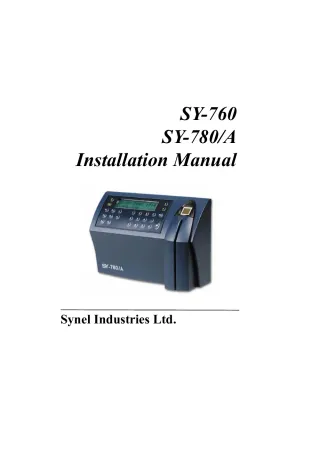
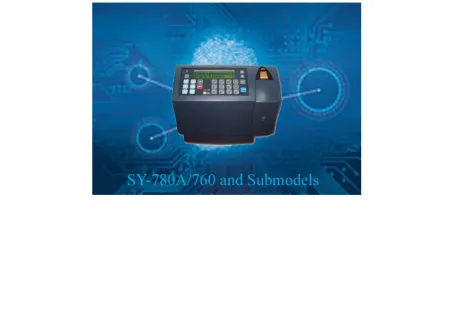
Synel SY-780A/760 Terminals and Sub-models
Manual106 pagesPDF 1.1 MB
Installation and setup manual for Synel SY-780A and SY-760 time and attendance terminals and sub-models, including the SY-785.
Covers · 2 models
The models it covers
Summary
What is in it
A technical manual for the Synel SY-780A and SY-760 time and attendance terminals and their sub-models (SY-785, SY-745 and SY-765). It gives the specifications and reader options (fingerprint, magnetic, bar code, proximity and Mifare), describes the front panel, sockets and internal components, then explains unpacking, wall mounting, communication connections, technician and setup modes, host computer interfacing over RS-232, RS-485 multi-drop or network, and maintenance such as reader cleaning, clock calibration and memory formatting.
Its parts
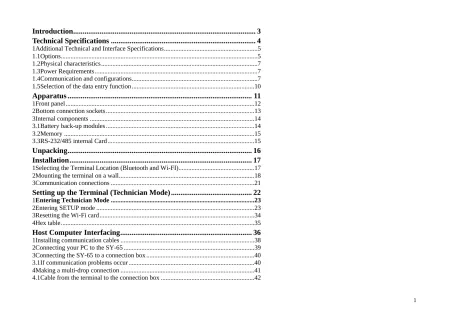
- Introduction
- Technical Specifications
- Apparatus
- Unpacking
- Installation
- Setting up the Terminal (Technician Mode)
- Host Computer Interfacing
- Maintenance
From the manual
Key facts from this manual
Some pages are scans or cannot be read; this says only what the readable text supports. Each line names its page in the PDF.
Synel Industries' user manual (dated 1/26/11) for the SY-780A and SY-760 terminals and their sub-models SY-785, SY-745 and SY-765, used for time and attendance, shop floor control, job costing and access control. It covers the specifications, wall mounting, technician-mode setup, host cabling, maintenance and programming with SYncomm.
- Device
- Terminal for time and attendance, shop floor control, job costing and access control, online or offline p. 5
- Reader options
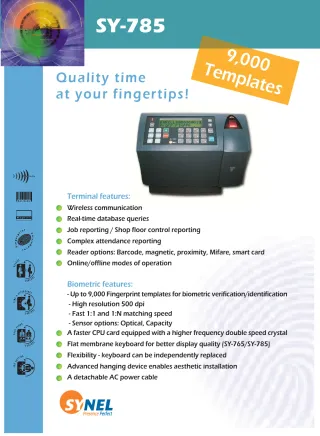
- Bar-code slot reader (128, 2/5, 3/9, UPC-EAN), magnetic Track I/II/III, 125 KHz proximity, 13.56 MHz Mifare, Wiegand 26/27/34/36/37/44/48bit from version 6.201 p. 8
- Serial links
- RS-232 and RS-485 at 1200 to 115000 bps; RS-485 up to 32 terminals per COM port and 1,000 meters (3,280 feet); RS-232 one terminal, 50 meters (160ft) p. 7, 9, 10
- Network options
- Ethernet (10BASE-T/100BASE-T or AUI) with TCP/IP, POE, Wi-Fi (802.11b), Bluetooth Class II, 14400 bps internal modem p. 8, 10
- Display
- 32 character backlit LCD with two arrow keys; alarm LED p. 7, 14
- Memory
- 512 Kb user memory for more than 50,000 simple operations p. 7, 17
- Power
- 115/230 VAC; rechargeable backup battery included; POE 802.3 af p. 9
- Fingerprint option
- FPU-S optical or capacitance sensor; 384 Byte templates; 9,000 templates at 4MB flash; 256 bit AES; 500 dpi p. 7
- Dimensions
- Height 17 cm, width 25 cm, depth 9.5 cm p. 9
- Backup battery
- Runs the terminal for one and a half net hours in a power failure; default shutdown timeout 15 seconds p. 16, 17
- Relays and sensors
- Two relays for bell, door, etc.; two door-monitoring sensors; printer support p. 7
- Connectors
- Power, Reader 1, Reader 2, I2C I/O extension (SY-785 only), network, serial printer port, host RS-232/RS-485 p. 15
- Programming
- SYncomm parameter tables or Synel's SAL compiler; firmware can be upgraded remotely p. 5, 82
What this manual walks you through
- Choosing a location for a Wi-Fi or Bluetooth terminal p. 19
- Mounting the terminal on a wall p. 20, 21, 22
- Connecting the terminal to a connection box p. 23
- Resetting the Wi-Fi card p. 36
- Cabling to the host computer by RS-232 or RS-485 p. 38
- Checking screws and connections every six months p. 46
- Cleaning magnetic and barcode badge readers p. 47
- Cleaning the fingerprint sensor p. 48
- Setting up the terminal for POE p. 81
- Programming access control applications with SYncomm p. 82
Good to know
- Alcohol-based cleaners must never be used on barcode readers. p. 47
- Replacing the lithium battery with an incompatible one risks explosion. p. 16
- Too much polishing wears out the magnetic reader head. p. 47
- The Wi-Fi card reset may need repeating, and it returns the card to factory defaults. p. 36
- SYncomm programming is limited to 31 tables. p. 82
Questions this manual answers
How many fingerprints does the SY-785 store?
The SY-785 supports 9,000 fingerprint templates for identification or verification, with 1:1 and 1:N matching. p. 5
Can the SY-780A be powered over Ethernet?
POE 802.3 af is listed; it needs board changes and the POE-DC2DC board with the Ag90120-S module, which gives at most 9Watt. p. 9, 81
How many terminals can share one RS-485 line?
Up to 32 terminals on a single COM port, over up to 1,000 meters (3,280 feet) at 9600 baud. p. 9
How long does the terminal run on battery in a power outage?
The backup battery gives one and a half net hours of use; a shutdown timeout stretches this over longer periods. p. 16
How often should the fingerprint sensor be cleaned?
At least once a week, and whenever an oily residue is visible on it. p. 48
Contents
Chapters and sections
Each line opens the PDF at its page.
The whole text · 13 parts
Read the manual here as text
Its text as extracted from the PDF, unedited, in parts; each page opens the PDF at that page.
- Pages 1 to 41-4
- Pages 5 to 125-12
- Apparatus13-17
- Pages 18 to 2318-23
- Setting up the Terminal (Technician Mode)24-37
- Host Computer Interfacing38-45
- Maintenance, pages 46 to 5446-54
- Maintenance, pages 55 to 6355-63
- Maintenance, pages 64 to 7264-72
- Maintenance, pages 73 to 8173-81
- Maintenance, pages 82 to 9082-90
- Maintenance, pages 91 to 9991-99
- Maintenance, pages 100 to 106100-106
The file