Manual · Symbol
VRC 8900 Radio Terminal Product Reference Guide
Manual112 pagesPDF 1.5 MB
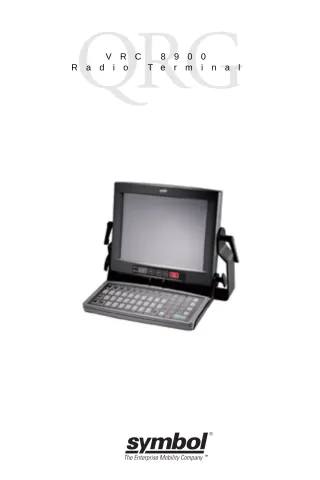
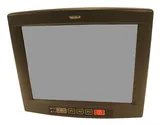
Product reference guide for the Symbol VRC 8900 vehicle-mounted radio terminals, the VRC 8942 and VRC 8946.
Covers · 1 model
The models it covers
Summary
What is in it
Symbol's product reference guide for the VRC 8900 Radio Terminal, a rugged vehicle-mounted Windows CE terminal for logistics and warehousing, in the VRC 8942 (2Mb radio) and VRC 8946 (11Mb radio) models. It covers unpacking, mounting and powering the terminal (including electric trucks), the optional keyboard, installing the Windows CE SDK, operating and booting the terminal, Spectrum24 network setup, downloading the operating system and applications, ActiveSync, maintenance, troubleshooting and environmental specifications.
Its parts
- About This Guide
- Getting Started
- Installing the Terminal
- Software Installation on the Development PC
- Operating the Terminal
- Spectrum24 Network Configuration
- Configuring the Terminal
- ActiveSync
- Maintenance and Troubleshooting
- Specifications
From the manual
Key facts from this manual
Each line names its page in the PDF.
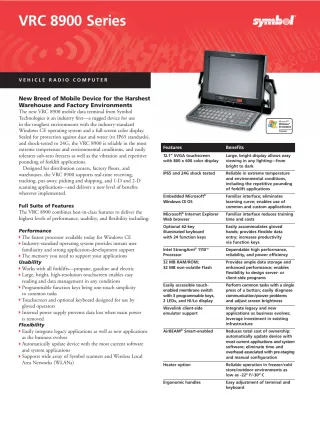
Symbol's product reference guide for the VRC 8900 vehicle-mounted radio terminal, which covers the VRC 8942 (Spectrum24 2Mb radio) and the VRC 8946 (Spectrum24 11Mb radio). It explains vehicle installation and power wiring, operation, Spectrum24 network setup, loading software, ActiveSync, troubleshooting and the specifications.
- Device
- Rugged vehicle-mounted terminal, set up as an RF or a batch terminal, running Windows CE p. 15
- Radio
- VRC 8946: Spectrum24 11Mb radio; VRC 8942: Spectrum24 2Mb radio p. 15
- Display
- 12.1 in. SVGA high-contrast backlit LCD with touchscreen p. 15
- Ports
- Two RS-232 serial ports (COM1 scanner, COM2 ActiveSync), USB port, keyboard port p. 15, 17
- Processor
- 32-bit p. 15
- Vehicle power
- 12-24V gasoline, diesel or propane vehicles, or electric vehicles up to 60V p. 23, 24
- AC power
- Universal power supply 50-14001-004 (12V dc, minimum 9A), output cable 50-16002-024, line cord 23844-00-00 p. 18
- Keyboard
- Optional 62-key keyboard with bracket: KYBD8900-00 non-heated, KYBD8900-01 heated p. 15, 17
- Scanners
- LS-3203ER-I200EI (25-52923-01), P302FZY-I001 (25-52741-01), P304PRO-I000 (25-55774-01) p. 17
- Cables
- RS-232 ActiveSync 25-51869-01; USB ActiveSync 25-56101-01; USB host 25-56102-01 p. 17, 18
- Filter box
- FB7900, for gasoline-powered trucks: shuts the terminal off with the ignition and filters power cable noise p. 18
- Backup battery
- Internal battery preserves RAM; 15 hours to full charge; holds data up to 72 hours p. 30
- Operating temperature
- Non-heated version 0° C to 50° C (32° F to 122° F); heated version -30° C to 50° C (-22° F to 122° F) p. 101
- Sealing
- IP65 and Mil Standard 810E (windblown rain and dust) p. 101
What this manual walks you through
- Installing the terminal in a vehicle p. 19, 20
- Contents of the installation kit p. 22
- Wiring power on 12-24V gasoline, diesel or propane vehicles p. 23
- Wiring power on electric vehicles up to 60V p. 24
- Wiring the filter box and terminal power connectors p. 25, 26
- Powering the terminal from an AC outlet p. 27
- Charging the internal battery after installation p. 30
- Troubleshooting power, display, touchscreen, scanner, port and keyboard problems p. 98, 99
- COM1, COM2, keyboard and USB port pin-outs p. 103, 104
Good to know
- A competent engineer must install the terminal in a vehicle, and not where it affects vehicle safety, driveability or visibility. p. 19
- The terminal is meant for vehicles working mainly indoors or fixed indoor installation; outdoors it needs added environmental protection. p. 19
- A lead acid battery can leak hydrogen gas, so make the final power connection as far from the battery as possible. p. 25
- Use only a Symbol-approved power supply rated 12V dc, minimum 9A (p/n 50-14001-004). p. 18
- The internal battery charges while the terminal runs or is suspended, but not when power is removed. p. 30
Questions this manual answers
What is the difference between the VRC 8942 and the VRC 8946?
The VRC 8942 uses Symbol's Spectrum24 2Mb radio and the VRC 8946 the Spectrum24 11Mb radio. p. 15
What AC power supply does the VRC 8946 use?
Universal power supply 50-14001-004 with DC power cable 50-16002-024 and AC power cable 23844-00-00; only a Symbol-approved supply rated 12V dc, minimum 9A. p. 18, 27
How long does the VRC 8900 internal battery keep data?
A fully charged internal battery keeps data for up to 72 hours off main power; a full charge takes 15 hours. p. 30
Which COM port does the scanner use on the VRC 8900?
Contents
Chapters and sections
Each line opens the PDF at its page.
The whole text · 18 parts
Read the manual here as text
Its text as extracted from the PDF, unedited, in parts; each page opens the PDF at that page.
- Pages 1 to 41-4
- Contents5-8
- About This Guide9-14
- Chapter 1 Getting Started15-18
- Chapter 2 Installing the Terminal, pages 19 to 2619-26
- Chapter 2 Installing the Terminal, pages 27 to 3427-34
- Pages 35 to 4235-42
- Pages 43 to 5043-50
- Pages 51 to 5651-56
- Chapter 5 Spectrum24 Network Configuration, pages 57 to 6557-65
- Chapter 5 Spectrum24 Network Configuration, pages 66 to 7466-74
- Chapter 5 Spectrum24 Network Configuration, pages 75 to 8275-82
- Chapter 6 Configuring the Terminal83-92
- Chapter 7 ActiveSync93-96
- Chapter 8 Maintenance and Troubleshooting97-100
- Appendix A Specifications101-104
- Index105-108
- Tell Us What You Think109-112
The file