Manual · Symbol
PDT 8000 Series Product Reference Guide
Manual352 pagesPDF 4.5 MB
Product reference guide for the Symbol PDT 8000 Series terminals: setup, operation, communications, wireless networks and maintenance.
Names · 4 models
The models it names
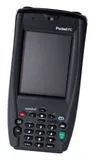 Symbol PDT-8037Wide-area wireless (WWAN) portable data collection terminal from$1,595.0029 in stock Symbol PDT-8046802.11b wireless portable data collection terminal from$1,295.0011 in stock Symbol PDT-8056Wide-area wireless (WWAN) portable data collection terminal from$1,095.005 in stock Symbol PDT-8000Wireless portable data collection terminal Call for availability
Filed with · 1 model
Also filed with these models on the old site
Summary
What is in it
The product reference guide for Symbol's PDT 8000 Series terminals. It walks through unpacking, batteries and charging in cradles and accessories, SIM and storage cards, operating the terminal and scanning, phone calls and SMS on the PDT 8037 and 8056, customizing and adding programs, ActiveSync and cradle communications, the Pocket PC applications, AirBEAM, Spectrum24 and wireless WAN setup, development PC software, and maintenance and troubleshooting.
Its parts
- About This Guide
- Getting Started
- Operating the Terminal
- Customizing the Terminal
- Communications
- Applications
- Companion Programs
- Pocket Internet Explorer
- AirBEAM
- Spectrum24 Network Configuration
- Wireless Wide Area Network Configuration
- Software Installation on Development PC
- Configuring the Terminal
- Maintenance and Troubleshooting
From the manual
Key facts from this manual
Each line names its page in the PDF.
The Symbol PDT 8000 Series Product Reference Guide for the Pocket PC 2002 terminals PDT 8000, PDT 8037, PDT 8046 and PDT 8056. It explains the parts and accessories, batteries and charging, scanning, resets, ActiveSync and wireless setup, terminal configuration, care and troubleshooting, and the technical specifications.
- Device
- Pocket PC 2002 terminal with an integrated scanner for one or two-dimensional bar codes p. 15, 93
- Radio by model
- PDT 8000: batch; PDT 8037: wireless WAN; PDT 8046: Spectrum24 LAN; PDT 8056: LAN/WAN p. 15
- Memory
- 64MB RAM (p/n PDT80XX-TSX6XXX) or 128MB RAM (p/n PDT80XX-TSX8XXX) configurations p. 15
- Display
- Color TFT LCD touch-sensitive screen, used with a stylus p. 26, 287
- Battery
- Lithium-ion, p/n 21-54882-01; first charge about four hours p. 28, 31
- Operating temperature
- -10° C to 50° C (14° F to 122° F) p. 331
- Ports
- Serial, USB and charge port on the bottom; IrDA port p. 27
- Cables and chargers
- Serial Charging Cable 25-55853-01; USB Cable 25-59272-01; AC Wall Adapter CBL8000-100U; Snap-On Autocharger VCA8000-01 for a vehicle lighter p. 28
- Cradles
- Single-slot serial CRD8000-1000S and modem CRD8000-1000M; four-slot charging CHS8000-4000C, with spare battery CHS8000-4000B; vehicle cradle VCD8000-R000 p. 28, 29
- Snap-on modules
- Modem module MDM8000-xxx; magstripe reader MSR8000-100; DEX cable CBL-8000-100-DEX for vending machines p. 28
- Other accessories
- UBC adapter 21-32665-33 with UBC2000-xxxxx base for up to four spare batteries; holster 11-57530-02; stylus 11-55475-05 p. 28, 29
- Environment
- Storage -25° C to 70° C; humidity 5% to 95% non-condensing; 1.5 meters (5 feet) drop to concrete; IP54 (dust category 2) p. 331
- Backup battery
- Keeps data in memory while the main battery is out; up to 20 hours to charge at first use p. 31
- Auto power-off
- 1 to 5 minutes on battery; 1, 2, 5, 10, 15 or 30 minutes on external power p. 290
What this manual walks you through
- Installing and charging the lithium-ion battery p. 30, 31
- Charging spare batteries in the cradles p. 40, 41
- Checking battery power p. 57
- Scanning bar codes and reading the scan LED p. 93, 94
- Performing a soft or hard reset p. 94, 95
- Configuring the Spectrum24 wireless LAN p. 207, 208
- Setting up GPRS or GSM wireless WAN connections p. 16
- Cleaning and caring for the terminal p. 287
- Troubleshooting power, charging, communication and scanning problems p. 288, 289, 290, 291, 292
- ActiveSync port pin-outs and COM port assignments p. 332, 333
Good to know
- Do not expose the battery to more than 140°F (60°C), and do not take it apart, burn it or short it. p. 31
- Do not put the terminal into a charging device without a main battery installed. p. 31
- Do not remove the main battery until the backup battery is fully charged, which can take up to 20 hours, or data may be lost. p. 31
- A hard reset erases all stored records and entries not saved in the Flash File System; try a soft reset first. p. 95
- When the battery is low, the scanner shuts off before the terminal warns of low battery. p. 292
Questions this manual answers
What battery does the Symbol PDT 8000 use?
A lithium-ion battery, p/n 21-54882-01. Charge it for about four hours before first use. p. 28, 31
How do I hard reset a PDT 8000?
Remove the battery door, press Power key + Scan button and release, then replace the door. It erases records not saved in the Flash File System. p. 95
What is the difference between the PDT 8037, PDT 8046 and PDT 8056?
The PDT 8037 has a wireless WAN radio, the PDT 8046 a Spectrum24 LAN radio and the PDT 8056 a LAN/WAN radio; the PDT 8000 is the batch model. p. 15
How long does a PDT 8000 spare battery take to charge?
In a cradle it fully charges in less than four hours if the terminal is not in use. p. 41
Why won't my PDT 8000 scan bar codes?
Check that a scanning application is loaded, the bar code is not defaced and within range, the terminal is programmed for that code type, and the battery is not low. p. 292
Contents
Chapters and sections
Each line opens the PDF at its page.
- About This Guide15
- Chapter 1 Getting Started23
- Introduction25
- Unpacking the Terminal25
- Parts of the Terminal26
- Accessories28
- Installing Batteries30
- Charging the Terminal Battery31
- Charging Spare Batteries40
- Installing a SIM Card46
- Inserting a Compact Flash Storage Card46
- Inserting an MMC/SD Storage Card48
- Replacing the S24 Wireless Networker Card49
- Replacing the Handstrap51
- Starting the Terminal53
- Checking Battery Power57
- Setting Up Your Terminal59
- Chapter 2 Operating the Terminal61
- Introduction63
- Using the Power Button63
- Adjusting the Backlight63
- Using the Stylus63
- Using a Headset64
- Using the Keyboard65
- Today Screen67
- Using the Navigation Bar and Command Bar68
- Selecting Programs70
- Using Pop-up Menus71
- Notifications72
- Entering Information72
- Finding Information82
- Making a Phone Call (PDT 8037/8056 only)84
99 more lines, from page 89 on
- Sending and Receiving SMS Messages (PDT 8037/8056 only)89
- Chapter 3 Customizing the Terminal97
- Chapter 4 Communications107
- Chapter 5 Applications147
- Chapter 6 Companion Programs167
- Chapter 7 Pocket Internet Explorer185
- Chapter 8 AirBEAM193
- Chapter 9 Spectrum24 Network Configuration205
- Chapter 10 Wireless Wide Area Network Configuration227
- Chapter 11 Software Installation on Development PC257
- Chapter 12 Configuring the Terminal261
- Chapter 13 Maintenance and Troubleshooting285
- Appendix A Block Recognizer Characters293
- Appendix B Additional Programs295
- Appendix C GSM Demo Program317
- Appendix D Technical Specifications331
- Appendix E Keyboard Maps335
- Index341
The whole text · 41 parts
Read the manual here as text
Its text as extracted from the PDF, unedited, in parts; each page opens the PDF at that page.
- Pages 1 to 41-4
- Contents, pages 5 to 115-11
- Contents, pages 12 to 1412-14
- About This Guide15-22
- Chapter 1 Getting Started, pages 23 to 3223-32
- Chapter 1 Getting Started, pages 33 to 4233-42
- Chapter 1 Getting Started, pages 43 to 5243-52
- Chapter 1 Getting Started, pages 53 to 6053-60
- Chapter 2 Operating the Terminal, pages 61 to 6961-69
- Chapter 2 Operating the Terminal, pages 70 to 7870-78
- Chapter 2 Operating the Terminal, pages 79 to 8779-87
- Chapter 2 Operating the Terminal, pages 88 to 9688-96
- Chapter 3 Customizing the Terminal97-106
- Chapter 4 Communications, pages 107 to 116107-116
- Chapter 4 Communications, pages 117 to 126117-126
- Chapter 4 Communications, pages 127 to 136127-136
- Chapter 4 Communications, pages 137 to 146137-146
- Chapter 5 Applications, pages 147 to 156147-156
- Chapter 5 Applications, pages 157 to 166157-166
- Chapter 6 Companion Programs, pages 167 to 175167-175
- Chapter 6 Companion Programs, pages 176 to 184176-184
- Chapter 7 Pocket Internet Explorer185-192
- Chapter 8 AirBEAM193-204
- Chapter 9 Spectrum24 Network Configuration, pages 205 to 212205-212
- Chapter 9 Spectrum24 Network Configuration, pages 213 to 220213-220
- Chapter 9 Spectrum24 Network Configuration, pages 221 to 226221-226
- Chapter 10 Wireless Wide Area Network Configuration, pages 227 to 236227-236
- Chapter 10 Wireless Wide Area Network Configuration, pages 237 to 246237-246
- Chapter 10 Wireless Wide Area Network Configuration, pages 247 to 256247-256
- Chapter 11 Software Installation on Development PC257-260
- Chapter 12 Configuring the Terminal, pages 261 to 268261-268
- Chapter 12 Configuring the Terminal, pages 269 to 276269-276
- Chapter 12 Configuring the Terminal, pages 277 to 284277-284
- Chapter 13 Maintenance and Troubleshooting285-292
- Pages 293 to 300293-300
- Pages 301 to 308301-308
- Pages 309 to 316309-316
- Appendix C GSM Demo Program317-330
- Appendix D Technical Specifications331-334
- Appendix E Keyboard Maps335-340
- Index341-352
The file