Manual · Symbol
PDT 7500 Series Product Reference Guide for DOS
Manual156 pagesPDF 1.8 MB
Product reference guide for setting up, configuring, operating and maintaining Symbol PDT 7500 Series terminals running DOS.
Names · 1 model
The models it names
Filed with · 4 models
Also filed with these models on the old site
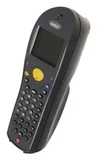 Symbol PDT-7540802.11 (1 Mbps) wireless portable data collection terminal from$1,495.00103 in stock Symbol PDT-7542802.11 (2 Mbps) wireless portable data collection terminal from$795.0015 in stock Symbol PDT-7530Wireless portable data collection terminal Call for availability Symbol PDT-7546802.11b wireless portable data collection terminal Call for availability
Summary
What is in it
System administrator's reference guide for the Symbol PDT 7500 Series terminals under DOS, including the PDT 753X WAN and PDT 754X Spectrum24 radio terminals. It covers accessories, installing development software, the CRD 7500 single-slot and four-slot cradles and VCD 7500 vehicle cradle, batteries and charging, scanning with the laser scanner or imager, RS-232 and Spectrum24 communications, editing DOS configuration files, building and sending the hex image with TCM and IPL, RAM disks, Setup, PCMCIA cards, troubleshooting, specifications and keyboard states.
Its parts
- About This Guide
- Getting Started
- Software Installation on the Development PC
- Cradle Setup and Operation
- Operating the Terminal
- Terminal Configuration: Edit the Configuration Files
- Terminal Configuration: Build and Send the Hex Image
- Terminal Configuration: Load a RAM Disk
- Terminal Configuration: Setup
- Terminal Configuration: Setting Up PCMCIA Cards
- Maintenance and Troubleshooting
From the manual
Key facts from this manual
Some pages are scans or cannot be read; this says only what the readable text supports. Each line names its page in the PDF.
The Symbol PDT 7500 Series Product Reference Guide for DOS, written for the system administrator who sets up, configures, operates and maintains the terminals. It covers the PDT 7500 (batch), PDT 753x (wide area radio) and PDT 754x (Spectrum24 wireless LAN) as printed, without naming the PDT 7530, 7540, 7542 or 7546 individually. It explains the battery, the CRD 7500 and VCD 7500 cradles, booting, loading software with TCM and IPL, PCMCIA cards and troubleshooting.
- Device type
- Portable 486-class terminal with keypad, touch screen and integrated bar code scanner p. 21
- Operating system
- MS-DOS 6.22; recommended development tool Microsoft Visual C++ V1.52 p. 21
- Series models
- PDT 7500 batch; PDT 753x DITATAC, CDPD or GSM wide area radio; PDT 754x Spectrum24 wireless LAN on a Type II PC card p. 21, 25
- Battery
- 1400 mAh rechargeable Lithium Ion smart battery pack; supercaps hold RAM for up to 5 minutes during a swap p. 24, 41
- Battery life
- 5 to 8 hours in typical operating environments p. 40
- Charge time
- 2 hours or less in the terminal in the cradle; about 4 hours for a spare in the cradle p. 44
- Cradles
- CRD 7500 single- and four-slot cradles (charging, spare battery slot, RS-232 to host or printer); VCD 7500 vehicle cradle p. 23, 24
- Cables
- 3-foot coiled RS-232 printer/host cable with null modem (to DTE); RS-232 25-pin/9-pin modem cable (to DCE) p. 24
- Ports
- Serial communications port and IrDA port on the bottom of the terminal p. 23
- Operating temperature
- -20 C to 50 C (-4 F to 122 F); storage -30 C to 60 C (-22 F to 140 F) p. 121
- Sealing and drops
- IP 65 and Mil Standard 810E; 2 meter drop to concrete (1 meter for full-screen VGA) p. 121
- Related manuals
- Quick Reference Guide p/n 72-38888-XX; Series 7000 System Software Manual p/n 70-36860-XX; CRD 7500 Four-Slot Cradle guide p/n 70-37769-XX; VCD 7500 guide p/n 72-38525-XX p. 13
- Boot keys
- Warm boot: hold the power key 6 seconds; cold boot: hold it 15 seconds or the time set in Setup p. 49
What this manual walks you through
- Connecting power and an RS-232 host cable to the CRD 7500 cradles p. 36, 37
- Mounting and wiring the VCD 7500 vehicle cradle p. 38, 39
- Reading the cradle self-test LED p. 40
- Installing, removing and hot-swapping the battery p. 41, 42, 43
- Charging the battery in the terminal, by power supply, or as a spare p. 44, 45
- Warm and cold booting, and wakeup sources p. 49
- Understanding IPL download errors p. 94, 95, 96
- Formatting SRAM and ATA PCMCIA cards and using DRVSPACE p. 113, 114
- Cleaning and storing the terminal p. 117
- Troubleshooting terminal and cradle problems p. 118, 120
Good to know
- Use only the Symbol Li-Ion battery in the PDT 7500. p. 41
- Do not expose the battery to more than 140°F (60°C), or disassemble, incinerate or short circuit it. p. 42
- Removing the terminal while the cradle's Communications LED is on or flashing disrupts host communication. p. 40
- If the terminal is left without a main battery for more than 20 minutes, reboot it to reset the date and time. p. 117
- Spare batteries can only be inserted or removed when the terminal is not in the VCD 7500 cradle. p. 45
Questions this manual answers
How long does a PDT 7500 battery take to charge?
Two hours or less in the terminal in the cradle; a spare battery in the cradle takes about 4 hours. p. 44
What does a fast-flashing LED on the CRD 7500 cradle mean?
8 flashes per second means a RAM test failure and 4 per second a ROM failure; power the cradle down and up, and call support if it fails again. p. 40
How do I cold boot a PDT 7500?
Hold the Power key for 15 seconds (or the time set in Setup); a 6-second hold gives a warm boot. p. 49
What does Line Stat Err mean during an IPL download?
A framing error, most likely a parameter mismatch; both devices need the same baud rate and the sender 8 data bits, no parity, at least one stop bit. p. 95
Contents
Chapters and sections
Each line opens the PDF at its page.
- About This Guide11
- Chapter 1 Getting Started19
- Chapter 2 Software Installation on the Development PC27
- Chapter 3 Cradle Setup and Operation31
- Chapter 4 Operating the Terminal47
39 more lines, from page 57 on
- Scanning (Imager)57
- Chapter 5 Terminal Configuration: Edit the Configuration Files63
- Chapter 6 Terminal Configuration: Build and Send the Hex Image75
- Chapter 7 Terminal Configuration: Load a RAM Disk99
- Chapter 8 Terminal Configuration: Setup103
- Chapter 9 Terminal Configuration: Setting Up PCMCIA Cards111
- Chapter 10 Maintenance and Troubleshooting115
- Appendix A Specifications121
- Appendix B Keyboard States135
The whole text · 20 parts
Read the manual here as text
Its text as extracted from the PDF, unedited, in parts; each page opens the PDF at that page.
- Pages 1 to 101-10
- About This Guide11-18
- Chapter 1 Getting Started19-26
- Chapter 2 Software Installation on the Development PC27-30
- Chapter 3 Cradle Setup and Operation, pages 31 to 3831-38
- Chapter 3 Cradle Setup and Operation, pages 39 to 4639-46
- Chapter 4 Operating the Terminal, pages 47 to 5447-54
- Chapter 4 Operating the Terminal, pages 55 to 6255-62
- Chapter 5 Terminal Configuration: Edit the Configuration Files63-74
- Chapter 6 Terminal Configuration: Build and Send the Hex Image, pages 75 to 8275-82
- Chapter 6 Terminal Configuration: Build and Send the Hex Image, pages 83 to 9083-90
- Chapter 6 Terminal Configuration: Build and Send the Hex Image, pages 91 to 9891-98
- Chapter 7 Terminal Configuration: Load a RAM Disk99-102
- Chapter 8 Terminal Configuration: Setup103-110
- Chapter 9 Terminal Configuration: Setting Up PCMCIA Cards111-114
- Chapter 10 Maintenance and Troubleshooting115-120
- Appendix A Specifications121-134
- Appendix B Keyboard States, pages 135 to 142135-142
- Appendix B Keyboard States, pages 143 to 150143-150
- Appendix B Keyboard States, pages 151 to 156151-156
The file