Manual · Symbol
PDT 7200 Series Product Reference Guide for DOS
Manual155 pagesPDF 1.3 MB
Product reference guide for DOS for the Symbol PDT 7200 Series terminals: setup, cradle, operation, configuration and specs.
Names · 1 model
The models it names

Filed with · 3 models
Also filed with these models on the old site
Summary
What is in it
Symbol's reference guide for system administrators setting up, running and maintaining the PDT 7200 Series portable terminals under DOS: the batch PDT 7200 and the Spectrum24 wireless PDT 724X. It covers installing the SDK and NDK on a development PC, cradle setup and charging, using the touchscreen, scanner and PDF417 scanning, IrDA, cradle and Spectrum24 communication, memory and PCMCIA planning, editing configuration files, building and sending the hex image with TCM and IPL, RAM disks, the Setup utility, troubleshooting and specifications.
Its parts
- About This Guide
- Getting Started
- Software Installation on Development PC
- Cradle Setup and Operation
- Operating the Terminal
- Terminal Configuration Issues
- Terminal Configuration: Editing the Configuration Files
- Terminal Configuration: Building and Sending the Hex Image
- Terminal Configuration: Load a RAM Disk
- Terminal Configuration: Setup
- Terminal Configuration: Setting Up PCMCIA Cards
- Troubleshooting and Maintenance
From the manual
Key facts from this manual
Some pages are scans or cannot be read; this says only what the readable text supports. Each line names its page in the PDF.
Product reference guide for the Symbol PDT 7200 Series terminals running MS-DOS 6.22, covering the batch PDT 7200 and the Spectrum24 wireless PDT 724X. It explains cradle setup and battery charging, software development and terminal configuration, cleaning, storage and troubleshooting. An appendix gives the specifications, scanner decode zones, a memory map and interrupt tables.
- Device
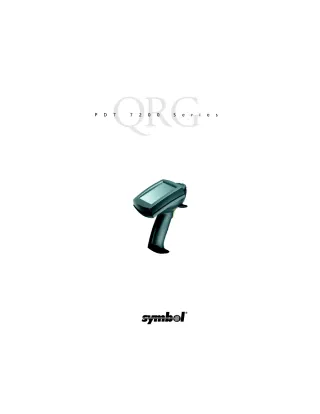
- Portable 486-class terminal with touch screen and integrated one- and two-dimensional bar code scanner p. 20
- Models
- PDT 7200 for batch communication; PDT 724X for Spectrum24 wireless LAN p. 20
- Operating system
- MS-DOS 6.22 p. 20
- Display
- 240 x 320 pixel display with touchscreen p. 21
- Operating temperature
- -20° C to 50° C (-4° F to 122° F) p. 136
- Battery
- Rechargeable Li-Ion pack; 2 hours to charge in the terminal, 4 hours as a spare in the cradle p. 22, 135
- PC card slot
- One Type II PCMCIA slot for 5 volt and 5/3 volt cards: Spectrum24 radio card or flash memory cards p. 23
- Radio
- PDT 724X: Spectrum24 adapter card (Type II PC card) with internally mounted antenna p. 23
- Memory
- Can be configured with 16 MB RAM and 4 MB flash p. 22
- Environment
- 0% to 95% non-condensing humidity; storage -30° C to 60° C; 1.2 meters (4 ft) drop to concrete; ±15 kv ESD p. 136
- Sealing
- The manual states IP 65 and Mil Standard 810E (windblown rain and dust) p. 136
- Cradle
- CRD 7200 single-slot cradle: charging, RS-232C host communication, storage; up to 59 daisy-chained slave cradles p. 22, 36
- Cradle cable
- Null-modem cable in most cases; DB9 cable p/n 25-19299-01 for modems and DCE-type printers p. 37
- Development tools
- Series 7000 SDK; Spectrum24 NDK for DOS for the PDT 724X; Terminal Configuration Manager (TCM) p. 20, 23
What this manual walks you through
- Connecting power and a host, printer or modem to the cradle p. 36, 37
- Charging the terminal battery and a spare battery in the cradle p. 38, 39
- Sending data to a host through the cradle and reading the cradle LEDs p. 40
- Setting up a development PC and the SDK p. 22, 23
- Configuring the terminal by loading software and running Setup p. 24
- Cleaning and storing the terminal p. 132
- Troubleshooting power, screen, touch, scanner, battery life and flash drive problems p. 133, 134
- Troubleshooting cradle communication and charging problems p. 134, 135
- Scanner decode zones for standard range, long range and SE 2000 scanners p. 137, 138
- Memory map and interrupt definitions for programmers p. 139, 140
Good to know
- Charge the battery pack only between 5°C and 45°C; do not use the cradle outside that range. p. 39
- Removing the terminal while the cradle COM LED is blinking disrupts host communication. p. 40
- Without a main battery for over 20 minutes the terminal reboots when a battery goes back in; the date and time must be reset in Setup. p. 132
- For storage longer than a week, remove the battery; the Li-Ion pack must stay charged to avoid data loss. p. 132
- Applications developed on a PC may perform differently on the terminal. p. 22
Questions this manual answers
What is the operating temperature of the PDT 7200?
-20° C to 50° C (-4° F to 122° F). p. 136
What is the difference between the PDT 7200 and the PDT 724X?
The PDT 7200 does batch communication; the PDT 724X communicates over a Spectrum24 wireless LAN. p. 20
How long does the PDT 7200 battery take to charge?
2 hours in the terminal and 4 hours as a spare in the cradle slot, from fully discharged. p. 135
Which cable connects the PDT 7200 cradle to a modem?
In most cases a null-modem cable is needed; for a DB9 connection to a modem or DCE-type printer, use cable p/n 25-19299-01. p. 37
The PDT 7200 touch screen does not respond correctly. What do I do?
Recalibrate the screen with the calib72.com program. p. 133
Contents
Chapters and sections
Each line opens the PDF at its page.
- About This Guide10
- Chapter 1 Getting Started18
- Chapter 2 Software Installation on Development PC26
- Chapter 3 Cradle Setup and Operation34
- Chapter 4 Operating the Terminal42
- Chapter 5 Terminal Configuration Issues56
- Chapter 6 Terminal Configuration: Editing the Configuration Files72
- Chapter 7 Terminal Configuration: Building and Sending the Hex Image86
- Chapter 8 Terminal Configuration: Load a RAM Disk110
- Chapter 9 Terminal Configuration: Setup114
- Chapter 10 Terminal Configuration: Setting Up PCMCIA Cards126
- Chapter 11 Troubleshooting and Maintenance130
- Appendix A Specifications136
The whole text · 19 parts
Read the manual here as text
Its text as extracted from the PDF, unedited, in parts; each page opens the PDF at that page.
- Pages 1 to 31-3
- Contents4-9
- About This Guide10-17
- Chapter 1 Getting Started18-25
- Chapter 2 Software Installation on Development PC26-33
- Chapter 3 Cradle Setup and Operation34-41
- Chapter 4 Operating the Terminal42-55
- Chapter 5 Terminal Configuration Issues, pages 56 to 6356-63
- Chapter 5 Terminal Configuration Issues, pages 64 to 7164-71
- Chapter 6 Terminal Configuration: Editing the Configuration Files72-85
- Chapter 7 Terminal Configuration: Building and Sending the Hex Image, pages 86 to 9386-93
- Chapter 7 Terminal Configuration: Building and Sending the Hex Image, pages 94 to 10194-101
- Chapter 7 Terminal Configuration: Building and Sending the Hex Image, pages 102 to 109102-109
- Chapter 8 Terminal Configuration: Load a RAM Disk110-113
- Chapter 9 Terminal Configuration: Setup114-125
- Chapter 10 Terminal Configuration: Setting Up PCMCIA Cards126-129
- Chapter 11 Troubleshooting and Maintenance130-135
- Appendix A Specifications, pages 136 to 145136-145
- Appendix A Specifications, pages 146 to 155146-155
The file