Manual · Symbol
FMT1000 Series Programmer's Guide
Manual142 pagesPDF 965 KB
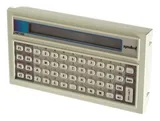
Programmer's guide for the Symbol FMT1000 Series (FMT1020, FMT1040, FMT1060) DOS-compatible data collection computers.
Covers · 1 model
The models it covers
Summary
What is in it
Symbol's programmer's guide for the FMT1000 Series of data collection computers: the compact FMT1020, the rugged FMT1040 and the FMT1060 for time clocks. It describes the architecture common to all three (CPU, memory, COM1, CGA output, network adapter, BIOS functions) and documents the I/O coprocessor command set sent over COM2: host and auxiliary RS-232 ports, digital I/O and counters, bar code and wand control, and system commands such as backlight, keyboard and beeper settings. Appendices give sample applications and keyboard scan codes.
Its parts
- About This Guide
- FMT1000 Architecture
- I/O System Programming
- Sample Applications
- XT 101 Keyboard Scan Codes
From the manual
Key facts from this manual
Each line names its page in the PDF.
The Symbol FMT1000 Series Programmer's Guide (70-16674-01, Revision A, October 1995), which covers all three models of the series: the FMT1020, FMT1040 and FMT1060. It describes their shared architecture (CPU, memory, ports, network adapter and LCD) and how DOS programs drive the I/O coprocessor that handles bar code, magnetic stripe, RS-232 auxiliary and digital I/O. It also gives the coprocessor command set and sample QBasic applications.
- What it is
- DOS PC-compatible data collection computer; most DOS software runs unchanged p. 9
- Series models
- Compact FMT1020, rugged FMT1040, FMT1060 for time clock use; same architecture and command set p. 11
- CPU
- Chips & Technology F8680 PC/Chip; 8086 instruction set at a speed comparable to a 12-MHz 80286 p. 13
- Memory
- 1 MB RAM; setup map A gives 640 KB base memory, map B gives 736 KB p. 14, 15
- Bar code inputs
- One or two bar code devices, or a bar code device plus a magnetic stripe reader (ABA Track 2) p. 21, 88
- Symbologies
- Includes Code 3 of 9, Interleave 2 of 5, Codabar, UPC and Code 128; enabled ones are autodiscriminated p. 88
- Digital inputs
- Two optical-isolator inputs; sense state, report changes, or count (32-bit counters, 20-Hz bandwidth) p. 71, 72
- Relay outputs
- Two relays with normally open and normally closed contacts; on, off, or pulsed for 0.1 to 99.8 seconds p. 22, 72
- Auxiliary port
- RS-232; handles flow control, buffers input, strips or adds headers and trailers, can feed the keyboard port p. 21, 22
- Rear ports
- COM1 compatible with a standard PC COM1; CGA output for CGA, EGA or digital multisync monitors p. 16
- Network controller
- Fujitsu MB86965 NIC at I/O address 300H, interrupt 5 p. 16
- Display
- LCD on the LPT1 port, driven by a modified BIOS Int 17; 2 rows of 40 columns p. 17, 19
- Coprocessor link
- ASCII commands over COM2; default 9600 baud, no parity, 8 data bits, 1 stop bit p. 23, 28
- Memory drivers
- HIDOS.SYS or LPHIMEM.SYS (adds UMB) for XMM and HMA; PCCEMM.SYS for expanded memory p. 15, 16
What this manual walks you through
- Sending ASCII commands to the I/O coprocessor over COM2 p. 11, 23, 24
- Handling flow control on the coprocessor port p. 24, 25
- Routing coprocessor replies and setting tags, prefixes and suffixes p. 25, 26
- Reading a scale or driving a modem with auxiliary prefixes and suffixes p. 27, 28
- Choosing a memory map and memory manager drivers p. 14, 15, 16
- Writing to the LCD through BIOS Int 17 functions p. 17, 18, 19, 20
- Configuring the RS-232 auxiliary port p. 39, 40
- Using the digital input counters and timed relay outputs p. 71, 72
- Enabling bar code symbologies and setting the peripheral response format p. 88
- Running the sample QBasic applications p. 135
Good to know
- Programs compiled to use 80286 or 80386 instructions do not run correctly; recompile every module with those instructions disabled. p. 13
- The usual DOS memory manager drivers cannot be used; the special drivers supplied with the computer replace them. p. 15
- Some third-party programs may fail with memory map B, so applications should be tested with it. p. 15
- The input counters have no signal conditioning and need clean, sharp transitions. p. 71
- Sending many commands with ECHO can overflow the coprocessor's 100-character buffer without any sign of it. p. 24
Questions this manual answers
How do I turn on the FMT1000 display backlight?
Send the coprocessor command SBL1 to COM2, for example with echo SBL1 >com2 from a batch file. p. 11
How do I make the FMT1000 add an Enter after each bar code scan?
Put echo SEP1>COM2 in AUTOEXEC.BAT; the I/O processor then appends an Enter key press after each bar code. p. 28
How do I reset the FMT1000 I/O settings to factory defaults?
Send echo SFD > COM2 at the DOS prompt, or reboot the computer to remove changes the sample programs made. p. 135
Why does my DOS program not run correctly on the FMT1000?
Programs compiled for 80286 or 80386 instructions do not run correctly on its F8680 CPU; recompile all modules with those instructions disabled. p. 13
Contents
Chapters and sections
Each line opens the PDF at its page.
The whole text · 15 parts
Read the manual here as text
Its text as extracted from the PDF, unedited, in parts; each page opens the PDF at that page.
- Symbol Support Center1-8
- Pages 9 to 209-20
- Chapter 2 I/O System Programming, pages 21 to 3021-30
- Chapter 2 I/O System Programming, pages 31 to 4031-40
- Chapter 2 I/O System Programming, pages 41 to 5041-50
- Chapter 2 I/O System Programming, pages 51 to 6051-60
- Chapter 2 I/O System Programming, pages 61 to 7061-70
- Chapter 2 I/O System Programming, pages 71 to 8071-80
- Chapter 2 I/O System Programming, pages 81 to 9081-90
- Chapter 2 I/O System Programming, pages 91 to 10091-100
- Chapter 2 I/O System Programming, pages 101 to 110101-110
- Chapter 2 I/O System Programming, pages 111 to 120111-120
- Chapter 2 I/O System Programming, pages 121 to 130121-130
- Chapter 2 I/O System Programming, pages 131 to 134131-134
- Pages 135 to 142135-142
The file