Manual · Symbol
FMT1000 Series Remote Boot Setup Guide
Manual70 pagesPDF 414 KB
Remote boot setup guide for Symbol FMT1000 series data collection stations on NetWare, LANtastic and LAN Manager networks.
Filed with · 1 model
Also filed with these models on the old site
Summary
What is in it
Symbol's guide to setting up a remote network boot for the FMT1000 series data collection computers. It explains NetWare remote reset with IPX and FFRPL boot types and how to create the NET$DOS.SYS boot image, LANtastic 5.0 remote boot setup, LAN Manager 2.1 setup and a demonstration program, with appendices on BIOS setup, VLM and Personal NetWare remote booting and LANtastic 6.0.
Its parts
- About This Guide
- NetWare Remote Reset
- LANtastic 5.0 Remote Boot Setup
- LAN Manager 2.1 Setup
- Demonstration Program
From the manual
Key facts from this manual
Each line names its page in the PDF.
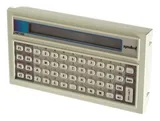
The Symbol FMT1000 Series Remote Boot Setup Guide (70-16672-01, Revision A, October 1995), written for the FMT1000 Series computers as a family rather than one model. It shows how to make these diskless data collection stations boot from a NetWare, LANtastic or LAN Manager server. It also explains the BIOS setup screens and a short QBasic demonstration program for testing bar code scans.
- What it is
- Self-contained data collection station for a standard network that runs most network-aware DOS applications p. 7
- Network
- Connects directly into an Ethernet network p. 7
- Boot methods
- Boots from a network server via RPL, IPX, FFRPL or RIPL p. 8
- Networks covered
- NetWare 3.11 and 2.2, Personal NetWare, LANtastic 5.0, LANtastic 6.0 and LAN Manager p. 8
- Bar code inputs
- Wands, lasers, slot readers and CCD scanners p. 7
- Auxiliary port
- RS-232, for equipment such as scales and serial printers p. 7
- Digital I/O
- Two digital input and output lines for status from nearby machinery p. 7
- Display
- 2-line by 40-character display p. 49
- Storage
- Diskless: a BIOS ROM plus selectable Boot ROMs; DOS and applications come from the boot server p. 23
- Ethernet address
- 00-C0-52-xx-xx-xx, shown with the BIOS revision on the first display line after boot p. 49
- Setup storage
- BIOS setup choices are saved to EEPROM p. 51
- BIOS for LANtastic 5.0
- BIOS level 1.08 or higher p. 25
- Driver disk
- Network Drivers Disk, included with the computer p. 25
What this manual walks you through
- Choosing between the IPX and FFRPL boot types on NetWare p. 9
- How the three-stage AUTOEXEC.BAT sequence runs during a remote boot p. 10, 11, 12
- Setting up a NetWare 3.11 server for remote reset p. 13, 14
- Meeting the requirements for LANtastic 5.0 remote booting p. 23, 24, 25
- Setting up LAN Manager 2.1 remote boot files on the server p. 41, 42, 43
- Running the QBasic demonstration program and test bar codes p. 45, 46, 47
- Entering BIOS setup, moving through the screens and saving p. 49, 50, 51
- VLM remote booting for NetWare and Personal NetWare p. 5
- LANtastic 6.0 remote booting and its licenses p. 6
Good to know
- Under LAN Manager, some versions of NETBEUI.EXE crash the computer; the guide says to use version 2.1. p. 41
- Boot status messages appear only on a connected CGA monitor, not on the unit's 2x40 LCD. p. 43
- On the unit's own keypad, keys are pressed one at a time, so CTRL+Z is CTRL, then Z. p. 8
- On LANtastic, each computer needs its own boot image file, about 330K of server disk space each when made from a 320K diskette. p. 24
- Changes to the NetWare server's AUTOEXEC.NCF take effect only after the server is brought down and up again. p. 14
Questions this manual answers
Which networks can an FMT1000 Series computer boot from?
The guide covers NetWare 3.11 and 2.2, Personal NetWare, LANtastic 5.0 and 6.0, and LAN Manager, booting via RPL, IPX, FFRPL or RIPL. p. 8
How do I get into BIOS setup on the FMT1000?
Press ENTER while the Ethernet address and BIOS revision are on the display after power-up. When done, F1 exits and saves the changes to EEPROM. p. 49, 51
What is the difference between IPX and FFRPL remote boot on NetWare?
IPX boot uses the 802.3 frame type with RPLODI.COM in the boot image. FFRPL uses the 802.2 frame type with IPX and RPL bound to it and RBOOT.RPL in SYS:LOGIN. p. 9
What do I need to remote boot an FMT1000 with LANtastic 5.0?
A LANtastic 5.0 server, one LANtastic 5.0/AI license and one MSDOS 3.3 or higher license per computer, NDIS support files, BIOS level 1.08 or higher, and the Network Drivers Disk. p. 25
Why does the FMT1000 crash when booting from LAN Manager?
Some versions of NETBEUI.EXE run 80286 instructions that crash the computer; the guide says to use NETBEUI.EXE version 2.1. p. 41
The whole text · 7 parts
Read the manual here as text
Its text as extracted from the PDF, unedited, in parts; each page opens the PDF at that page.
The file