Manual · Symbol
FMT1000 Series TCP/IP Remote Boot Setup Guide
Manual44 pagesPDF 270 KB
Setup guide for booting Symbol FMT1000 Series computers, such as the FMT1020, over a TCP/IP network with RARP or BOOTP.
Covers · 1 model
The models it covers
Summary
What is in it
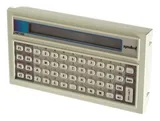
The TCP/IP remote boot setup guide for Symbol's FMT1000 Series computers, which are diskless PCs. It explains how to build a DOS boot image on the file server and set up a UNIX-based host with RARP or BOOTP, TFTP and NFS so the FMT1020 and its family can boot over the network, then covers host setup options, using FTP Software's PCTCP package, the BIOS setup sequence and the boot support utilities.
Its parts
- About This Guide
- Chapter 1. Boot Host Setup
- Chapter 2. Host Setup Options
- Chapter 3. Using PCTCP with an FMT1000 Series Computer
- Chapter 4. BIOS Setup
- Appendix A. Boot Support Utilities
From the manual
Key facts from this manual
Each line names its page in the PDF.
The Symbol FMT1000 Series TCP/IP Remote Boot Setup Guide (70-16673-01, Revision A, October 1995), written for the FMT1000 Series computers and naming the FMT1020. It explains how to make these diskless computers boot from a UNIX host over TCP/IP with RARP or BOOTP, with steps for SUN, SCO UNIX, HP9000 and RS6000 hosts. It also lists the boot floppy files for FTP Software PCTCP, the BIOS setup screens and the boot support utilities with their messages.
- What it is
- Diskless PC that boots over a TCP/IP network from a UNIX host p. 9
- TCP/IP boot options
- RARP or BOOTP, chosen in setup and saved in EEPROM p. 9
- Host needs
- A RARP or BOOTP daemon, plus NFS p. 9
- Display
- 2-line by 40-character display; shows the Ethernet address and BIOS revision after boot p. 35
- MAC address
- OUI 00-c0-52 plus the six digits shown on the 2x40 LCD at power-on or on the rear label p. 17
- BOOTP setup
- Boot type TCP/IP, TCP/IP option BOOTP, protocol ETHERNET-II, saved with F1 p. 18
- Boot file name
- Hex value of the unit's IP address, in lower case, such as c8010162.dos for 200.1.1.98 p. 11
- Image loading
- Boot image fetched by TFTP into a RAM disk in conventional memory p. 10
- Ethernet drivers
- lpnice.com (ODI Ethernet driver) or lp_ndis.sys (NDIS driver), supplied with the computer p. 22, 25
- TCP/IP software
- FTP Software PCTCP with the ODI or NDIS driver p. 21
- Boot utilities
- DEFINIP.COM, SETCFG.COM, RMVNTBT.COM, COPYDISK.EXE and MKDOS.EXE p. 5
- NDIS driver settings
- I/O address 0x300, interrupt 5, RAM size 32K; not to be changed p. 28
- SCO UNIX needs
- TCP/IP runtime 1.2.0 or later with RARPD, and NFS Server Runtime 1.2.0 or later p. 14
- Related manuals
- FMT1000 Series Programmer's Guide (P/N 70-16674-01); FMT1000 Series Remote Boot Setup Guide (P/N 70-16672-01) p. 7
What this manual walks you through
- How RARP and BOOTP remote booting work p. 9, 10
- Building a bootable image with COPYDISK and MKDOS p. 11
- Editing the files on a SUN file server p. 13
- Configuring an SCO UNIX system for RARP, NFS and TFTP p. 14, 15, 16
- Booting from an HP9000 running HP-UX BOOTP p. 17, 18
- Booting from an RS6000 running AIX p. 19, 20
- Boot floppy files and sample startup files for PCTCP with ODI or NDIS drivers p. 21, 22, 23, 24, 25, 26, 27, 28
- Adapting the sample PCTCP initialization file to your host p. 28, 29, 30, 31, 32, 33, 34
- Entering BIOS setup, moving through the screens and saving p. 35, 36, 37
- Using the boot support utilities and reading their messages p. 39, 40, 41, 42, 43
Good to know
- RARP booting does not cross routers; a BOOTP request may hop across routers to find a host. p. 10
- When copying the boot image by FTP, use IMAGE (binary) mode; UNIX file names are case-sensitive. p. 11
- A local drive A cannot be used until RMVNTBT removes the boot RAM disk, since the bootstrap emulates drive A. p. 42
- Text files on an SCO UNIX host used under DOS need a carriage return and line feed on each line. p. 16
- The boot floppy should be packed: gaps between files make the loadable image larger. p. 42
Questions this manual answers
How do I set the FMT1000 to boot with BOOTP?
Reset the unit, enter setup, choose TCP/IP as the boot type, BOOTP as the TCP/IP option and ETHERNET-II as the protocol, then save with F1. p. 18
What should the FMT1000 boot image file be named?
The hexadecimal form of the unit's IP address, in lower case, with the .dos extension; 192.30.147.100 becomes c01e9364.dos. p. 15
Where do I find the FMT1000 hardware (MAC) address?
It shows on the 2x40 LCD during the power-on test and on the rear label; those six digits follow the 00-c0-52 OUI. p. 17
What does "DEFINIP: Cannot get network data" mean?
It usually means DEFINIP was run on a computer that was not remotely booted. p. 39
Can an FMT1000 RARP boot cross a router?
No. RARP will not hop across routers, while a BOOTP request may cross routers to find a host. p. 10
The whole text · 5 parts
Read the manual here as text
Its text as extracted from the PDF, unedited, in parts; each page opens the PDF at that page.
The file