Manual · Symbol
Spectrum24 CB 2000 for IBM 4690 Terminals User Guide
Manual25 pagesPDF 571 KB
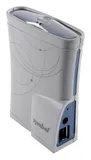
User guide for setting up the Symbol Spectrum24 CB 2000 802.11b client bridge with IBM 4690 POS terminals and controllers.
Covers · 1 model
The models it covers
Summary
What is in it
This guide gives tips and recommended settings for installing the Symbol Spectrum24 High Rate CB 2000 Client Bridge in an IBM 4690 point-of-sale environment, as a supplement to Symbol's own CB 2000 guides. It includes the CB 2000 specification sheet, a comparison with the CB-1000, supported 4690 OS levels and IBM terminals, and step-by-step access point, client bridge, terminal and 4690 controller setup for RPL and PXE loading, plus problem determination and a list of IBM wireless fixes.
Its parts
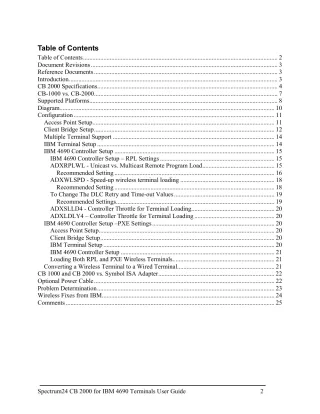
- Document Revisions
- Reference Documents
- Introduction
- CB 2000 Specifications
- CB-1000 vs. CB-2000
- Supported Platforms
- Diagram
- Configuration
- CB 1000 and CB 2000 vs. Symbol ISA Adapter
- Optional Power Cable
- Problem Determination
- Wireless Fixes from IBM
- Comments
From the manual
Key facts from this manual
Each line names its page in the PDF.
This user guide (version 1.00, March 2003) explains how to use the Spectrum24 CB2000 Client Bridge to put IBM 4690 point-of-sale terminals, such as the 4694 and SurePOS 700 families, on a wireless LAN. It gives the bridge specifications and a comparison with the CB-1000, then walks through access point, bridge, terminal and controller setup for RPL and PXE loading, and ends with problem determination.
- Device type
- Wireless network bridge that connects up to four devices to a Wi-Fi IEEE 802.11b wireless LAN p. 3
- Interfaces
- RJ-45 10BASE-T Ethernet; 802.11b radio (2.4 GHz DSSS) with internal antenna p. 4, 5
- Data rate and range
- 11 Mbps maximum, scaling to 5.5, 2 or 1 Mbps; up to 1,500 ft./450 m in open environment p. 6
- Dimensions
- 4.29 in. L x 3.24 in. W x 1.52 in. D (109 mm x 82 mm x 39 mm) p. 5
- Security
- 40- and 128-bit WEP encryption; Kerberos V5 p. 4, 5
- Radio
- 2.4 to 2.5 GHz; Direct Sequence Spread Spectrum with BPSK (1 Mbps), QPSK (2 Mbps), CCK (5.5 and 11 Mbps) p. 6
- Firmware for IBM POS
- Version 1.31 or later needed to load IBM 4694 and SurePOS 700 terminals p. 8
- Tested IBM terminals
- SurePOS 730 and 750; 4694-1x4, 4694-1x6, 4694-2x5, 4694-244, 4694-2x6, 4694-2x7, 4694-3x7 p. 8
- Tested access points
- Symbol Spectrum24 11 Mbps access points AP-4121 and AP-4131 p. 8
- Power cable for IBM
- Optional power/Ethernet cable, part number 50-16000-270, 4 feet, powers the bridge from the PS/2 port of a 4694 or SurePOS terminal p. 22
- 4690 OS levels
- V2R3 level 01B0, V2R4 level 01H0, V3R1, or later p. 23
- POS Setup option
- On for terminals loaded with RPL or with both RPL and PXE; Off for PXE loading p. 14
- Network management
- Embedded web server; visible by SNMP management tools p. 5
- Regulatory
- The manual lists electrical safety UL1950/CSA 22.2 and CE, and radio FCC Part 15B p. 6
What this manual walks you through
- Setting the access point Net_ID and Multicast Mask over a serial connection p. 11, 12
- Configuring the client bridge for IBM terminals with the Device Manager p. 12, 13, 14
- Connecting one to four POS terminals, directly or through a hub p. 14
- Clearing the Ethernet client list to add a new terminal p. 14, 15
- Choosing unicast or multicast RPL loading with ADXRPLWL p. 16, 17
- Speeding up wireless terminal loading with ADXWLSPD p. 18, 19
- Changing DLC retry and time-out values with ADXWLNTO p. 19, 20
- Setting up PXE loading of wireless 4694 terminals p. 20, 21
- Converting a wireless terminal back to a wired one p. 21
- Diagnosing terminal load problems p. 23
Good to know
- Terminals set up with Locally Administered Addresses use two MAC addresses each, so one bridge serves only two of them. p. 15
- Setting ADXWLSPD too high makes load blocks get thrown away, so terminals take a long time to load. p. 18
- The optional power cable is certified only for IBM 4694 and SurePOS use, and its 4-foot length cannot be changed. p. 22
- Token Ring environments are not officially supported; the guide says a translational TR-Ethernet bridge is needed. p. 9
- The first 4690 releases with client bridge support have a multicast bug; the guide says to contact IBM for a fix. p. 23
Questions this manual answers
Does the Symbol CB2000 work with IBM SurePOS terminals?
Yes. The guide lists SurePOS 730 and 750 and several 4694 models as tested, and firmware 1.31 or later is needed to load 4694 and SurePOS 700 terminals. p. 8
How many POS terminals can one CB2000 serve?
One to four, with a hub for more than one; terminals using Locally Administered Addresses take two MAC addresses each, so only two fit. p. 14, 15
What is the part number of the CB2000 power cable for IBM terminals?
50-16000-270, a 4-foot power/Ethernet cable that draws power from the terminal's PS/2 port. p. 22
What range does the CB2000 have?
Up to 1,500 ft./450 m in an open environment. p. 6
Should POS Setup be on or off on the CB2000?
On for IBM terminals loaded with RPL, or with both RPL and PXE; off for terminals loaded with PXE. p. 14
Contents
Chapters and sections
Each line opens the PDF at its page.
The whole text · 3 parts
Read the manual here as text
Its text as extracted from the PDF, unedited, in parts; each page opens the PDF at that page.
The file