Manual · RJS
Inspector D4000 Laser Operator's Guide
Manual75 pagesPDF 352 KB
Operator's guide for the RJS Inspector D4000 bar code verifier with the laser scanner, for firmware A.06 or later.
What this file really is
The old site listed this file as a manual for the RJS Auto Optic and Inspector D4000. Filed as an Auto Optic user manual, it is the operator's guide for the Inspector D4000 with the laser scanner; it names the D4000 Auto Optic only as the option needed for full ISO/ANSI verification.
Names · 1 model
The models it names
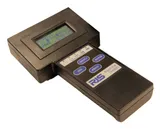
Filed with · 1 model
Also filed with these models on the old site
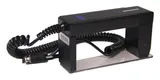
Summary
What is in it
The operator's guide for the RJS Inspector D4000 bar code verifier used with its laser scanner. It covers unpacking, batteries, warranty, features, maintenance and temperature limits, the main menu and setup, scanning technique, the pass/fail analysis screen, multi-scan and comparison modes, data analysis screens and bar width results, and connecting to a computer or printer. Appendices explain symbology analysis, ISO/ANSI decodability, quiet zones, Code 128, GS1-128 testing, UPC/EAN magnifications and print functions.
Its parts
- Preface
- Warranty
- Introduction
- The RJS Inspector D4000 Laser
- Main Menu Selections
- Scanning Symbols
- Pass/Fail Analysis Screen
- Data Analysis Screens
- Connect to Other Devices
From the manual
Key facts from this manual
Each line names its page in the PDF.
The RJS Inspector D4000 Laser Operator's Guide (manual P/N 002-7858, Revision A, January 2013) for the D4000 bar code verifier with its laser scanner, firmware A.06 or later. It walks through the setup menus, scanning technique, the pass/fail screen, connecting to a computer or printer, printing and battery messages. It is the guide for the Laser model; it names the D4000 Auto Optic only as the unit needed for full ISO/ANSI inspection.
- Device
- Inspector D4000 Laser (D4000L) bar code verifier; inspects the Decodability parameter only p. 14
- In the box
- Main display unit, CR2 Laser and cable, four AA batteries, operator's manual, test symbol sheets p. 8
- Power
- 4 AA batteries; NiCad batteries and charger optional p. 8, 9
- Computer link
- Serial interface cable, 9600 BPS, 8 bit, no parity, 1 stop bit; optional VCIR software for a Windows PC p. 36
- Printers
- RJS TP140A, TP140 or TP40, by serial interface cable p. 36
- Computer output
- Text analysis data only on the D4000 Laser p. 56
- Laser
- Class 2 laser, wavelength 630-680nm, max. output 1.0mW p. 13
- Firmware
- A.06 or later; earlier firmware uses the Laser Inspector 1000 Manual (Revision H) p. 1
- Scans per analysis
- 1 (single) to 10, or continuous while the trigger is held p. 21
- Code 39 options
- Code 3 of 9, 3of9 w/43, AIAG B-1, AIAG B-3/4/5/10, LOGMARS, HIBC 3 of 9 p. 19
- Other symbologies
- Interleaved 2 of 5 (with ITF-14), Code 128 and GS1-128, UPC-A and UPC-E, EAN 8 and EAN 13, with 2 or 5 digit addenda p. 19, 20, 26
- UPC/EAN tolerance
- Magnification ranges 80-89%, 90-115%, 116-150%, 151-200% p. 18
- Settings memory
- Setup parameters kept in non-volatile memory when power is off p. 21
What this manual walks you through
- Unpacking and installing the batteries p. 8, 9
- Opening the main menu and setting decodability warning, tolerances and sub-specifications p. 17, 18, 19, 20, 21
- Checking bar codes against a master with Comparison Mode p. 21
- Turning Store and Print on and clearing the buffer p. 22
- Holding the laser at the right angle and distance to scan p. 23
- Reading the pass/fail analysis screen and symbology identifiers p. 25, 26
- Connecting to a computer or an RJS printer p. 36
- Printing the last analysis or the stored buffer p. 55
- Understanding Low Battery and Replace Battery messages p. 58
Good to know
- Full ISO15416 compliance checks need the D4000 Auto Optic; the Laser checks only decodability. p. 14
- Never charge alkaline batteries with the optional charger; it damages the verifier. p. 9
- Installing all 4 batteries backwards damages the unit. p. 9
- Do not operate or store the unit outside 50° - 105° or above 80% humidity. p. 15
- In multiple scan mode, printing the buffer before all scans finish can lose completed scans. p. 55
Questions this manual answers
Is the RJS Inspector D4000 Laser a full ISO/ANSI verifier?
No. It inspects only the Decodability parameter; full ISO15416 checks need the D4000 Auto Optic. p. 14
What serial settings does the Inspector D4000 use with a computer?
9600 BPS, 8 bit, no parity, 1 stop bit over a serial interface cable, with the optional VCIR software. p. 36
Which printers work with the Inspector D4000?
The RJS TP140A, TP140 and TP40, connected with a serial interface cable. p. 36
How do I open the main menu on the D4000?
Press Enter and Select at the same time from the Ready screen. p. 17
What does Replace Battery mean on the D4000?
Replace the batteries at once; the unit will not work properly. Low Battery still leaves power for a scan. p. 58
The whole text · 8 parts
Read the manual here as text
Its text as extracted from the PDF, unedited, in parts; each page opens the PDF at that page.
The file