Manual · PSC
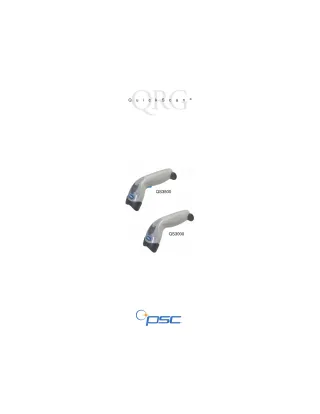
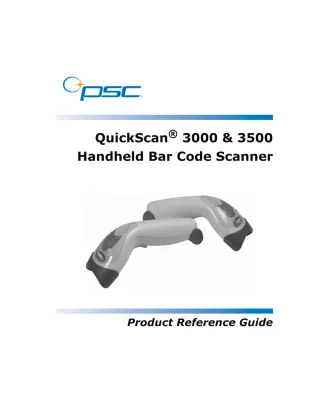
QuickScan 3000 & 3500 Handheld Bar Code Scanner Product Reference Guide
Manual352 pagesPDF 4.4 MB
Product reference guide for the PSC QuickScan QS3000 and QS3500 handheld bar code scanners: setup, interfaces and programming.
Covers · 3 models
The models it covers


Summary
What is in it
The product reference guide for the PSC QuickScan QS3000 and QS3500 handheld bar code scanners. It covers unpacking and cable setup, scanning by hand or in the stand, maintenance, troubleshooting and technical specifications, then the programming bar codes for user preferences, the keyboard wedge, RS-232, USB, IBM 468X/469X and wand emulation interfaces, the symbologies, miscellaneous options and Advanced Data Formatting rules.
Its parts
- Getting Started
- Scanning
- Maintenance and Technical Specifications
- User Preferences
- Keyboard Wedge Interface
- RS-232 Interface
- USB Interface
- IBM 468X/469X Interface
- Wand Emulation Interface
- Configurator Express
- Symbologies
- Miscellaneous Scanner Options
- Advanced Data Formatting
From the manual
Key facts from this manual
Each line names its page in the PDF.
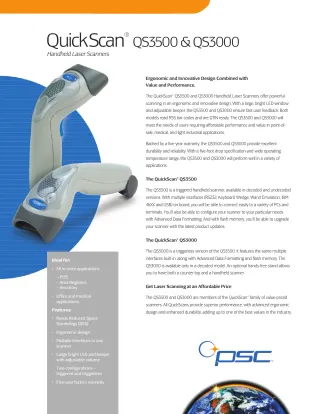
Product Reference Guide (2002) for the PSC QuickScan QS3000 (triggerless) and QS3500 (triggered) handheld laser scanners. It covers setup, cables and power, beeper and LED signals, maintenance, troubleshooting and technical specifications, then connecting and programming the keyboard wedge, RS-232, USB, IBM 468X/469X and wand emulation interfaces, with symbology and data formatting options.
- Device
- Handheld laser scanner: QS3000 triggerless and decoded; QS3500 triggered, decoded or undecoded p. 17, 18
- Interfaces
- Decoded: RS-232, Keyboard Wedge, Wand Emulation, IBM 468X/469X, USB, Synapse; undecoded QS3500: set by the interface controller p. 39
- Power
- QS3000 and decoded QS3500: 4.5 to 5.5 VDC @ 145 mA nominal, from the host or an external supply; undecoded QS3500: 4.75 to 14.0 VDC @ 100 mA from the interface controller p. 38
- Bar codes decoded
- Decoded models: UPC/EAN with supplementals, UCC/EAN 128, Code 39 (Full ASCII, Trioptic), Codabar (NW7), Interleaved and Discrete 2 of 5, Code 128, Code 93, MSI, Code 11, UCC/EAN RSS, Code 32, Coupon Code, Bookland EAN p. 38
- Laser and scan rate
- 650nm laser diode; approximately 44 scans/sec. (bidirectional); minimum element width 5 mil (0.127 mm) p. 38, 39
- Tolerances
- Skew ± 60° min., pitch ± 65°, roll ± 10° (from normal) p. 38
- Temperature and humidity
- 32° to 104° F (0° to 40° C); storage -40° to 140° F (-40° to 60° C); humidity 5% to 95% non-condensing p. 39
- Weight
- 4.2 oz. (120 g) without cable p. 39
- Durability
- 5 ft (1.5 m) drops to concrete p. 39
- USB
- Autodetects a USB host and defaults to HID keyboard; Windows 98, 2000, ME, XP, MacOS 8.5 and above, IBM 4690 OS p. 18, 106
- RS-232 defaults
- 9600 baud, no parity, 1 stop bit, 8-bit ASCII, no hardware or software handshaking p. 79
- IBM 468X/469X
- Connects to the host port, typically Port 9; only the port number needs setting p. 126
- Synapse cable
- Synapse adapter cable p/n p25-32463-xx plus a Synapse Smart Cable for the host p. 21
- Configuration software
- Configurator Express, a Windows utility used over an RS-232 cable p. 139
What this manual walks you through
- Installing and removing the interface cable p. 19, 21
- Connecting an external power supply p. 20
- Connecting through a Synapse Smart Cable p. 21
- Reading the beeper and LED signals p. 24, 25, 26
- Cleaning the exit window and troubleshooting p. 35, 36, 37
- Connecting a keyboard wedge Y-cable p. 54
- Connecting directly to an RS-232 serial port p. 78
- Setting up a USB connection and the Windows HID driver p. 107
- Connecting to an IBM 468X/469X host or a wand port p. 126, 132
- Programming with Configurator Express p. 139, 140
Good to know
- The programming chapters apply only to decoded scanners; the undecoded QS3500 has no configurable options. p. 11
- Do not use abrasives on the window, spray liquids into it, or remove the rubber nose. p. 35
- On USB, a repeated power-up beep when the PC cold boots is normal. p. 25
- The manual states the laser classification as CDRH Class 2 for the QS3500 and IEC 825-1 Class 1 for the QS3000. p. 39
- Different hosts need different cables. p. 19
Questions this manual answers
What do 4 long low beeps mean on a QuickScan QS3000?
A transmission error was detected in a scanned symbol and the data is ignored; it occurs when the unit is not properly configured. p. 24
How do I connect a QS3000 or QS3500 by USB on Windows?
Attach the USB cable, plug it into the host, select the USB device type, then accept the Windows Human Interface Device driver by clicking Next and Finish. p. 107
What are the QS3000 RS-232 default settings?
9600 baud, no parity, 1 stop bit, 8-bit ASCII and no handshaking. p. 79
Which port does the QS3000 use on an IBM 468X/469X register?
Typically Port 9; the port number is the only setting needed, as the IBM system controls most other parameters. p. 126
Contents
Chapters and sections
Each line opens the PDF at its page.
- Cover1
- About This Guide11
- Chapter 1 Getting Started17
- Chapter 2 Scanning23
- Chapter 3 Maintenance and Technical Specifications35
- Chapter 4 User Preferences43
- Chapter 5 Keyboard Wedge Interface53
71 more lines, from page 77 on
- Chapter 6 RS-232 Interface77
- Chapter 7 USB Interface105
- Chapter 8 IBM 468X/469X Interface125
- Chapter 9 Wand Emulation Interface131
- Chapter 10 Configurator ExpressTM139
- Chapter 11 Symbologies141
- Chapter 12 Miscellaneous Scanner Options217
- Chapter 13 Advanced Data Formatting227
- Appendix A Standard Default Parameters317
- Appendix B Programming Reference325
- Appendix C Sample Bar Codes329
- Appendix D Numeric Bar Codes333
- Glossary339
- Index345
The whole text · 40 parts
Read the manual here as text
Its text as extracted from the PDF, unedited, in parts; each page opens the PDF at that page.
- Cover1-10
- About This Guide11-16
- Chapter 1 Getting Started17-22
- Chapter 2 Scanning23-34
- Chapter 3 Maintenance and Technical Specifications35-42
- Chapter 4 User Preferences43-52
- Chapter 5 Keyboard Wedge Interface, pages 53 to 6053-60
- Chapter 5 Keyboard Wedge Interface, pages 61 to 6861-68
- Chapter 5 Keyboard Wedge Interface, pages 69 to 7669-76
- Chapter 6 RS-232 Interface, pages 77 to 8677-86
- Chapter 6 RS-232 Interface, pages 87 to 9687-96
- Chapter 6 RS-232 Interface, pages 97 to 10497-104
- Chapter 7 USB Interface, pages 105 to 114105-114
- Chapter 7 USB Interface, pages 115 to 124115-124
- Chapter 8 IBM 468X/469X Interface125-130
- Chapter 9 Wand Emulation Interface131-138
- Pages 139 to 148139-148
- Pages 149 to 158149-158
- Pages 159 to 168159-168
- Pages 169 to 178169-178
- Pages 179 to 188179-188
- Pages 189 to 198189-198
- Pages 199 to 208199-208
- Pages 209 to 216209-216
- Chapter 12 Miscellaneous Scanner Options217-226
- Chapter 13 Advanced Data Formatting, pages 227 to 236227-236
- Chapter 13 Advanced Data Formatting, pages 237 to 246237-246
- Chapter 13 Advanced Data Formatting, pages 247 to 256247-256
- Chapter 13 Advanced Data Formatting, pages 257 to 266257-266
- Chapter 13 Advanced Data Formatting, pages 267 to 276267-276
- Chapter 13 Advanced Data Formatting, pages 277 to 286277-286
- Chapter 13 Advanced Data Formatting, pages 287 to 296287-296
- Chapter 13 Advanced Data Formatting, pages 297 to 306297-306
- Chapter 13 Advanced Data Formatting, pages 307 to 316307-316
- Appendix A Standard Default Parameters317-324
- Appendix B Programming Reference325-328
- Appendix C Sample Bar Codes329-332
- Appendix D Numeric Bar Codes333-338
- Glossary339-344
- Index345-352
The file