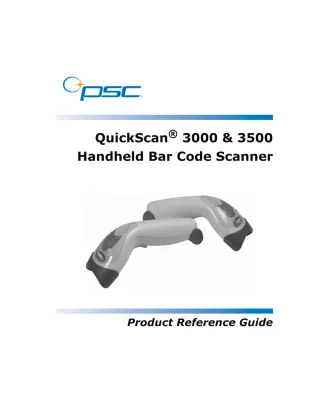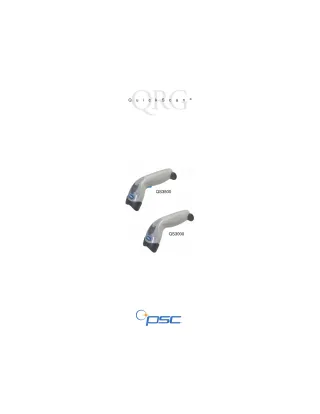
Spec sheet · PSC
QuickScan QS3500 Quick Reference
Spec sheet52 pagesPDF 1.6 MB
Multilingual quick reference guide for PSC QuickScan hand-held scanners (QS3500 named): setup, scanning, troubleshooting and host bar codes.
What this file really is
The old site listed this file as “Technical Spec” for the PSC QS-3000, QS-3500 and Datalogic QS-3000. Linked as a technical spec, the file is a multilingual quick reference guide for QuickScan scanners that names only the QS3500.
Names · 1 model
The models it names
Filed with · 2 models
Also filed with these models on the old site
Summary
What is in it
A short quick reference guide for PSC QuickScan hand-held laser scanners, with the QS3500 named on the cover. It shows the parts of the scanner, how to install and remove the interface cable, aiming, scanning in hand-held and hands-free (stand) mode, and a troubleshooting table, repeated in French, German, Italian, Spanish, Portuguese, Japanese, Chinese and Korean. It ends with frequently used programming bar codes (defaults, host type, keyboard country), ergonomic recommendations and regulatory information.
Its parts
- Introduction
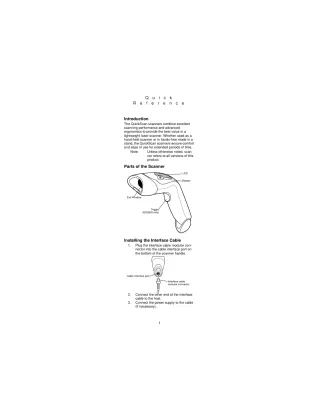
- Parts of the Scanner
- Installing the Interface Cable
- Removing the Interface Cable
- Scanning In Hand-Held Mode
- Scanning in Hands-Free Mode
- Troubleshooting
- Programming Bar Codes
- Ergonomic Recommendations
- Regulatory Information
From the sheet
Key facts from this sheet
Some pages are scans or cannot be read; this says only what the readable text supports. Each line names its page in the PDF.
Quick Reference guide (R44-2253 Revision C, August 2002) for the PSC QuickScan QS3500 handheld laser scanner; it does not name the QS3000. It covers installing and removing the interface cable, hand-held and hands-free scanning, troubleshooting, and programming bar codes for the host type, keyboard country and an Enter suffix.
- Device
- Lightweight laser scanner for hand-held use or hands-free use in a stand p. 3
- Trigger
- QS3500 only p. 3
- Cable connection
- Modular connector into the cable interface port on the bottom of the handle; power supply on the cable if needed p. 3
- Keyboard wedge host
- IBM PC/AT and compatibles p. 39
- RS-232 host types
- Standard, ICL, Nixdorf Mode A, Nixdorf Mode B, Fujitsu, OPOS p. 42, 43
- USB host types
- HID keyboard emulation, IBM hand-held USB p. 44
- IBM 46XX and wand
- IBM 46XX Port 5B or Port 9B; Symbol wand emulation, with optional convert to Code 39 p. 44, 45
- Keyboard countries
- North American, French, French Canadian, German, Spanish, Italian, Swedish, UK English, Japanese p. 40, 41
- Good read signal
- Beep and green LED p. 4
- Hands-free mode
- Constant-on in the stand; normal mode when lifted out p. 4
- Document
- R44-2253 Revision C, August 2002 p. 52
What this sheet walks you through
- Installing and removing the interface cable p. 3, 4
- Scanning in hand-held mode p. 4
- Scanning in hands-free mode in the stand p. 4, 5
- Troubleshooting no power, no decode and wrong data on the host p. 5, 6
- Resetting defaults and selecting the host type p. 39
- Selecting the keyboard country p. 40, 41
- Adding a carriage return/line feed after each scan p. 45
- Ergonomic recommendations p. 46
Good to know
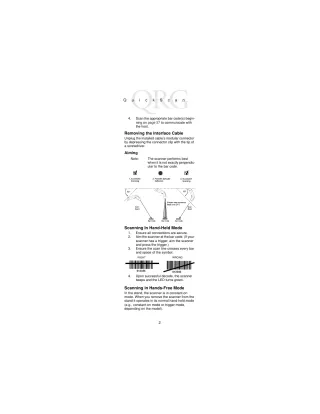
- The scanner reads best when it is not held exactly perpendicular to the bar code. p. 4
- With an auxiliary or USB interface adapter, no host type bar code needs to be scanned. p. 39
- Controls, adjustments or procedures other than those specified may cause hazardous laser light exposure. p. 48
- Users of Class 2 laser scanners should avoid staring directly into the beam. p. 48
Questions this sheet answers
My QS3500 beeps but nothing reaches the computer. What do I do?
The scanner is probably not programmed for the correct host type; scan the matching host type bar code. p. 6
How do I reset the QuickScan QS3500 to factory defaults?
Scan the SET DEFAULTS bar code, which sets all parameters to their default values. p. 39
Why are scanned characters wrong on a keyboard wedge host?
Check that the right host is selected, the system is programmed for the correct keyboard type and CAPS LOCK is off. p. 6
How do I remove the QS3500 interface cable?
Press the connector clip with the tip of a screwdriver and unplug the modular connector. p. 4
Contents
Chapters and sections
Each line opens the PDF at its page.
- Introduction3
- Parts of the Scanner3
- Installing the Interface Cable3
- Removing the Interface Cable4
- Scanning In Hand-Held Mode4
- Scanning in Hands-Free Mode4
- Troubleshooting5
- Présentation7
- Composants du lecteur7
- Installation du câble d’interface7
- Dépose du câble d’interface8
- Lecture en mode portable8
- Lecture en mode mains-libres8
- Dépannage9
- Einführung11
- Die Teile der Scanner11
- Installieren des Schnittstellenkabels11
- Abziehen des Schnittstellenkabels12
- Scannen mit dem Handscanner12
- Scannen im Freihandmodus12
- Fehlerbehebung13
- Introduzione15
- Le parti dello scanner15
- Installazione del cavo di interfaccia15
- Rimozione del cavo di interfaccia16
- Modalità di scansione portatile16
- Modalità di scansione “a mani libere”16
- Risoluzione dei problemi17
- Introducción19
- Partes del scanner de la serie19
- Instalación del cable de interfaz19
- Extracción del cable de interfaz20
- Lectura en modo manual20
- Lectura en modo manos libres20
- Solución de problemas21
42 more lines, from page 23 on
- Introdução23
- Peças scanner23
- Instalação do cabo de interface23
- Remoção do cabo de interface24
- Leitura em modo manual24
- Leitura em modo automático24
- Solução de problemas25
- はじめに27
- スキャナの各部27
- インタフェース ケーブルを接続 する27
- インタフェース ケーブルを取り外す28
- ハンドヘルドモードでのスキャン28
- ハンド フリー モードでのスキャン28
- トラブルシューティング29
- 简介31
- 扫描器部件31
- 安装接口电缆31
- 拔出接口电缆32
- 以手持模式扫描32
- 以免提模式扫描32
- 故障解决33
- 소개35
- 스캐너의 부품35
- 인터페이스 케이블 설치하기35
- 인터페이스 케이블 제거하기36
- 휴대용 모드에서 스캔하기36
- 핸즈-프리 모드에서 스캔하기36
- 문제 해결37
- Programming Bar Codes39
- Ergonomic Recommendations46
- Regulatory Information46
The whole text · 6 parts
Read the sheet here as text
Its text as extracted from the PDF, unedited, in parts; each page opens the PDF at that page.
The file