Manual · PSC
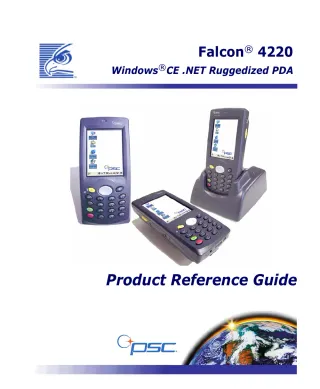
Falcon 4220 Windows CE .NET Ruggedized PDA Product Reference Guide
Manual116 pagesPDF 2.9 MB
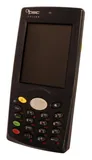
Product reference guide for the PSC Falcon 4220, a rugged Windows CE .NET PDA with bar code scanner and 802.11b radio support.
Covers · 2 models
The models it covers
Summary
What is in it
PSC's product reference guide for the Falcon 4220 ruggedized PDA running Windows CE .NET. It covers batteries and suspend mode, the bundled software and Quick ScanSet, firmware updates, control panel settings including the scanner, ActiveSync and network setup. Appendices give the technical specifications, the Falcon Desktop Utility, accessories and docks, cable pinouts, and maintenance, troubleshooting and support.
Its parts
- Batteries and Power
- Software Applications
- Configuring a PDA
- Networks, Communications, and Connections
From the manual
Key facts from this manual
Each line names its page in the PDF.
Product Reference Guide for the PSC Falcon 4220, a Windows CE .NET ruggedized PDA with a bar code scanner. It explains suspend mode and batteries, the software and control panels, ActiveSync connections to a host PC, accessories, cable pinouts and troubleshooting, and gives the technical specifications.
- Device
- Ruggedized PDA running Windows CE .NET version 4.2 p. 1, 61
- Processor
- Intel XScale PXA255 p. 61
- Memory
- 64 MB flash ROM in total, including the memory used for firmware and software p. 61
- Display
- 3.5 in. (8.9 cm) 240 x 320 transflective TFT, 256,000 colors, sunlight readable p. 60
- Keypad
- 17 plus 4-way navigation p. 60
- Scan engine
- Laser scanner (650nm VLD, 39 scans/second nominal) or linear imager (617nm visible LED, 36 scans/second nominal) p. 62
- Ports
- IrDA 1.2 infrared; RS-232 via optional cable or dock; USB v1.1 host and client p. 61
- Card slots
- One SD card slot and one CompactFlash Type II slot (3.3V) p. 61
- Radio
- 802.11b compatible p. 61
- Battery
- 3.7V, 1800 mAh rechargeable pack; optional 2700 mAh high capacity pack p. 12
- Backup battery
- 25mAh rechargeable, holds system data at least 2 hours without the main pack; not field replaceable p. 61
- AC adapter
- 110 to 240 Vac, 50 to 60Hz p. 61
- Operating temperature
- 14° to 122° F / -10° to 50° C p. 62
- Dock
- Spare battery charging slot, standard RS-232, USB host and client, optional Ethernet module p. 59
What this manual walks you through
- Suspending and resuming the PDA p. 11, 12
- Installing ActiveSync on the host PC p. 51, 52
- Connecting the PDA to a host PC by dock or cable p. 53
- Installing a CompactFlash Type II card p. 80, 81
- Inserting an SD memory card p. 87
- Fitting the handstrap p. 83
- Using the car charger/adapter p. 79, 80
- Beaming data through the IrDA port p. 86
- Pinouts for USB and serial cables p. 89, 90, 91
- Troubleshooting power, display, communication, scanning and wireless problems p. 94, 95, 96
Good to know
- If the backup battery runs down completely after the main pack is removed or discharged, the contents of RAM are lost. p. 12
- Removing the battery pack performs a cold reset, so important data belongs in flash memory. p. 13
- Charge the battery pack only between 32 and 113°F (0 and 45°C). p. 13
- With the open-slot CF cover the unit is no longer rated IP54, and the handstrap cannot be used. p. 80
Questions this manual answers
What battery does the Falcon 4220 take?
A 3.7V, 1800 mAh rechargeable battery pack. An optional 2700 mAh high capacity pack takes about 50% longer to charge. p. 12, 84
What operating system does the Falcon 4220 run?
Windows CE .NET version 4.2, on an Intel XScale PXA255 processor. p. 61
Which ActiveSync version does the Falcon 4220 need?
ActiveSync v3.7 or higher must be installed on the host PC. p. 51, 52
Why is my Falcon 4220 not charging in the dock?
The unit may not be firmly seated in the dock; charging does not start until it is. p. 94
Which bar codes can the Falcon 4220 read?
The list includes Code 39, Code 93, Code 128/UCC EAN 128, Codabar/NW7, Interleaved 2 of 5, EAN-13/UPC-A and UPC-E, among others. p. 59
Contents
Chapters and sections
Each line opens the PDF at its page.
- Falcon® 42201
- Preface7
- How to Use This Manual7
- Document Overview7
- Document Conventions8
- Registering Your Product10
- Batteries and Power11
- Software Applications15
- Configuring a PDA33
- Networks, Communications, and Connections51
- Technical Specifications59
- Falcon® Desktop Utility for Windows®CE. NET65
- Accessories & Peripherals79
- Cable & Connector Configurations89
- Maintenance, Troubleshooting, and Technical Support93
- Glossary99
The whole text · 12 parts
Read the manual here as text
Its text as extracted from the PDF, unedited, in parts; each page opens the PDF at that page.
- Pages 1 to 61-6
- Preface, pages 7 to 167-16
- Preface, pages 17 to 2617-26
- Preface, pages 27 to 3627-36
- Preface, pages 37 to 4637-46
- Preface, pages 47 to 5647-56
- Preface, pages 57 to 6657-66
- Preface, pages 67 to 7667-76
- Preface, pages 77 to 8677-86
- Preface, pages 87 to 9687-96
- Preface, pages 97 to 10697-106
- Preface, pages 107 to 116107-116
The file