Manual · POS-X
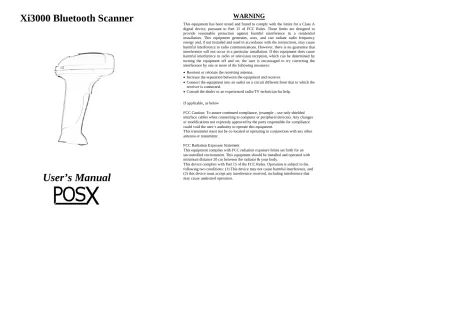
Xi3000 Bluetooth Scanner User's Manual
Manual25 pagesPDF 703 KB
User's manual for the POS-X Xi3000-BT Bluetooth wireless barcode scanner and its Xi3000-BTSTAND base: setup, pairing and programming.
Covers · 1 model
The models it covers
Summary
What is in it
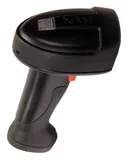
The user's manual for the POS-X Xi3000-BT, a wireless Bluetooth barcode scanner with a CCD linear imager, and its Xi3000-BTSTAND base. It covers powering up and pairing the scanner with the base, charging the battery, the base's keyboard wedge, RS232 and USB output interfaces, Bluetooth Serial Port and HID setup, the buzzer, indicator and eight scan modes, symbology parameters, data output format, data editing and configuring the scanner with setup barcodes.
Its parts
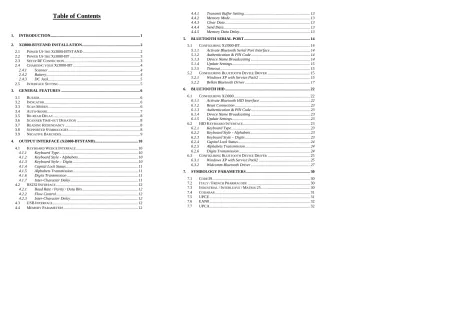
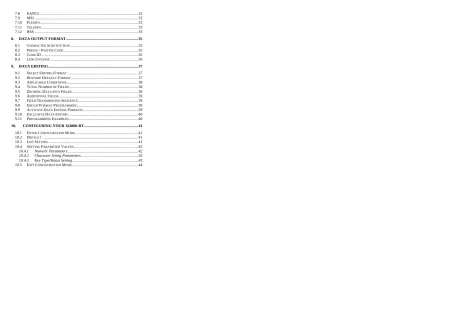
- 1. Introduction
- 2. Xi3000-BTSTAND Installation
- 3. General Features
- 4. Output Interface (Xi3000-BTSTAND)
- 5. Bluetooth Serial Port
- 6. Bluetooth HID
- 7. Symbology Parameters
- 8. Data Output Format
- 9. Data Editing
- 10. Configuring Your Xi3000-BT
From the manual
Key facts from this manual
Each line names its page in the PDF.
User's manual for the POS-X Xi3000-BT wireless Bluetooth barcode scanner and its Xi3000-BTSTAND base. It explains charging, pairing the scanner with the base, the keyboard wedge, RS232 and USB outputs of the base, and direct Bluetooth Serial Port and HID connections. It also describes scan modes, memory storage and keyboard settings.
- Device
- Bluetooth wireless barcode scanner with a CCD linear imager p. 4
- Range
- Over 50 meters p. 4
- Battery life
- Over 50 hours or 35,000 scans p. 4
- Base interfaces
- Xi3000-BTSTAND base: keyboard wedge, RS232 or USB cable on a 15-pin connector p. 4
- Bluetooth profiles
- Bluetooth Serial Port Profile and Bluetooth HID, straight to a computer or PDA p. 4
- Memory
- 4 KB transmit buffer when out of range; up to 128Kbytes of offline storage p. 9, 10
- Charge time
- About 4 hours from an empty battery p. 5
- Charging
- Scanner on the base, battery alone in the front of the base, or power supply in the scanner's DC jack p. 5
- Kit contents
- Scanner, Xi3000-BTSTAND base, rechargeable battery, serial, keyboard or USB cable, power supply, Scan Manager diskette p. 4
- Symbologies
- Code 39, Italy and French Pharmacode, Industrial, Interleave and Matrix 25, Codabar, UPCA, UPCE, EAN8, EAN13, Code 93, Code 128, EAN 128, MSI, Telepen, Plessey p. 7, 8
- Scan modes
- Eight: Auto Off, Continuous, Auto Power Off, Alternate, Momentary, Repeat, Laser, Test p. 6, 7
- RS232 settings
- 600 to 115200 baud; parity none, even or odd; 7 or 8 data bits p. 9
- Keyboard types
- PCAT (US and European layouts), PS2-30, IBM 3477, IBM 34XX, 319X and Memorex Telex 122-key p. 8
- Bluetooth PIN
- Optional authentication with a PIN of up to six characters p. 10
What this manual walks you through
- Connecting and powering the Xi3000-BTSTAND base p. 4
- Pairing the scanner with its base p. 5
- Charging the battery three ways p. 5, 6
- Scan modes, re-read delay, time-out and read redundancy p. 6, 7
- Choosing keyboard wedge, RS232 or USB output on the base p. 8, 9
- Storing scans offline and sending them later p. 9, 10
- Setting up a Bluetooth Serial Port link with Windows XP SP2 or a Belkin driver p. 10, 11, 12, 13, 14
- Setting up a Bluetooth HID keyboard link p. 14, 15
Good to know
- Take the battery out to power the scanner off when it will not be used for a long time. p. 5
- Turn the PC off before connecting the base's interface cable. p. 4
- Used over Bluetooth without the base, the scanner still needs a charging dock for its battery. p. 10
- In Bluetooth Serial Port mode the scanner waits one minute for a connection, then powers down until the trigger is pulled. p. 11
- On a PDA, Bluetooth HID does not support Caps Lock auto detection, numeric keypad digits or Alt composing. p. 14
Questions this manual answers
How long does the Xi3000-BT battery last?
The manual gives over 50 hours or 35,000 scans per charge, and about 4 hours to charge a completely empty battery. p. 4, 5
How far can the Xi3000-BT be from its base?
The manual states a range of over 50 meters. p. 4
Can the Xi3000-BT work without the Xi3000-BTSTAND base?
Yes. It can send data straight to a Bluetooth computer or PDA as a Serial Port or HID device, though it still needs a charging dock. p. 10
How do I pair the Xi3000-BT scanner with its base?
Turn the base over, scan its SET CONNECTION barcode, then scan the serial number barcode; three rising beeps confirm the link. p. 5
The whole text · 3 parts
Read the manual here as text
Its text as extracted from the PDF, unedited, in parts; each page opens the PDF at that page.
The file