Manual · POS-X
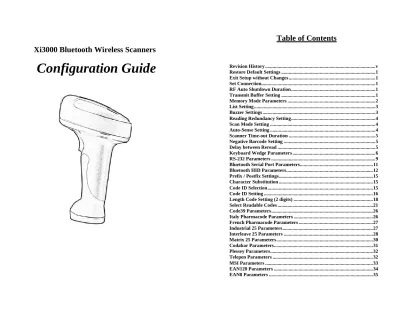
Xi3000 Bluetooth Wireless Scanners Configuration Guide
Manual31 pagesPDF 288 KB
Configuration guide of programming bar codes for the Xi3000 Bluetooth wireless scanner: interfaces, Bluetooth, symbologies and data editing.
Covers · 1 model
The models it covers
Summary
What is in it
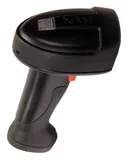
A configuration guide for the Xi3000 Bluetooth wireless scanners, made up of programming bar codes. It covers connecting the scanner to its Xi3000 base station, RF auto shutdown, memory mode, buzzer and scan mode settings, keyboard wedge, RS-232, Bluetooth serial port and Bluetooth HID parameters, prefixes, postfixes and code IDs, the readable symbologies and their options, and editing formats, with digit and character tables. A revision history lists firmware versions V4.10 and V4.20.
Its parts
- Revision History
- Restore Default Settings
- Set Connection
- Memory Mode Parameters
- Keyboard Wedge Parameters
- RS-232 Parameters
- Bluetooth Serial Port Parameters
- Bluetooth HID Parameters
- Prefix / Postfix Settings
- Code ID Setting
- Select Readable Codes
- Activate Editing Formats
- Editing Format Parameters
- KBD Wedge Character Table
- RS-232 Character Table
From the manual · read page by page
Key facts from this manual
Some pages are scans or cannot be read; this says only what the readable text supports. Each line names its page in the PDF.
The configuration guide for the Xi3000 Bluetooth wireless barcode scanners, made of setup barcodes. It lets the reader link the scanner to its base station, choose keyboard wedge, RS-232, Bluetooth serial port or Bluetooth HID output, and set scan modes, the buzzer, memory mode, symbologies, prefixes and data editing formats.
- Device
- Bluetooth wireless barcode scanner that links to an Xi3000 Base Station p. 1, 4
- Output modes
- Keyboard wedge, RS-232, Bluetooth Serial Port and Bluetooth HID p. 1
- Firmware
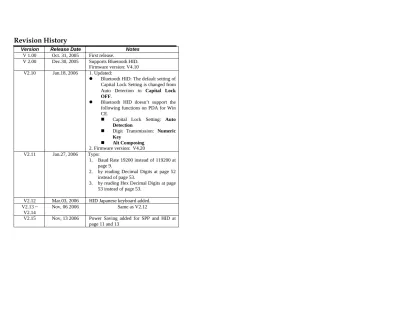
- Guide revisions list firmware V4.10 (adds Bluetooth HID) and V4.20 p. 3
- RS-232 settings
- 1200 to 115200 baud, default 9600; 8 or 7 data bits, default 8; even, odd or no parity, default none p. 8
- Scan modes
- Auto Off (default), Continuous, Auto Power Off, Alternate, Momentary, Repeat, Laser and Test modes p. 5
- Bluetooth security
- Optional authentication, off by default, with a PIN code of up to 6 characters p. 9
- Memory mode
- Memory Mode, disabled by default, with Send Data and Clear Data labels p. 4
- Keyboard wedge types
- 28 types including PCAT in ten languages, PS55 models, IBM 3477 (Japanese), PS2-30 and IBM 34XX/319X p. 6
- HID keyboard types
- PCAT in ten languages and PS55 A01-2 (Japanese) p. 9
- Buzzer
- 8 kHz, 4 kHz (default), 2 kHz or 1 kHz, or off p. 5
- Power saving
- Power saving for Bluetooth Serial Port and HID, enabled by default p. 3, 9
What this manual walks you through
- Linking the scanner to an Xi3000 Base Station p. 4
- Restoring default settings or leaving setup without changes p. 4
- Setting the RF auto shutdown time, scanner time-out and reread delay p. 4, 6
- Choosing the keyboard type and layout for keyboard wedge or Bluetooth HID p. 6, 7, 9, 10
- Setting RS-232 baud rate, parity, data bits and flow control p. 8
- Setting Bluetooth serial port name broadcasting, authentication and PIN code p. 9
- Adding prefix and postfix codes, code IDs and length codes p. 11, 12
- Enabling symbologies and setting check digits and code lengths p. 14, 15, 16, 17, 18, 19, 20, 21
- Building data editing formats with fields and added text p. 23, 24, 25, 26, 27, 28, 29
Good to know
- On a Windows CE PDA, Bluetooth HID does not support Capital Lock auto detection, numeric key digit transmission or Alt Composing. p. 3
- Read the Reset Connection label when moving the scanner from one PC to another. p. 9
- The revision history lists typos in the guide, including a baud rate printed as 119200 instead of 19200. p. 3
- The base station serial number barcode must be read within 5 seconds of the Set Connection label. p. 4
Questions this manual answers
How do I connect the Xi3000 scanner to its base station?
Read the Set Connection label, then within 5 seconds read the serial number barcode on the bottom of the Xi3000 Base Station. p. 4
Can the Xi3000 work as a Bluetooth keyboard (HID)?
Yes. Bluetooth HID support came with firmware V4.10, and the guide has HID keyboard settings. p. 3, 9
How do I move my Xi3000 Bluetooth scanner to another PC?
Read the Reset Connection label when switching from one PC to another. p. 9
How long can the Xi3000 Bluetooth PIN code be?
Up to 6 characters, entered as two hexadecimal digits per character. Authentication is off by default. p. 9
What RS-232 baud rates does the Xi3000 support?
115200, 38400, 19200, 9600 (the default), 4800, 2400 and 1200. p. 8
The whole text · 4 parts
Read the manual here as text
Its text as extracted from the PDF, unedited, in parts; each page opens the PDF at that page.
The file