Manual · Motorola
Motorola WT4090 Quick Start Guide
Manual2 pagesPDF 3.0 MB
Both pages are below, each with its text.
Covers · 1 model
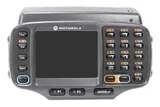
The models it covers
From the manual · read page by page
Key facts from this manual
Each line names its page in the PDF.
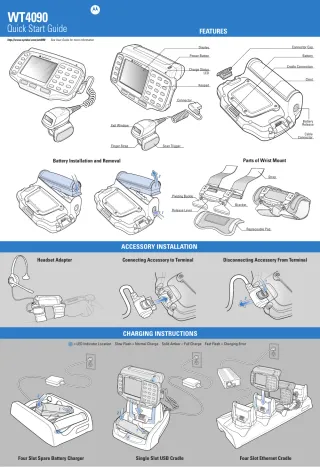
A two-page Motorola Quick Start Guide and Recommended Usage Guide for the WT4090 wearable terminal (72-86717-02 Rev A, October 2007). Mostly pictures, it labels the parts of the terminal and wrist mount and shows battery, accessory, charging, wrist mount and finger scanner installation, with posture advice for scanning.
- Charging accessories
- Four Slot Spare Battery Charger, Single Slot USB Cradle, Four Slot Ethernet Cradle p. 1
- Charge LED
- Slow flash is a normal charge, solid amber a full charge, fast flash a charging error p. 1
- Wrist mount parts
- Strap, pivoting buckle, bracket, release lever and replaceable pad p. 1
- Accessories
- Headset adapter; finger-mounted scanner with scan trigger p. 1, 2
What this manual walks you through
- Installing and removing the battery p. 1
- Connecting and disconnecting an accessory p. 1
- Charging in the cradles and spare battery charger p. 1
- Fitting the terminal to the wrist mount on the left or right wrist p. 2
- Fitting the scanner finger mount p. 2
- Posture for low, upright and high scanning p. 2
Good to know
- The scanner trigger assembly rotates 180° only. p. 2
- Avoid extreme wrist angles, bending and reaching; breaks and task rotation are recommended. p. 2
- Mount the shorter strap closer to the wrist. p. 2
Questions this manual answers
What does a fast flashing charge LED mean on the WT4090?
A charging error. A slow flash is a normal charge and solid amber is a full charge. p. 1
Can the WT4090 be worn on either wrist?
Yes. The guide shows mounting on the left or right wrist, with the shorter strap closer to the wrist. p. 2
How do I charge a WT4090?
The guide shows charging with the Single Slot USB Cradle, the Four Slot Ethernet Cradle and the Four Slot Spare Battery Charger. p. 1
The file
Size and text
Every page · 2
Read it here
Each page as it is printed, and its words beside it, so a phone can search and copy them.
Page1of 2
Open in the PDF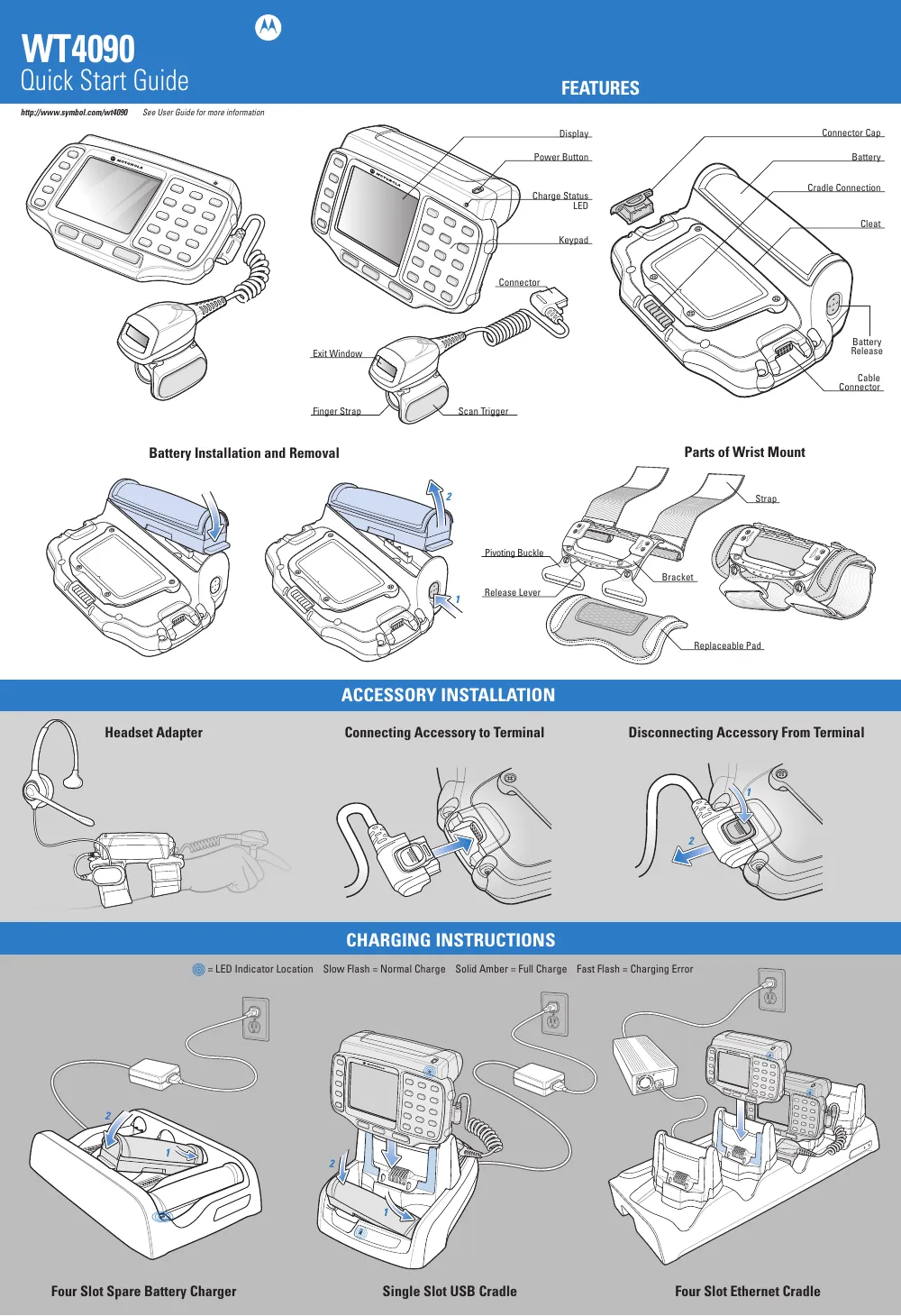
The text of page 1, from the PDF itself
WT4090
Quick Start Guide http://www.symbol.com/wt4090
FEATURES
See User Guide for more information
DisplayConnector CapPower Button
Battery Cradle Connection
Charge Status LEDCleat KeypadConnectorBattery ReleaseExit Window
Cable Connector Finger Strap
Scan Trigger
Parts of Wrist Mount
Battery Installation and Removal 2
Strap
Pivoting Buckle Bracket
1Release LeverReplaceable Pad
ACCESSORY INSTALLATION Headset Adapter
Connecting Accessory to Terminal
Disconnecting Accessory From Terminal
1
2
CHARGING INSTRUCTIONS = LED Indicator Location Slow Flash = Normal Charge Solid Amber = Full Charge Fast Flash = Charging Error
2 121
Four Slot Spare Battery Charger
Single Slot USB Cradle
Four Slot Ethernet Cradle
Page2of 2
Open in the PDF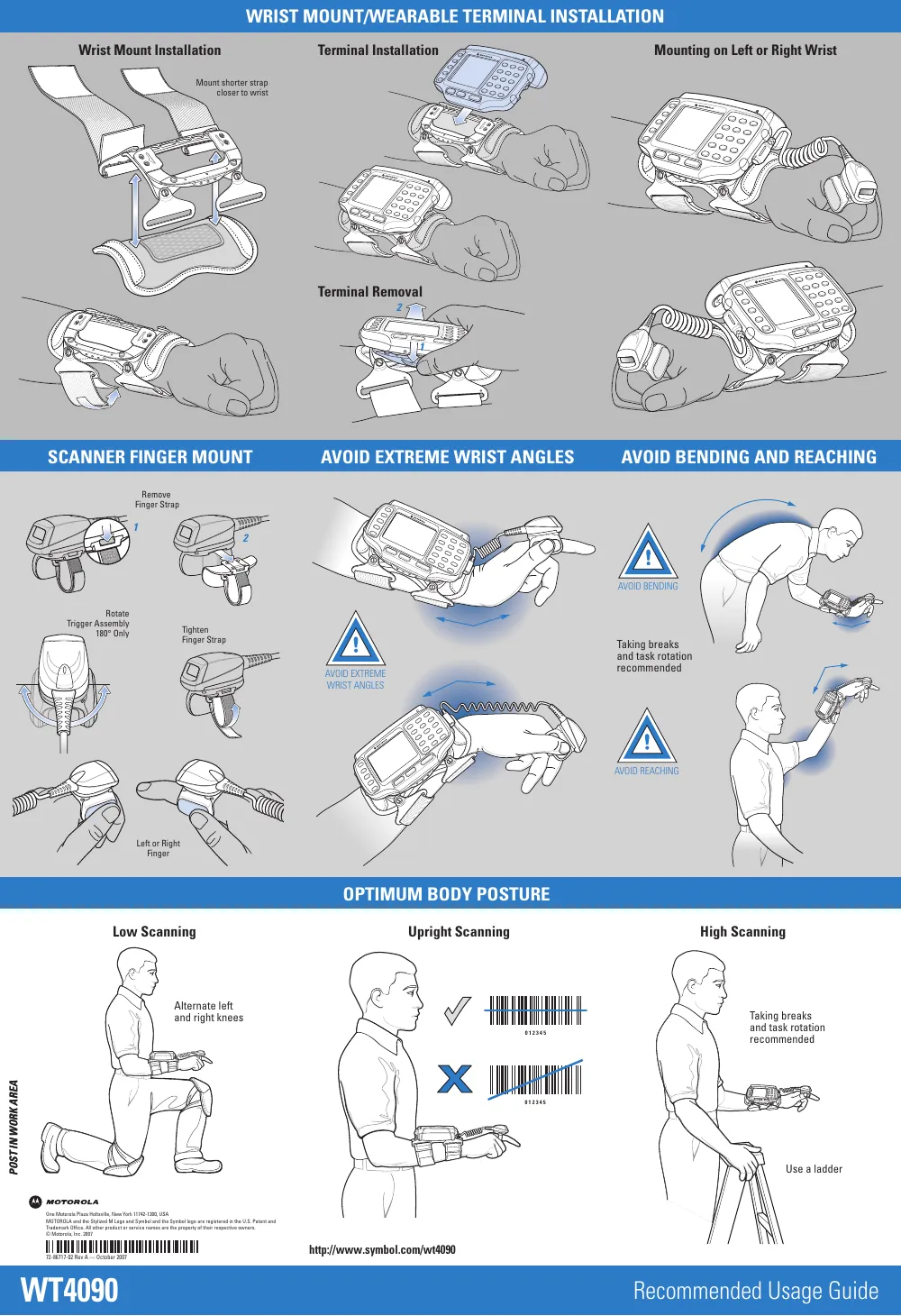
The text of page 2, from the PDF itself
WRIST MOUNT/WEARABLE TERMINAL INSTALLATION Terminal Installation
Wrist Mount Installation
Mounting on Left or Right Wrist
Mount shorter strap closer to wrist
Terminal Removal 2 1
SCANNER FINGER MOUNT
AVOID EXTREME WRIST ANGLES
AVOID BENDING AND REACHING
Remove Finger Strap12
AVOID BENDING Rotate Trigger Assembly 180° Only
Tighten Finger Strap
Taking breaks and task rotation recommended
AVOID EXTREME WRIST ANGLES
AVOID REACHING
Left or Right Finger
OPTIMUM BODY POSTURE Low Scanning
Upright Scanning
High Scanning
Alternate left and right knees
POST IN WORK AREA
012345
Taking breaks and task rotation recommended
012345
Use a ladder
One Motorola Plaza Holtsville, New York 11742-1300, USA MOTOROLA and the Stylized M Logo and Symbol and the Symbol logo are registered in the U.S. Patent and Trademark Office. All other product or service names are the property of their respective owners. © Motorola, Inc. 2007
72-86717-02 Rev A, October 2007
WT4090
http://www.symbol.com/wt4090
Recommended Usage Guide