Manual · MKS
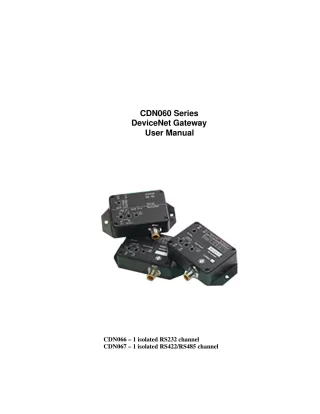
CDN060 Series DeviceNet Gateway User Manual
Manual71 pagesPDF 3.0 MB
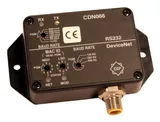
User manual for the MKS CDN060 series serial to DeviceNet gateways, the CDN066 (RS232) and CDN067 (RS422/RS485).
Covers · 1 model
The models it covers
Summary
What is in it
MKS (D.I.P. Products Group) user manual for the CDN060 series of serial to DeviceNet gateways: the CDN066 with one isolated RS232 channel and the CDN067 with one isolated RS422/RS485 channel. It explains mounting and wiring, how the gateway passes serial data to DeviceNet, configuring the switches, serial channel and master scanlist, an RSNetWorx setup example, worked examples with a barcode scanner and a serial printer, the DeviceNet object specifications, troubleshooting and product specifications.
Its parts
- Overview
- Installation
- Theory of Operation
- Gateway Configuration
- DeviceNet Specifications
- RSNetWorx Configuration Example
- Configuration Examples
- Troubleshooting
From the manual
Key facts from this manual
Each line names its page in the PDF.
The MKS Instruments user manual (revision 1.00) for the CDN060 series serial to DeviceNet gateways: the CDN066 with one isolated RS232 channel and the CDN067 with one isolated RS422/RS485 channel. It explains mounting, wiring, the rotary switch settings, the status LEDs, serial channel configuration and troubleshooting.
- Device
- CDN066: serial to DeviceNet gateway with one isolated RS232 channel p. 1, 4
- Serial connector
- Male DB9 connector; serial channel isolated to 500V p. 4, 6
- DeviceNet connector
- Male 5-pin micro connector; slave mode with POLL and EXPLICIT messages p. 4, 6
- Power
- From the DeviceNet 24VDC supply, up to 50mA p. 6
- Serial data rates
- CDN066: 300, 600, 1200, 2400, 4800, 9600 or 19200 bps by rotary switch, or PRG to set the rate over DeviceNet p. 20
- DeviceNet baud rate
- 125K, 250K or 500K by rotary switch, or PGM to use the stored rate p. 19
- MAC ID
- Two rotary switches, 00 to 63; above 63 uses the address stored in retentive memory p. 19
- Flow control
- CDN066: RTS/CTS hardware flow control; XON/XOFF software flow control p. 4
- Serial format
- No, even, odd, mark or space parity; 7 data bits with parity, 8 without; 1 stop bit p. 22
- Buffers
- 64 byte transmit and receive FIFO buffers p. 4
- Status LEDs
- Four bi-color LEDs: NET and MOD for DeviceNet, TX and RX for the serial channel p. 4, 20, 21
- Operating temperature
- 0°C to 70°C p. 5
- Mounting and heat
- Two screws in 0.19 inch mounting holes, horizontal or vertical; up to 1.4W of heat p. 5
- Configuration
- Explicit GET and SET attribute messages, or a tool using the gateway's EDS file (from www.mksinst.com) p. 19, 21
What this manual walks you through
- Mounting the gateway p. 5
- Wiring the DeviceNet network and the serial device, with RS232 and RS485/RS422 examples p. 6, 7, 8
- Setting the DeviceNet baud rate and MAC ID switches p. 19
- Setting the RS232 baud rate switch p. 20
- Checking the status LEDs at power up p. 20, 21
- Registering the EDS file with a configuration tool p. 21
- Configuring the serial channel through the Serial Stream Object p. 22, 23
- Configuring the gateway with Rockwell Software RSNetworx p. 19
- Troubleshooting network, LED and data problems p. 68
Good to know
- The serial channel connector is not rated for NEMA4 / IP65 environments, so mount the gateway in a suitable location or enclosure. p. 5
- Set the rotary switches before connecting to the DeviceNet network. p. 19
- Take the gateway out of the DeviceNet master scanlist before changing its configuration. p. 22
- The PGM baud rate setting works only after a valid baud rate has been stored. p. 19
- Do not connect any wires to the NC pins of the serial connector. p. 6
Questions this manual answers
What power does the CDN066 need?
It takes all its power from the DeviceNet network and draws up to 50mA from the 24VDC supply. p. 6
How do I set the CDN066 MAC ID?
With the two rotary switches (MSB for tens, LSB for ones) to an address from 00 to 63; a higher setting uses the stored address. p. 19
What is the difference between the CDN066 and CDN067?
The CDN066 has one isolated RS232 channel; the CDN067 has one isolated RS422/RS485 channel. p. 1
Where do I get the EDS file for the CDN066?
The manual points to www.mksinst.com and says to pick the file that matches the gateway's part number and firmware version. p. 21
The whole text · 8 parts
Read the manual here as text
Its text as extracted from the PDF, unedited, in parts; each page opens the PDF at that page.
The file