Manual · MKS
CDN066 DeviceNet Specifications
Manual25 pagesPDF 67 KB
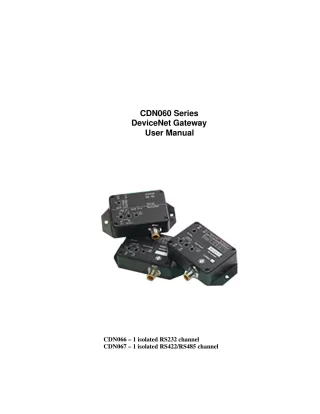
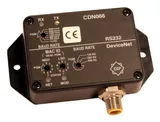
DeviceNet specifications for the CDN066 DeviceNet serial gateway: message types, services and object classes with their attributes.
Covers · 1 model
The models it covers
Summary
What is in it
Technical specification of the DeviceNet interface of the CDN066 DeviceNet Serial Gateway, which works as a slave on the DeviceNet network and passes data to and from an RS232 serial device. It describes the gateway's buffering, delimiter parsing, sequence numbers and padded strings, then lists the supported group 2 message types, class services and object classes (Identity, Router, DeviceNet, Assembly, Connection and the user defined serial interface) with their attributes and values. A revision history lists firmware changes.
From the manual · read page by page
Key facts from this manual
Each line names its page in the PDF.
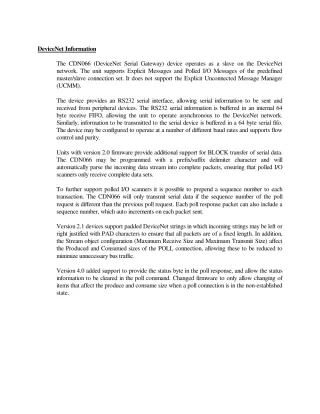
The DeviceNet specification for the CDN066 DeviceNet Serial Gateway, a slave device that connects an RS232 serial device to a DeviceNet network. It lists the message types, DeviceNet objects and serial stream attributes the unit supports. It explains how to set the network and serial baud rates, parity, flow control, delimiters, sequence numbers and the synchronous handshake.
- Device
- DeviceNet Serial Gateway that operates as a slave on the DeviceNet network p. 3
- DeviceNet messaging
- Explicit Messages and Polled I/O Messages of the predefined master/slave connection set; no UCMM p. 3
- Serial interface
- RS232, with a 64 byte receive FIFO and a 64 byte transmit FIFO p. 3
- RS232 baud rates
- 300, 600, 1200, 2400, 4800, 9600 baud and 19.2 Kbaud; set by the RS232 Baud Rate switch, or by software with the switch at PRG p. 17
- Serial format
- 1 stop bit; 8 data bits with no parity, or 7 data bits plus even, odd, force to 1 or force to 0 parity p. 17
- Flow control
- None, X-ON/X-OFF, hardware RTS/CTS, or CTS Detect Mode p. 18
- Handshake pins
- CTS on pin 8, RTS on pin 7 p. 18
- DeviceNet speeds
- 125, 250 or 500 kbits, or software settable, chosen with the Baud Rate switch p. 9
- Node address
- Set by the MacID switches; software settable when the switches are above 63 p. 9
- Poll data size
- Up to 64 data bytes; maximum connection size 67 bytes p. 19
- Object classes
- Identity, Router, DeviceNet, Assembly, Connection, and a user defined serial stream object (class 64, 0x40) p. 5, 15
- Packet parsing
- Prefix or suffix delimiter character, with optional sequence numbers on poll requests and responses p. 3
- Status byte
- Reports transmit channel blocked, receive parity error, receive overflow, framing error, transmit FIFO overflow and the CTS signal state p. 16
- Firmware
- Version 4.0 adds the status byte in the poll response and clearing status from the poll command p. 3
What this manual walks you through
- Setting the DeviceNet node address and baud rate p. 9
- Setting the RS232 baud rate, parity and flow control p. 17, 18
- Parsing the serial stream into packets with delimiters and block mode p. 20, 22
- Using the synchronous handshake and sequence numbers with a scanner p. 23, 24
- Sizing the poll connection with the maximum receive and transmit sizes p. 19, 24
- Padding received strings to a fixed length p. 19, 20
- Reading the serial status byte and clearing its error bits p. 16
- Sending idle and fault strings to the serial device p. 25
Good to know
- X-ON/X-OFF flow control strips the CTRL-S and CTRL-Q characters, so it is not suited to binary data. p. 18
- Settings that change the poll produce or consume size can only be set while the poll connection is not established. p. 19
- If the transmit FIFO has too little room for a packet, no response packet is generated. p. 16
- With a post delimiter, characters beyond the receive data size are discarded. p. 22
Questions this manual answers
What does the CDN066 do?
It is a DeviceNet Serial Gateway: a DeviceNet slave that passes data between the network and an RS232 serial device, buffered in 64 byte FIFOs. p. 3
What baud rates does the CDN066 RS232 port support?
300, 600, 1200, 2400, 4800 and 9600 baud and 19.2 Kbaud, set by switch or by software. p. 17
What DeviceNet baud rates does the CDN066 support?
125, 250 or 500 kbits, or a software settable rate. p. 9
How much data can a CDN066 poll message carry?
Up to 64 data bytes; with the optional status, string length and sequence bytes the connection is at most 67 bytes. p. 19
Does the CDN066 support hardware flow control?
Yes. It transmits only while CTS (pin 8) is asserted and asserts RTS (pin 7) when its receive FIFO has room. p. 18
Contents
Chapters and sections
Each line opens the PDF at its page.
The whole text · 3 parts
Read the manual here as text
Its text as extracted from the PDF, unedited, in parts; each page opens the PDF at that page.
The file