
Manual · Datalogic
Minec 4x User's Manual
Manual59 pagesPDF 4.9 MB
User's manual for the Datalogic Minec 4x Windows CE hand-held terminal: connections, operation, control panel, maintenance and specifications.
Covers · 2 models
The models it covers
Summary
What is in it
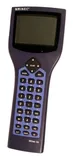
The user's manual for the Datalogic Minec 4x, a Windows CE hand-held computer for barcode and RFID data collection. It covers safety and laser notices, package contents and accessories, RS232, IrDA, RF and cradle connections, startup, barcode scanning and RFID reading, the keyboard and special key sequences, the control panel (registry, files, scanner and WLAN setup), Microsoft ActiveSync, battery charging and replacement, and the technical data with a reading diagram.
Its parts
- References
- Safety Regulations
- General View
- Introduction
- Connections
- Use and Functioning
- Maintenance
- Technical Features
From the manual
Key facts from this manual
Each line names its page in the PDF.
The user's manual (edition 04/2004) for the Datalogic Minec 4x, a hand-held Windows CE computer for data collection, made in laser barcode and RFID models. It shows how to connect the terminal to a host through its cradle, IrDA or radio, how to scan, use the keys, charge and replace the batteries, and it lists the technical data.
- Device
- Hand-held Windows CE computer for data collection, with laser barcode or RFID reader p. 19, 27
- Host connection
- RS232 through the cradle (terminal talks to it by IrDA), direct IrDA, or radio through an access point p. 21, 22, 23
- Battery
- Li-Ion battery pack 3.7 V. 1800 mAh; about 3 hours to recharge from empty p. 49, 51
- Cradle
- Minec 4x Cradle RS232, 94A151085; charges the battery and passes data to the host p. 20, 24
- Power supply
- Minec 4x Power Supply, 94ACC1275; plugs into the terminal or the cradle p. 20, 26
- Operating system
- Windows CE 3.0; programs written with Windows CE tools in Visual Basic or C++ p. 19, 52
- Display
- 240 x 160 pixels, monochrome transflective backlit graphic LCD, up to 20 lines of 30 characters p. 51
- Keyboard
- 27 backlit rubber keys; the scan key is also the cursor control key p. 51
- Processor
- MiPS architecture 66 MHz p. 51
- Radio
- IEEE802.11b (Wi-Fi) WLAN on RF versions p. 19, 23
- Barcodes decoded
- Laser models: EAN/UPC, Code 128, Code 39, Code 93, 2/5 Codes, Discrete 2 of 5, Codabar, MSI, UCC/EAN 128, TriOptic Code 39 p. 52
- RFID tags
- RFID models: read and write tags such as Philips I.CODE, Texas Instr. Tag-It and Iso-15693 compliant tags p. 29, 51
- Weight
- 310 g (11 oz) incl. battery p. 51
What this manual walks you through
- Connecting the terminal to a host computer through the RS232 cradle p. 21
- Connecting directly to a PC IrDA port p. 22
- Reading the cradle LEDs p. 25
- Starting the terminal and setting the power-off timeout p. 27
- Scanning barcodes and reading or writing RFID tags p. 28, 29
- Using the keys, Scan Mode and Mouse Mode p. 30, 31
- Special key sequences such as warm boot and contrast p. 34
- Charging the batteries p. 49
- Replacing the battery pack p. 50
Good to know
- Battery packs come uncharged; charge them first. p. 20
- New or long-unused batteries need two or three full charge and discharge cycles to reach full capacity. p. 49
- Pressing the ON/OFF key 8 times resets the terminal and erases RAM or clock settings. p. 31
- Turn off both the computer and the terminal before connecting them. p. 21
- Clean with a slightly damp cloth; never alcohol, corrosive products or solvents. p. 50
Questions this manual answers
How long does the Minec 4x battery take to charge?
Up to about 3 hours for a completely run-down Li-Ion pack. p. 49
How do I warm boot a Minec 4x?
Press [ALT] + [DEL] + [ON/OFF] together for about 1 second; RAM and clock settings are kept. p. 34
How does the Minec 4x connect to a PC?
Through its RS232 cradle, which talks to the terminal by IrDA, by direct IrDA to a PC IrDA port, or by radio on RF versions. p. 21, 22, 23
What do the Minec 4x cradle LEDs mean?
The left LED is green when the battery is charged and amber while charging; the right LED blinks during data transfer with the host. p. 25
What is the part number of the Minec 4x cradle?
The Minec 4x Cradle RS232 is 94A151085. p. 20
Contents
Chapters and sections
Each line opens the PDF at its page.
- End User License Agreement7
- References9
- Safety Regulations10
- General View17
- 1 Introduction19
- 2 Connections21
- 3 Use and Functioning27
- 4 Maintenance49
- 5 Technical Features51
- Glossary53
- Index56
1 more line, from page 58 on
The whole text · 11 parts
Read the manual here as text
Its text as extracted from the PDF, unedited, in parts; each page opens the PDF at that page.
The file