Manual · Metrologic
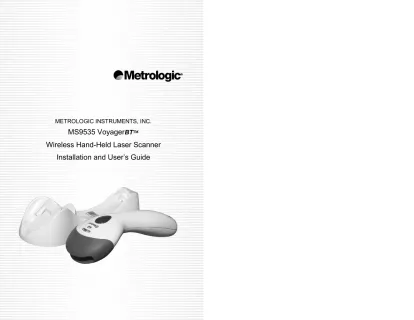
MS9535 VoyagerBT Wireless Hand-Held Laser Scanner Installation and User's Guide
Manual49 pagesPDF 879 KB
Installation and user's guide for the Metrologic MS9535 VoyagerBT Bluetooth hand-held laser scanner and its MI9535 receiver/charger cradle.
Covers · 2 models
The models it covers
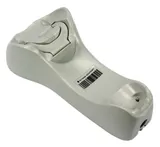
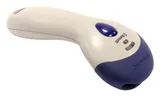
Summary
What is in it
The installation and user's guide for the Metrologic MS9535 VoyagerBT, a wireless hand-held laser bar code scanner that talks to its receiver/charger cradle over Bluetooth. It lists the kit and the MI9535 cradle versions (RS232, light pen, keyboard wedge, USB), gives quick start and installation steps for each interface, explains pairing scanner and cradle, charging, indicators, failure and programming modes, firmware upgrades, depth of field, connecting to other Bluetooth devices, troubleshooting, specifications, default settings and cradle pinouts.
Its parts
- Introduction
- Scanner and Accessories
- Quick Start
- RS232 and Light Pen Scanner Installation
- Keyboard Wedge Scanner Installation
- USB Scanner Installation
- Establish Communication Between Scanner and Cradle
- Charging the Scanner
- Receiver/Charger Cradle
- Cradle Parts
- Scanner Parts
- Audible Indicators
- Visual Indicators
- Failure Modes
- Programming Modes
From the manual
Key facts from this manual
Each line names its page in the PDF.
The installation and user's guide for the Metrologic MS9535 VoyagerBT, a Bluetooth wireless hand-held laser scanner, and its MI9535 receiver and charger cradles. It covers connecting the cradle to RS232, light pen, keyboard wedge and USB hosts, pairing the scanner, charging, the beeps and LEDs, firmware upgrades, troubleshooting, specifications and the cradle pinouts.
- Device
- MS9535 VoyagerBT: Bluetooth wireless hand-held laser scanner; MI9535: its receiver and charger cradle, which passes scans to the host p. 5, 6, 15
- Radio range
- 10 m (33 ft) between scanner and cradle p. 12, 33
- Cradle versions
- MI9535-514 Full RS232; MI9535-541 RS232/Light Pen; MI9535-547 Keyboard Wedge; USB and IBM versions also offered p. 6, 15
- Host interfaces
- RS232/Light Pen, PC Keyboard Wedge, Stand-Alone Keyboard, USB (low speed and full speed), IBM p. 33
- Input voltage
- Scanner and cradle: 5.2VDC ± 0.25V; cradle 120 mA @ 5VDC p. 33
- Battery
- MS9535: lithium battery, up to 12,000 scans per charge, 2.5 hours to recharge in the cradle p. 5, 14, 33
- Power supplies
- 46-46915 United States; 46-46914 Australia; 46-46913 Continental Europe; 46-46912 United Kingdom; 46-46911 China p. 6
- Cables
- RS232/Light Pen 54-54000B-N; Keyboard Wedge 57-57002A; USB 52-52828A p. 6
- Scan engine
- MS9535: 650 nm visible laser diode; single scan line, 72 ± 2 lines per second; 0 to 203 mm (0" to 8") for 13 mil p. 33
- Minimum bar width
- MS9535: 0.127 mm (5.0 mil) p. 33
- Size and weight
- MS9535: 198 mm (7.8") long, 40 mm (1.6") deep, 199 g (7.02 oz); cradle 225g (7.94 oz) p. 33
- Operating temperature
- 0°C to 40° (32° to 104°F); storage -20°C to 50°C (-4°F to 122°F) p. 33
- Charger-only cradle
- MLPN #46-46772 p. 15
- Firmware
- Flash ROM upgrade with the Meteor program on a Windows 95 or later PC, using RS-232 cable MLPN 54-54000B-N p. 23
What this manual walks you through
- Quick start: connecting the cradle and pairing the scanner p. 7, 8
- Installing the cradle for RS232, light pen, keyboard wedge and USB hosts p. 9, 10, 11
- Pairing a scanner with a different cradle p. 12
- Charging the scanner and recognizing low battery p. 13
- Finding a lost scanner with the cradle page button p. 16
- Reading the beeps and LED indications p. 18, 19, 20
- Recognizing failure modes p. 21
- Upgrading the flash ROM firmware p. 23
- Troubleshooting power, pairing, scanning and host communication p. 29, 30, 31, 32
- Cradle pinouts and host cable connectors p. 39, 40
Good to know
- Do not short the two cradle charge contacts with metal while the cradle is powered; it damages the cradle. p. 16
- A cradle paired with one scanner cannot pair with another until that connection is broken. p. 12
- On the first charge, leave the scanner in the cradle another 30 minutes after the amber LED turns steady. p. 13
- Scanner and cradle must be paired before the scanner's flash ROM is upgraded. p. 23
- Laser, scanning mechanism and electronic failures call for repair at an authorized service center. p. 21
Questions this manual answers
How do I pair the Metrologic MS9535 with its cradle?
Scan the Bluetooth address bar code on the cradle. The scanner beeps three times, then the blue LEDs flash and a 3-combination tone confirms the link. p. 7, 12
How many scans does the MS9535 battery give?
Up to 12,000 scans on a full charge; a full charge in the cradle takes about 2.5 hours. p. 5, 13
What happens if I scan beyond the MS9535's range?
Past 10 meters the link breaks and RangeGate stores the scans in the scanner's memory, then sends them once the link returns. p. 12
What do three beeps at power up mean on the MS9535?
The nonvolatile memory that holds the configuration has failed; if the scanner does not respond after reprogramming, it needs repair. p. 21
Which bar codes does the MS9535 read by default?
UPC/EAN, Code 39, Interleaved 2 of 5, Code 93, Code 128 and Codabar are enabled by default. p. 30
Contents
Chapters and sections
Each line opens the PDF at its page.
The whole text · 5 parts
Read the manual here as text
Its text as extracted from the PDF, unedited, in parts; each page opens the PDF at that page.
The file