Manual · Metrologic
IS4120 ScanQuest Laser Scan Engine Programming Guide
Manual81 pagesPDF 241 KB
Programming guide for the Metrologic IS4120 ScanQuest laser scan engine: bar code and serial configuration of interfaces and symbologies.
Covers · 1 model
The models it covers
Summary
What is in it
Programming guide for the Metrologic IS4120 ScanQuest laser scan engine. It explains how to enter program mode, recall defaults and configure the engine by scanning bar codes, with HandSet software or by serial commands from a host. Settings cover laser activation range, laser operation and sleep mode, RS-232 activation methods, RS-232, keyboard wedge and light pen interface parameters, code types and lengths, test modes, special features and prefix and suffix characters.
Its parts
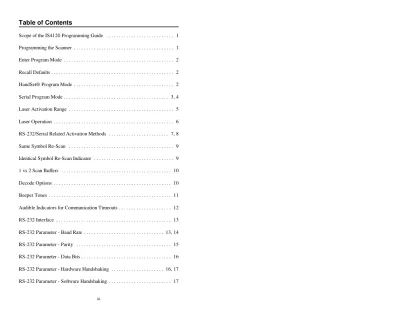
- Scope of the IS4120 Programming Guide
- Programming the Scanner
- Laser Activation Range
- Laser Operation
- RS-232/Serial Related Activation Methods
- Decode Options
- Beeper Tones
- RS-232 Interface
- Keyboard Wedge (KB) Interface
- Light Pen Options
- Code Type Selections
- Test Modes
- Special Features
- User Programmable Prefix and Suffix ID Characters
- ASCII Reference Table
From the manual
Key facts from this manual
Each line names its page in the PDF.
Programming guide (MLPN 2343, March 1998) for the Metrologic IS4120 ScanQuest laser scan engine. It holds the bar codes and serial commands that set the engine's interface, activation, beeper, RS-232, keyboard wedge, light pen and bar code type options. It does not cover installation, which it leaves to the Installation and User's Guide.
- Device
- IS4120 ScanQuest laser scan engine, suited to use as an embedded component in a system p. 1, 8
- Ways to configure
- Scanning bar codes in this guide, the PC-based HandSet program, or serial commands from a host p. 6, 7, 8
- Serial programming
- The host sends the bar code text framed by asterisks, such as *DF1* to recall defaults, about 150 milliseconds apart p. 8, 9
- Host scan activation
- Optional DTR activation (+12 volt level activates, -12 volt leaves it inactive), DC2 character activation, or address based activation p. 12, 13
- Sleep mode
- Low power standby of approx. 12 milliamps after about 5 seconds without activity; the IR sensor wakes it p. 11
- Baud rates
- 300 to 38400 (38400 transmit only); 9600 is the default p. 18, 19
- RS-232 defaults
- Space parity, 7 data bits, RTS/CTS disabled p. 20, 21
- Handshaking
- RTS/CTS per character or per message, ACK/NAK, XON/XOFF p. 21, 22
- Laser modes
- Normal scan (constant line, default), pulsing scan, and a custom scan for special applications p. 11
- Keyboard wedge
- AT (default, includes IBM PS/2 models 50, 55, 60, 80), XT, IBM PS/2 models 30, 70, 8556 p. 29
- Keyboard countries
- USA (default), UK, France, Germany, Italy, Spain, Belgium, Swiss, IBM KB4700 Financial p. 30
- Light pen output
- Bars high or spaces high; transmit as scanned or as Code 39 p. 34
- Same symbol re-scan
- Short ½ second or long 1 second (default) p. 14
- Beeper
- Low, high (default) or medium tone, or no tone p. 16
What this manual walks you through
- Entering and leaving program mode p. 6, 7
- Recalling the factory defaults p. 7
- Configuring the engine from a host over serial p. 8, 9
- Setting the IR activation range and laser operation p. 10, 11
- Starting scans from the host by DTR, DC2 or address p. 12, 13
- Setting baud rate, parity, data bits and handshaking p. 18, 19, 20, 21, 22
- Disabling scanning with DTR or the DE command p. 24
- Choosing keyboard type and country p. 29, 30
- Setting light pen emulation p. 34, 35
- Test modes and transmitting the current configuration p. 56, 57
Good to know
- If nothing is scanned for 30 seconds in program mode, the unit beeps three times and all changes are lost. p. 6
- Not every hardware version supports every feature; keyboard wedge units do not use baud rates. p. 6
- Custom scan, the test modes and the special features are only to be used when a Metrologic representative says so. p. 11, 56, 57
- The DE disable command only works with RS-232 communication. p. 24
- The IS4120 is not completely hardware compatible with the ScanPal data collector. p. 57
Questions this manual answers
How do I reset an IS4120 to factory defaults?
While programming, scan the RECALL DEFAULTS bar code; settings chosen in that or any earlier session are lost. p. 7
What are the IS4120 default RS-232 settings?
9600 baud, space parity, 7 data bits, with RTS/CTS disabled. p. 19, 20, 21
Can a host trigger an IS4120 scan instead of the IR sensor?
Yes. With DTR activation enabled a +12 volt DTR level starts scanning, or the engine can start a scan when it receives an ASCII DC2. p. 12
What happens if the host pauses too long during serial programming?
With more than 20 seconds between characters or commands, the scanner sends a NAK, leaves program mode and recalls its previous configuration. p. 9
How much current does the IS4120 draw in sleep mode?
About 12 milliamps, entered after about 5 seconds of no activity. p. 11
The whole text · 9 parts
Read the manual here as text
Its text as extracted from the PDF, unedited, in parts; each page opens the PDF at that page.
The file